The official ActivitySmith GitHub Action. Send Push Notifications with optional rich media, and drive Live Activities with full lifecycle control or stream updates directly from your workflows.
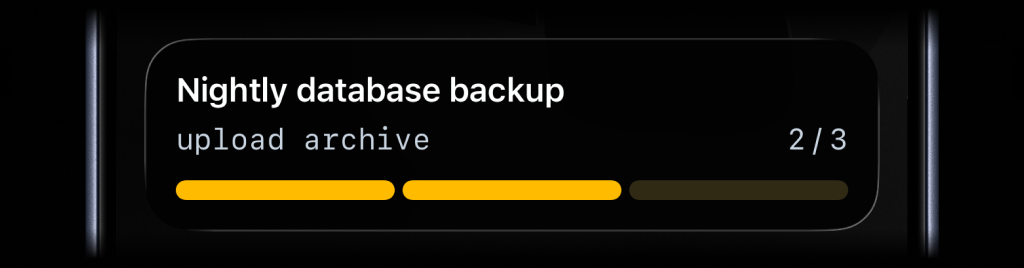
GitHub Actions is a natural fit for full lifecycle control. A workflow has a
clear start, middle, and end, and step outputs make it easy to pass
live_activity_id from one step to the next. For most GitHub workflows, this
is the best way to drive Live Activities.
Use stream actions when the same Live Activity should be updated across
scheduled runs, separate workflows, or other stateless automation where you do
not want to store live_activity_id yourself.
Live Activity UI types:
segmented_progress: best for step-based workflows like deployments, backups, and ETL pipelinesprogress: best for continuous jobs like uploads, reindexes, and long-running migrations tracked as a percentagemetrics: best for live operational stats like server CPU and memory, queue depth, or replica lag
For deployments, releases, migrations, and other bounded workflows, use the explicit lifecycle actions:
- Run
start_live_activitywhen the job starts. - Save the returned
live_activity_id. - Run
update_live_activityas the workflow moves forward. - Run
end_live_activitywhen the work is finished.
Use segmented_progress when the work has clear stages and you want the Live
Activity to mirror the workflow step by step.
- name: Start deployment Live Activity
  id: start_activity
  uses: ActivitySmithHQ/activitysmith-github-action@v1
  with:
    action: start_live_activity
    api-key: ${{ secrets.ACTIVITYSMITH_API_KEY }}
    payload: |
      content_state:
        title: "Deploying payments-api"
        subtitle: "Build container image"
        type: "segmented_progress"
        number_of_steps: 3
current_step: 1- name: Update deployment Live Activity
uses: ActivitySmithHQ/activitysmith-github-action@v1
with:
action: update_live_activity
api-key: ${{ secrets.ACTIVITYSMITH_API_KEY }}
live-activity-id: ${{ steps.start_activity.outputs.live_activity_id }}
payload: |
content_state:
title: "Deploying payments-api"
subtitle: "Run database migrations"
type: "segmented_progress"
number_of_steps: 3
current_step: 2- name: End deployment Live Activity
uses: ActivitySmithHQ/activitysmith-github-action@v1
with:
action: end_live_activity
api-key: ${{ secrets.ACTIVITYSMITH_API_KEY }}
live-activity-id: ${{ steps.start_activity.outputs.live_activity_id }}
payload: |
content_state:
title: "payments-api deployed"
subtitle: "Production healthy"
type: "segmented_progress"
number_of_steps: 3
current_step: 3
auto_dismiss_minutes: 2Use progress when the state is naturally continuous, such as a long-running
upload, reindex, or data migration.
- name: Update reindex Live Activity
  uses: ActivitySmithHQ/activitysmith-github-action@v1
  with:
    action: update_live_activity
    api-key: ${{ secrets.ACTIVITYSMITH_API_KEY }}
    live-activity-id: ${{ steps.start_activity.outputs.live_activity_id }}
    payload: |
      content_state:
        title: "Reindexing product search"
        subtitle: "catalog-v2"
        type: "progress"
percentage: 60Use metrics when you want to keep a small set of live stats visible during a
bounded workflow, such as canary health during a deployment or pressure metrics
while a migration is running.
- name: Update canary health Live Activity
  uses: ActivitySmithHQ/activitysmith-github-action@v1
  with:
    action: update_live_activity
    api-key: ${{ secrets.ACTIVITYSMITH_API_KEY }}
    live-activity-id: ${{ steps.start_activity.outputs.live_activity_id }}
    payload: |
      content_state:
        title: "Canary Health"
        subtitle: "payments-api"
        type: "metrics"
        metrics:
          - label: "CPU"
            value: 31
            unit: "%"
          - label: "MEM"
            value: 58
unit: "%"Just like Actionable Push Notifications, Live Activities can have a button that opens a URL in a browser or triggers a webhook. Webhooks are executed by the ActivitySmith backend.
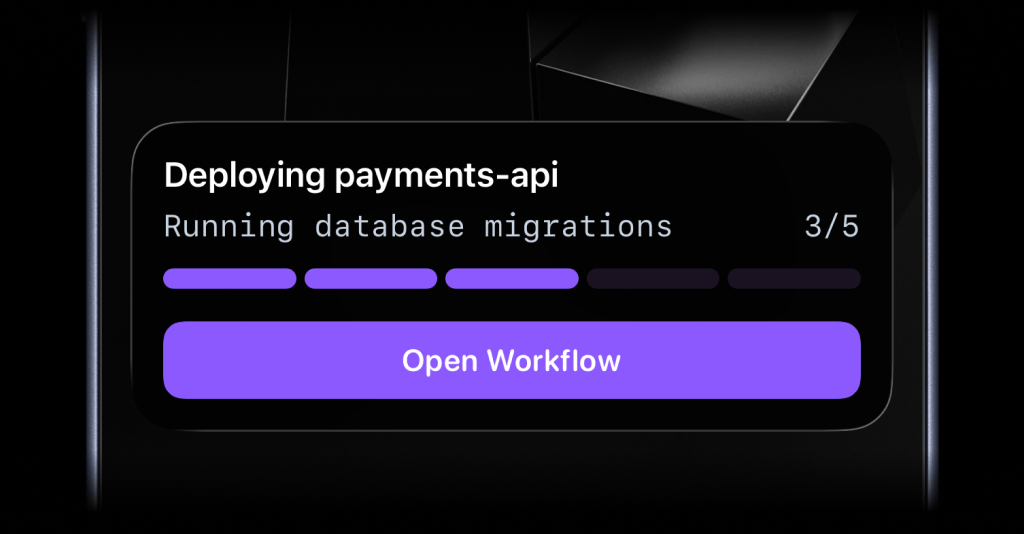
- name: Start Live Activity with open URL action
  id: start_activity
  uses: ActivitySmithHQ/activitysmith-github-action@v1
  with:
    action: start_live_activity
    api-key: ${{ secrets.ACTIVITYSMITH_API_KEY }}
    payload: |
      content_state:
        title: "Deploying payments-api"
        subtitle: "Running database migrations"
        type: "segmented_progress"
        number_of_steps: 5
        current_step: 3
      action:
        title: "Open Workflow"
        type: "open_url"
url: "https://github.com/acme/payments-api/actions/runs/1234567890"- name: Update Live Activity with webhook action
uses: ActivitySmithHQ/activitysmith-github-action@v1
with:
action: update_live_activity
api-key: ${{ secrets.ACTIVITYSMITH_API_KEY }}
live-activity-id: ${{ steps.start_activity.outputs.live_activity_id }}
payload: |
content_state:
title: "Reindexing product search"
subtitle: "Shard 7 of 12"
number_of_steps: 12
current_step: 7
action:
title: "Pause Reindex"
type: "webhook"
url: "https://ops.example.com/hooks/search/reindex/pause"
method: "POST"
body:
job_id: "reindex-2026-03-19"
requested_by: "activitysmith-github-action"Stream actions are still useful in GitHub Actions when the same Live Activity
should be updated by scheduled workflows, separate workflow runs, or jobs that
should stay stateless. In that case, send the latest state with a stable
stream-key and ActivitySmith will start or update the Live Activity for you.
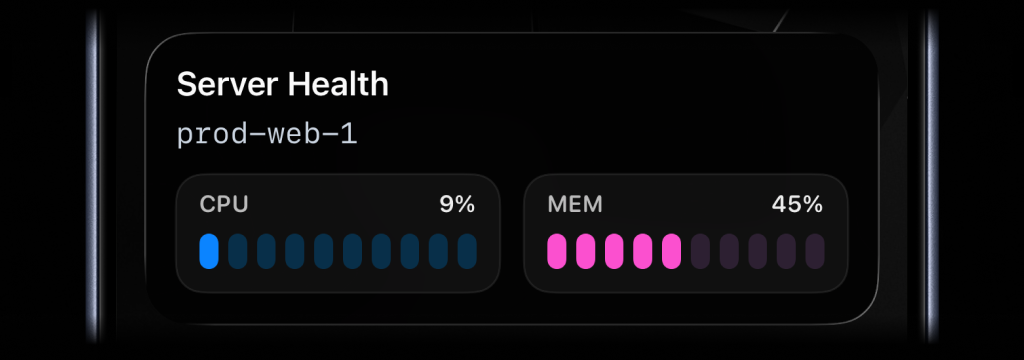
- name: Stream server health
  id: stream_activity
  uses: ActivitySmithHQ/activitysmith-github-action@v1
  with:
    action: stream_live_activity
    api-key: ${{ secrets.ACTIVITYSMITH_API_KEY }}
    stream-key: prod-web-1
    payload: |
      content_state:
        title: "Server Health"
        subtitle: "prod-web-1"
        type: "metrics"
        metrics:
          - label: "CPU"
            value: 9
            unit: "%"
          - label: "MEM"
            value: 45
            unit: "%"
Use end_live_activity_stream when the tracked thing is finished and you want
the Live Activity dismissed. payload is optional there. If you later send
another stream_live_activity request with the same stream-key,
ActivitySmith starts a new Live Activity for that stream again.
Stream responses include an operation field, also exposed as
steps.<id>.outputs.operation:
started: ActivitySmith started a new Live Activity for thisstream-keyupdated: ActivitySmith updated the current Live Activityrotated: ActivitySmith ended the previous Live Activity and started a new onenoop: the incoming state matched the current state, so no update was sentpaused: the stream is paused, so no Live Activity was started or updatedended: returned byend_live_activity_streamafter the stream is ended
Push Notifications support three common patterns:
- simple delivery alerts
- rich media previews
- actionable follow-up from the notification itself
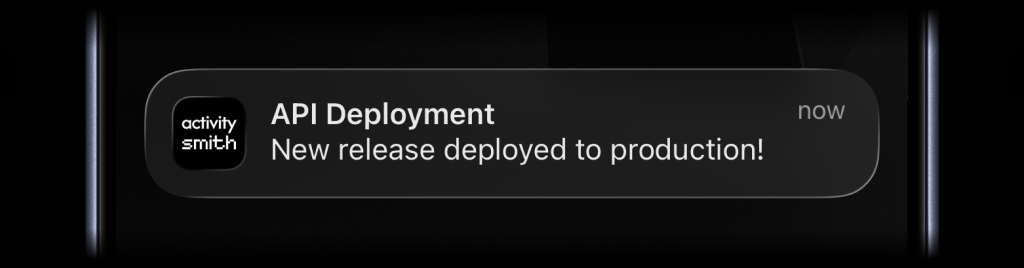
- name: Send push notification
  uses: ActivitySmithHQ/activitysmith-github-action@v1
  with:
    action: send_push_notification
    api-key: ${{ secrets.ACTIVITYSMITH_API_KEY }}
    payload: |
      title: "API Deployment"
      message: "New release deployed to production!"
- name: Send rich push notification
  uses: ActivitySmithHQ/activitysmith-github-action@v1
  with:
    action: send_push_notification
    api-key: ${{ secrets.ACTIVITYSMITH_API_KEY }}
    payload: |
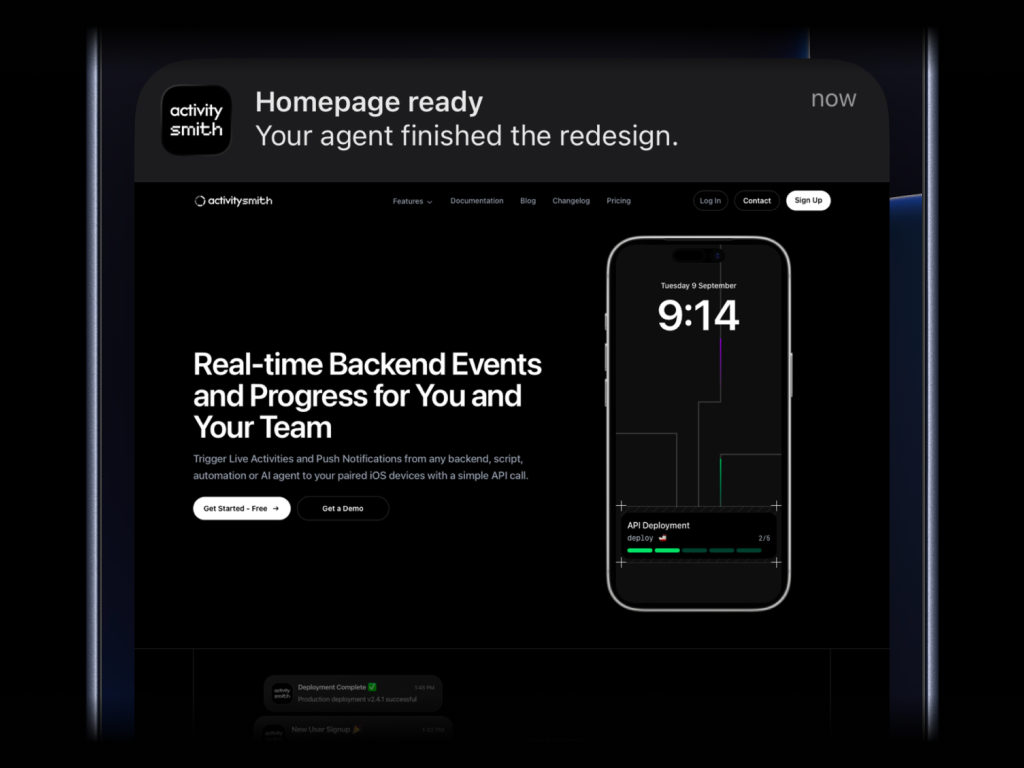
      title: "Homepage ready"
      message: "Your agent finished the redesign."
      media: "https://cdn.example.com/output/homepage-v2.png"
      redirection: "https://github.com/acme/web/pull/482"
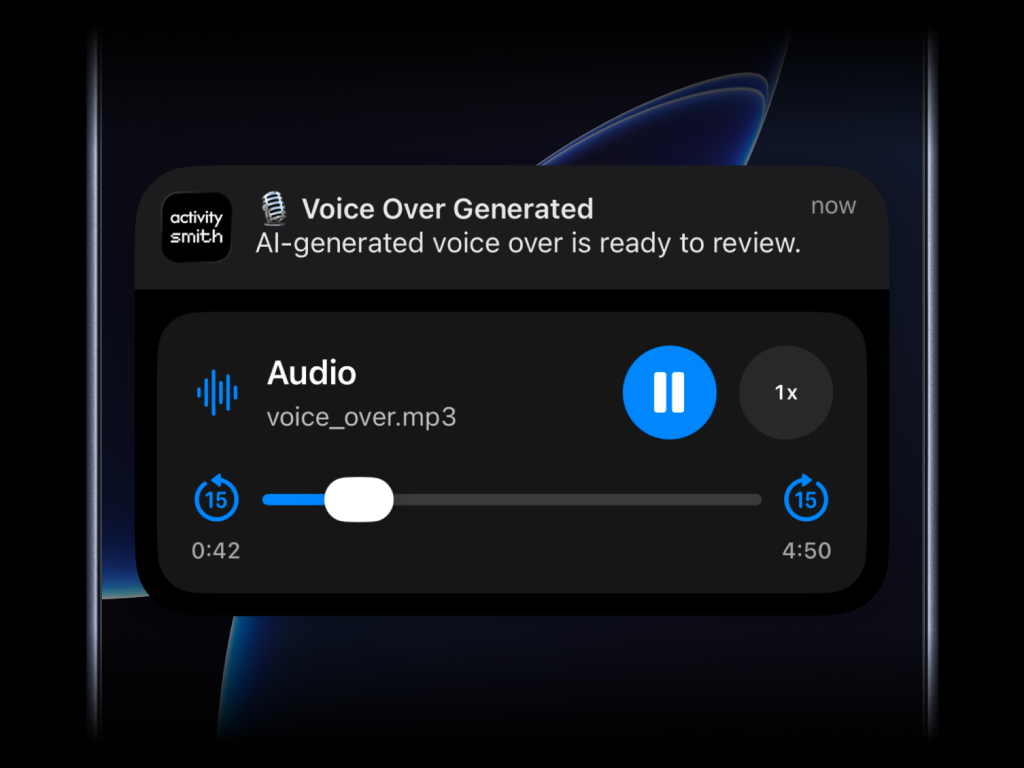
Send images, videos, or audio with your push notifications, press and hold to preview media directly from the notification, then tap through to open the linked content.
What will work:
- direct image URL:
.jpg,.png,.gif, etc. - direct audio file URL:
.mp3,.m4a, etc. - direct video file URL:
.mp4,.mov, etc. - URL that responds with a proper media
Content-Type, even if the path has no extension
media can be combined with redirection, but not with actions.
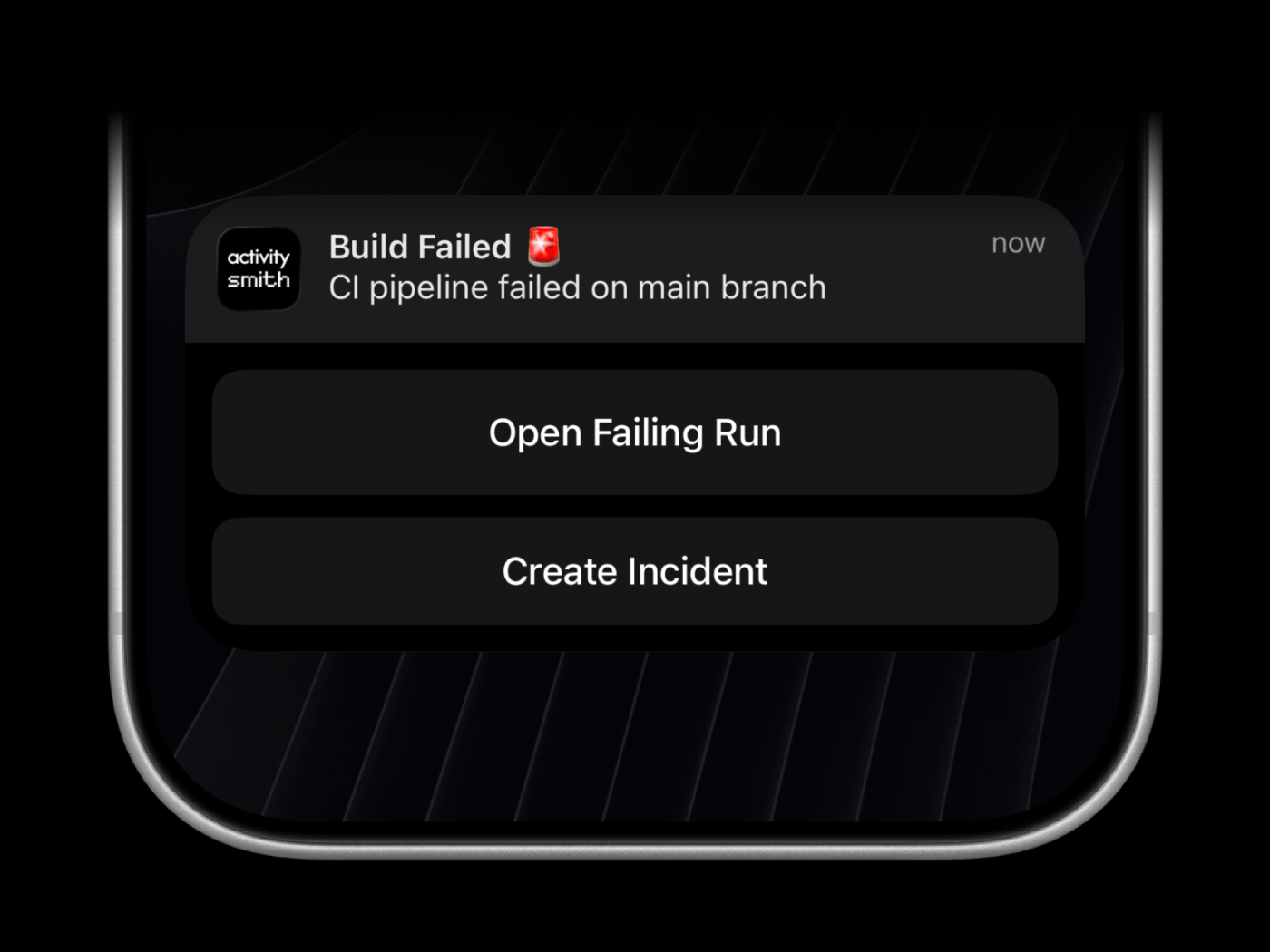
Add redirection when tapping the notification should open a specific URL, and use action buttons when someone should be able to act on the notification immediately. Webhook actions are executed by ActivitySmith backend.
- name: Send actionable push notification
  uses: ActivitySmithHQ/activitysmith-github-action@v1
  with:
    action: send_push_notification
    api-key: ${{ secrets.ACTIVITYSMITH_API_KEY }}
    payload: |
      title: "Build Failed 🚨"
      message: "CI pipeline failed on main branch"
      redirection: "https://github.com/org/repo/actions/runs/123456789"
      actions:
        - title: "Open Failing Run"
          type: "open_url"
          url: "https://github.com/org/repo/actions/runs/123456789"
        - title: "Create Incident"
          type: "webhook"
          url: "https://hooks.example.com/incidents/create"
          method: "POST"
          body:
            service: "payments-api"
severity: "high"action(required):send_push_notification,stream_live_activity,end_live_activity_stream,start_live_activity,update_live_activity, orend_live_activityapi-key(required): ActivitySmith API keypayload(optional): inline JSON or YAML payload. Push notifications support optionalmedia,redirection, and up to 4actions. Live Activities supportmetrics,segmented_progress, orprogresscontent_stateplus one optionalaction. Forend_live_activity_stream,payloadis optional.payload-file-path(optional): path to a.json,.yml, or.yamlpayload filelive-activity-id(required forupdate_live_activityandend_live_activity): Live Activity IDstream-key(required forstream_live_activityandend_live_activity_stream): stable key used to identify the tracked streamchannels(optional): comma-separated channels forsend_push_notification,stream_live_activity, andstart_live_activityerrors(optional, defaultfalse): set totrueto fail the step when the API request failspayload-delimiter(optional): advanced override for nested payload flattening
ok:truewhen the request succeeds, otherwisefalseresponse: JSON stringified API response or error responsetime: Unix epoch time (seconds) when the step finishedlive_activity_id: returned when a Live Activity start or stream request returns an activity IDoperation: returned by stream actions, such asstarted,updated,rotated,noop,paused, orended
- Use either
payloadorpayload-file-path. - Both inline payloads and payload files can be JSON or YAML.
- Live Activity payloads go under
content_stateand should use snake_case keys. live-activity-idis required for update and end actions.stream-keyis required for stream start/update and stream end actions.- Push notification payloads support optional
media,redirection, and up to 4actions. - Live Activity payloads support one optional
action. mediacan be combined withredirection, but not withactions.channelsonly applies tosend_push_notification,stream_live_activity, andstart_live_activity. If your payload already includestargetorchannels, the action leaves it unchanged.