
💘C/C++ × SDL3 × OpenGL, stir it up, mash it together! Bong~ Bongo Cat!!!
English • 简体中文 • 繁體中文 • Français • Deutsch • 日本語 • 한국어 • Português • Русский • Español • Bahasa Indonesia


BongoCat.Showcase.mp4
Tip
The model featured in this demonstration is from 宇痕冫.
🎁 Looking for free models? We work with talented model creators to bring you a wide variety of free models, while continuously exploring more fun desktop experiences! Visit our official website: bongocat.pet


-
GitHub Releases
Download the latest release from GitHub Releases.
BongoCat uses CMake and requires a C11 compiler, a C++17 compiler, CMake 3.24 or newer, and desktop OpenGL development files. SDL3, yyjson, stb, miniaudio, and Nuklear are downloaded at configure time by default, so the first configuration needs network access.
Run the commands below from the project root (the directory containing
CMakeLists.txt).
-
Windows: Visual Studio 2022 with the Desktop C++ workload and CMake. Use the MSVC generator; MinGW can build the diagnostic backend but is not supported for the Cubism SDK.
-
macOS: Xcode Command Line Tools, CMake, and Ninja. Select an architecture with
CMAKE_OSX_ARCHITECTURESwhen it differs from the host default. -
Linux (Debian/Ubuntu): GCC or Clang, Ninja, and the OpenGL/X11 headers:
sudo apt-get update
sudo apt-get install -y build-essential cmake ninja-build \
  libgl1-mesa-dev libx11-dev libxi-dev libxfixes-dev
On Linux and macOS, use a single-configuration generator such as Ninja:
cmake -S . -B build -G Ninja \
  -DCMAKE_BUILD_TYPE=Release \
  -DBONGO_CAT_FETCH_DEPS=ON
cmake --build build --parallel
On Windows, run from a Visual Studio 2022 developer shell (or another shell where MSVC is available):
cmake -S . -B build -G "Visual Studio 17 2022" -A x64 `
  -DBONGO_CAT_FETCH_DEPS=ON
cmake --build build --config Release --parallel
The executable is written to build/BongoCat on Linux, to
build/BongoCat.app/Contents/MacOS/BongoCat on macOS, and to
build/Release/BongoCat.exe for Visual Studio builds.
CTest targets are enabled by default. Run them after building:
ctest --test-dir build --output-on-failureFor a multi-configuration generator such as Visual Studio, select the build configuration explicitly:
ctest --test-dir build -C Release --output-on-failureIf the Cubism SDK is not present, CMake emits a warning and builds the
diagnostic backend. This backend is intended for startup and platform
diagnostics; it does not provide Live2D model rendering. To build the full
runtime, install a compatible Cubism SDK for Native and either place it at
vendor/CubismSdkForNative or pass its location explicitly:
cmake -S . -B build -G Ninja \
  -DCMAKE_BUILD_TYPE=Release \
  -DBONGO_CAT_CUBISM_SDK=/path/to/CubismSdkForNative \
  -DBONGO_CAT_REQUIRE_CUBISM=ON
The SDK must contain its Core library, Framework sources, and the OpenGL GLEW
third-party tree in the layout expected by cmake/Cubism.cmake. Windows
Cubism builds require Visual Studio 2022. BONGO_CAT_REQUIRE_CUBISM=ON makes
configuration fail instead of silently selecting the diagnostic backend.
| Option | Default | Description |
|---|---|---|
BONGO_CAT_FETCH_DEPS |
ON |
Download the pinned third-party dependencies with CMake FetchContent. Set OFF only when SDL3, yyjson, stb, miniaudio, and Nuklear are already available to CMake. |
BONGO_CAT_CUBISM_SDK |
vendor/CubismSdkForNative |
Path to the Cubism SDK for Native. |
BONGO_CAT_REQUIRE_CUBISM |
OFF |
Fail configuration when a usable Cubism SDK is unavailable. |
BONGO_CAT_WARNINGS_AS_ERRORS |
OFF |
Treat native compiler warnings as errors. |
For an offline build with BONGO_CAT_FETCH_DEPS=OFF, provide CMake package
configurations for SDL3 (including SDL3-static) and yyjson, plus the include
directories for stb, Nuklear, and miniaudio when they are not discoverable:
cmake -S . -B build -G Ninja \
  -DCMAKE_BUILD_TYPE=Release \
  -DBONGO_CAT_FETCH_DEPS=OFF \
  -DBONGO_CAT_STB_INCLUDE_DIR=/path/to/stb \
  -DBONGO_CAT_NUKLEAR_INCLUDE_DIR=/path/to/nuklear \
-DBONGO_CAT_MINIAUDIO_INCLUDE_DIR=/path/to/miniaudioThe BongoCat source code and native runtime are licensed under AGPL-3.0-only.
The default built-in model mode (standard) remains MIT-licensed. The
bundled model assets in resources/assets/models/standard, keyboard, and
gamepad are covered by the separate MIT license notice.
That MIT license applies to the model assets and their accompanying artwork
only; it does not relicense the BongoCat source code or native runtime.
The current native version is built on C/C++, SDL3, and OpenGL. The diagram below focuses on the runtime data flow; build and packaging details live in CMake.
Each process owns one BongoCatApp and one main-thread event and render loop.
Platform listeners stop at the input boundary:
Platform listeners
(keyboard / pointer)
            |
            v
  C11 input state
  (atomic edge queue + coalesced pointer position)
            |
            v
  main-thread application <----- SDL3 events
            |
            v
  model parameters, overlay, and UI state
            |
            v
  model update -> OpenGL composition -> platform presentation
The Windows low-level hooks, macOS Quartz event tap, and Linux XInput2 listener run outside the main loop. They publish timestamped key and mouse-button edges to the bounded atomic queue and publish pointer coordinates through a separate coalescing slot; a successful publish pushes a native SDL wake event. This keeps high-frequency motion from displacing ordered key and button edges. On Windows, DirectInput is used only through the platform pointer interface when a model requests relative movement or a foreground application locks the cursor. SDL3 window, preferences, and gamepad events are handled on the main thread, where gamepad events are normalized before they reach model parameters or shortcuts. No platform listener calls Live2D, overlay, or UI code directly.
bongo_cat_app_run handles update-shutdown and secondary-process arguments,
enforces single-instance ownership for the primary process, allocates the
application state, runs initialization, enters bongo_cat_app_loop, and then
flushes state and destroys resources in a defined order. Initialization loads
configuration and storage paths, locates assets, creates the SDL/OpenGL pet
window, initializes the platform backend, creates the Live2D, overlay, and
audio services, scans the built-in/installed/nearby model sources, and loads a
usable model. BongoCatApp owns settings, session state, model and behavior
catalogs, platform handles, and runtime service handles.
Installed model packages use Mver as the canonical format. The import workflow
resolves a selected file or directory, discovers and validates candidates,
fingerprints package identity, converts Tauri sources to Mver, applies image
patches, and commits the normalized package under models_root. It then
generates the runtime adapter and refreshes the catalogs. Nearby sources are
discovered without installing their source tree; their adapters and inspection
results are cached outside models_root under cache_root.
Each main-loop iteration waits for SDL/native wakeups or the earliest pending
frame, UI, animation, or pointer-hit deadline (with a maximum wait of 250 ms).
It dispatches queued SDL events, drains the atomic input queue and release
recovery, updates window and model-refresh state, and applies input-derived
parameters. With Cubism enabled, the model deadline follows
settings.model.max_fps (60 FPS by default); diagnostic builds use a 100 ms
fallback interval. The elapsed model time is capped at 250 ms and split into up
to eight substeps, targeting no more than 1/30 s per substep.
The normal pet path renders only when the window is visible, not minimized, and
marked dirty. A frame clears the background, draws the model, and composites
pointer, key, and effect overlays before calling the platform presenter.
Preview operations can request immediate renders, while capture renders may
skip presentation. macOS and Linux swap the SDL OpenGL window directly.
Windows swaps directly when layered presentation is inactive and otherwise
reads back the frame for UpdateLayeredWindow. The preferences UI owns a
separate SDL/OpenGL window and is rendered and presented independently from
the pet window.
The C runtime calls the ABI declared in include/bongo_cat/model.h. The Live2D
bridge and Cubism implementation live in src/live2d and use C++17 only when
the Cubism SDK is enabled; the rest of the native runtime uses C11. Cubism
types remain behind opaque C handles, while src/live2d/live2d_stub.c provides
the diagnostic backend when the SDK is unavailable.
flowchart TB
  Input(["Keyboard / mouse / gamepad"])
  BuiltIn(["Built-in model assets"])
  Sources(["External model sources<br/>Mver, Tauri, .model3.json, image patches"])
  Desktop(["Pet window and preferences window"])

  subgraph Runtime["BongoCat native runtime"]
    direction TB
    Entry["src/main.c<br/>bongo_cat_app_run"]
    Startup["Startup and initialization<br/>configuration, storage, window, platform"]
    Loop["SDL3 main loop<br/>wait, dispatch, update, render"]
    Shutdown["Shutdown<br/>flush state, stop services, release resources"]
    InputQueue[("Atomic input state<br/>edge queue and coalesced pointer position")]
    InputDispatch["Input dispatch<br/>shortcuts, pointer mapping, model parameters"]
    State[("BongoCatApp state<br/>settings, session, catalogs, runtime handles")]
    Import["Model discovery and import<br/>validate, normalize to Mver, install/cache"]
    Catalog[("Model and behavior catalogs")]
    Live2D["Live2D C ABI<br/>Cubism SDK or diagnostic stub"]
    Overlay["Overlay and audio"]
    Preferences["Preferences and desktop shell<br/>Nuklear UI, tray, window actions"]
    Compose["OpenGL frame composition"]
    Present["Platform presentation"]

    Entry --> Startup --> Loop
    Loop --> Shutdown
    Loop --> InputDispatch --> State
    Loop <--> State
    State --> Live2D
    State --> Overlay
    State <--> Preferences
    Loop --> Preferences
    Catalog --> State
    State --> Compose
    Live2D --> Compose
    Overlay --> Compose
    Compose --> Present
    Loop --> Compose
  end

  subgraph Platform["Platform backends"]
    direction LR
    Global["Global keyboard / pointer capture<br/>Windows, macOS, Linux"]
    SDL["SDL3 events<br/>window and gamepad events"]
  end

  Input --> Global --> InputQueue --> InputDispatch
  Input --> SDL --> Loop
  BuiltIn --> Catalog
  Sources --> Import --> Catalog
  Present --> Desktop
  Preferences --> Desktop
No. BongoCat processes keyboard and mouse input locally to drive animations and shortcuts. It does not record or upload your keystrokes, mouse actions, or other interaction data. Configuration is stored locally as well, and the app contains no ads, analytics tools, or user-tracking code. When an update check is performed, it only requests public release metadata; it does not send input, configuration, or usage data.
We chose OpenGL not because Vulkan is bad, but because BongoCat does not need that level of complexity. The app mainly renders one Live2D model, a few UI layers, and a transparent desktop window. OpenGL already handles that comfortably, and it works naturally with SDL3 and Cubism's OpenGL renderer. Moving to Vulkan would mean maintaining much more rendering and synchronization code across three desktop platforms, without a noticeable improvement for users. For BongoCat's current workload, OpenGL keeps the renderer smaller, easier to debug, and easier to maintain while still delivering the performance we need.
Tip
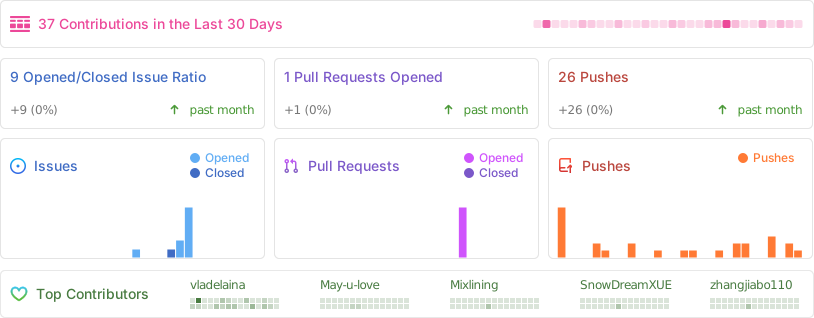
Every step BongoCat takes is powered by the spirit of open source. We sincerely thank all our community contributors for their selfless contributions (listed below in chronological order by contribution date). It is your support that makes desktop companionship more free and genuine.❤️🔥
Copyright © 2026 - BongoCat
By vladelaina
Made with ❤️ & ⌨️