VulkanScope is an advanced Vulkan capability inspection and reporting tool for Android. It queries the Vulkan implementation exposed by the active driver and presents detailed information about the GPU, Vulkan core capabilities, extensions, features, properties, limits, memory, queues, formats, Surface/WSI support, Vulkan Video, Android display/HDR capabilities, Vulkan Profiles, and more.
Database: https://efishell0.github.io/VulkanScope_database/
Current version: 0.41.14
This app supports Obtainium. Identifying the storage links of Obtainium is sufficient.
VulkanScope reports what the active Vulkan implementation actually exposes. It does not infer support from the Android version, GPU model, or Vulkan API version alone.
- Vulkan 1.0–1.4 core capability inspection
- Query coverage validated against Vulkan-Headers 1.4.360
- Extensive Khronos and vendor-specific feature/property queries
- Runtime instance and device extension enumeration with
specVersion - Detailed physical-device properties and limits
- Memory heap/type inspection with canonical Vulkan flags
- Queue-family and presentation capability inspection
- 64-bit format-feature inspection with exact raw values
- Real Android
VkSurfaceKHRcapability inspection - Surface formats, color spaces, present modes, transforms, composite alpha, and usage flags
- Android Display and HDR capability reporting
- Vulkan Video decode/encode capability inspection
- Vulkan Profile evaluation
- Offline registry-driven Vulkan query metadata
- Dedicated Analysis workspace with snapshot comparison, watched evidence, profile/minimum evaluation, dependency analysis, diagnostic evidence score, local sharing, and optional isolated Vulkan self-tests
- Registry-driven extension dependency/reference graphs kept separate from runtime support evidence
- Selected-format Image Format Properties2 drill-down using collected runtime evidence
- Local VulkanScope Database permalink and QR-code sharing
- Turnip / third-party Vulkan driver support with metadata-authoritative bundle validation
- TXT and self-contained HTML reports
- Explicit complete-report submission to VulkanScope Database
- Secure GitHub-based update checking
- Multi-ABI native Android builds
- Dark Material 3 Expressive interface
VulkanScope uses a dark Material 3 Expressive design focused on dense technical information without hiding raw capability data.
The interface is organized into dedicated inspection areas for device information, properties, features, extensions, memory, queues, formats, Surface/WSI, display/HDR, Vulkan Video, Profiles, Analysis, settings, and application information.
Status values are kept semantically distinct where applicable:
- Supported
- Unsupported
- Available
- Unavailable
- Unknown / not queried
A capability that was not queried or could not be determined is not silently converted into Unsupported.
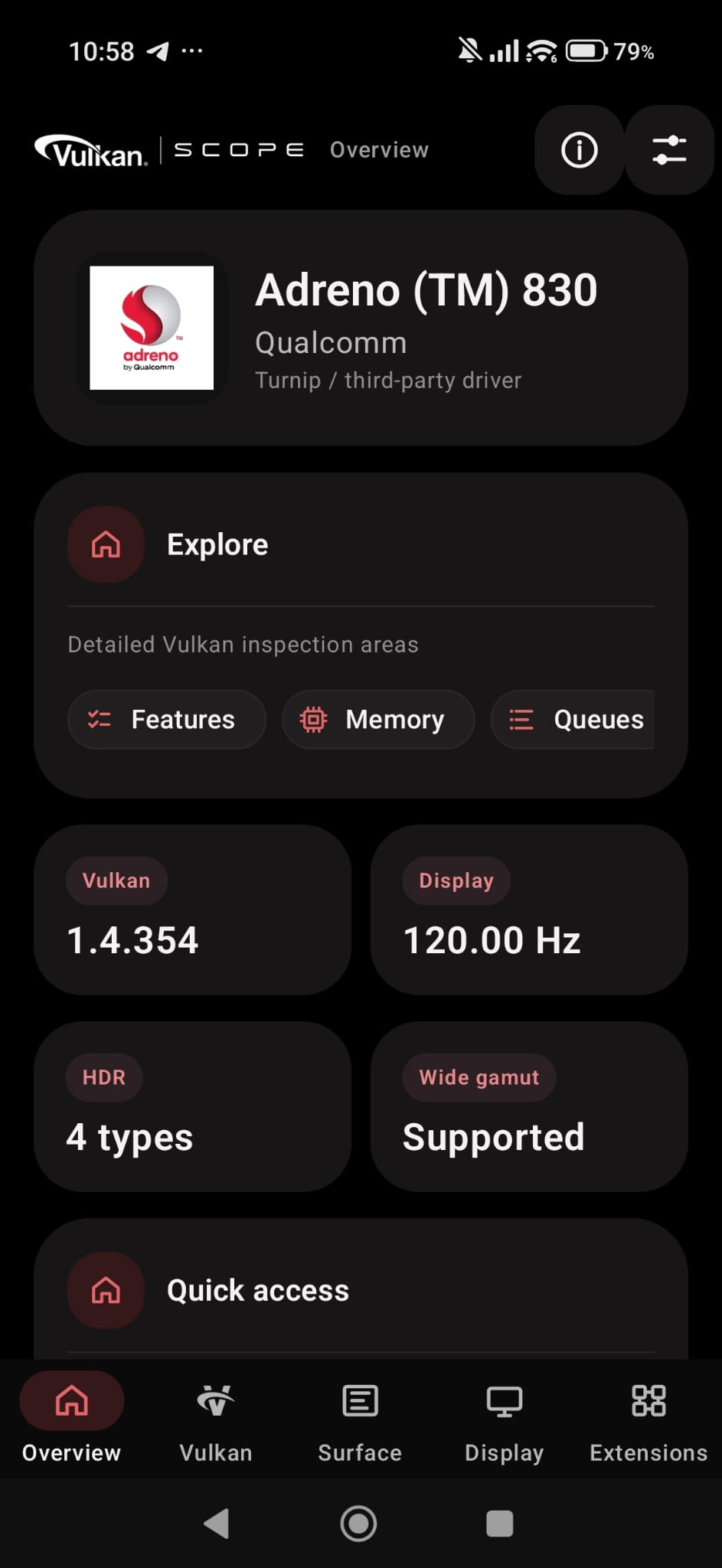
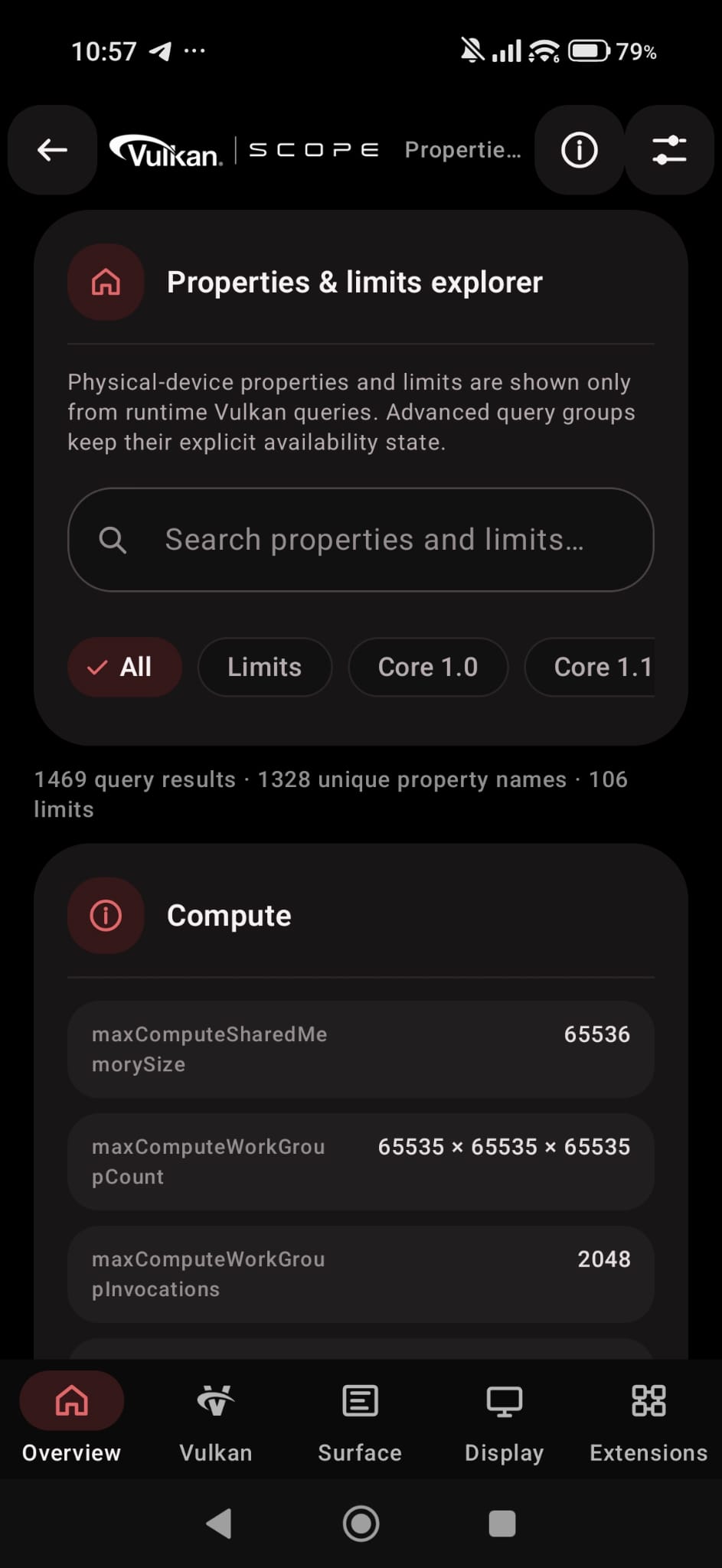
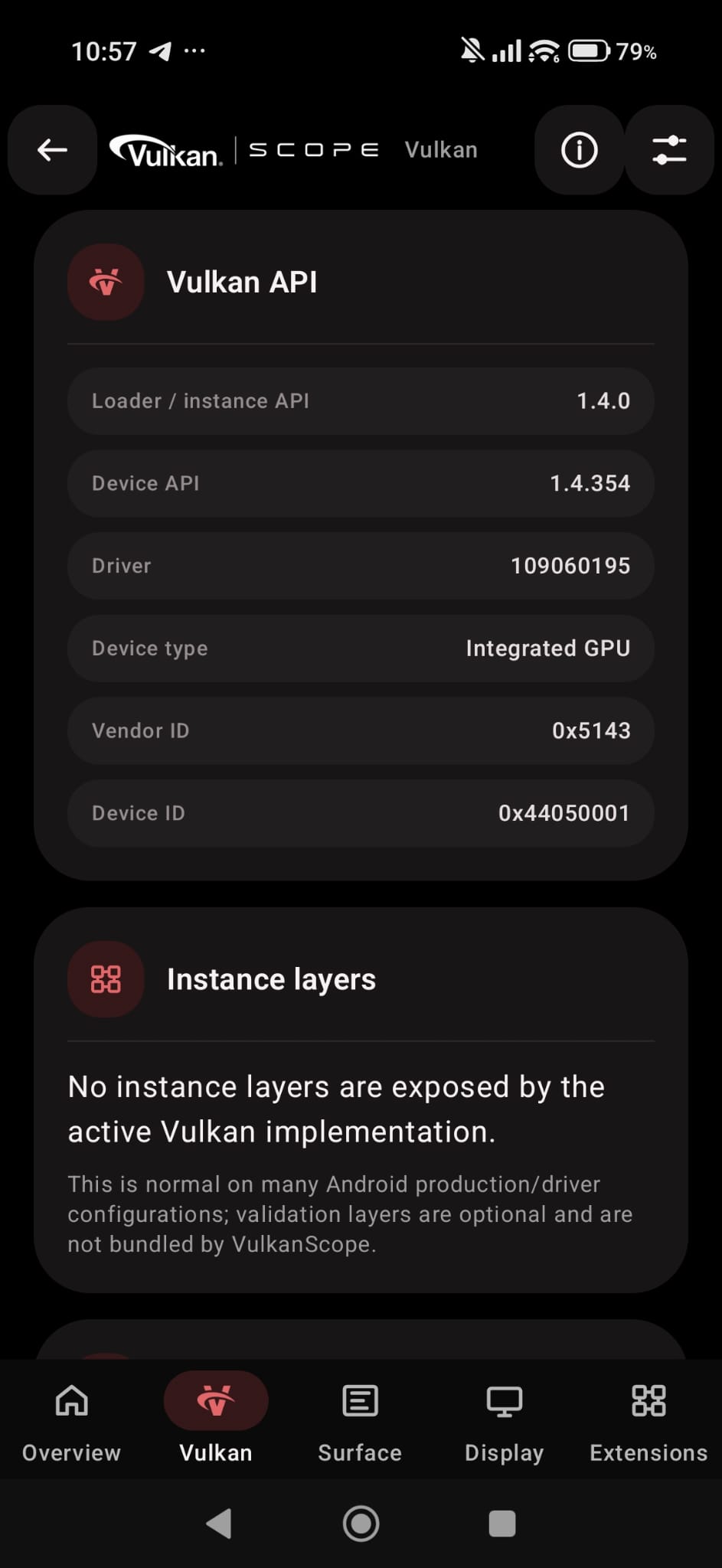
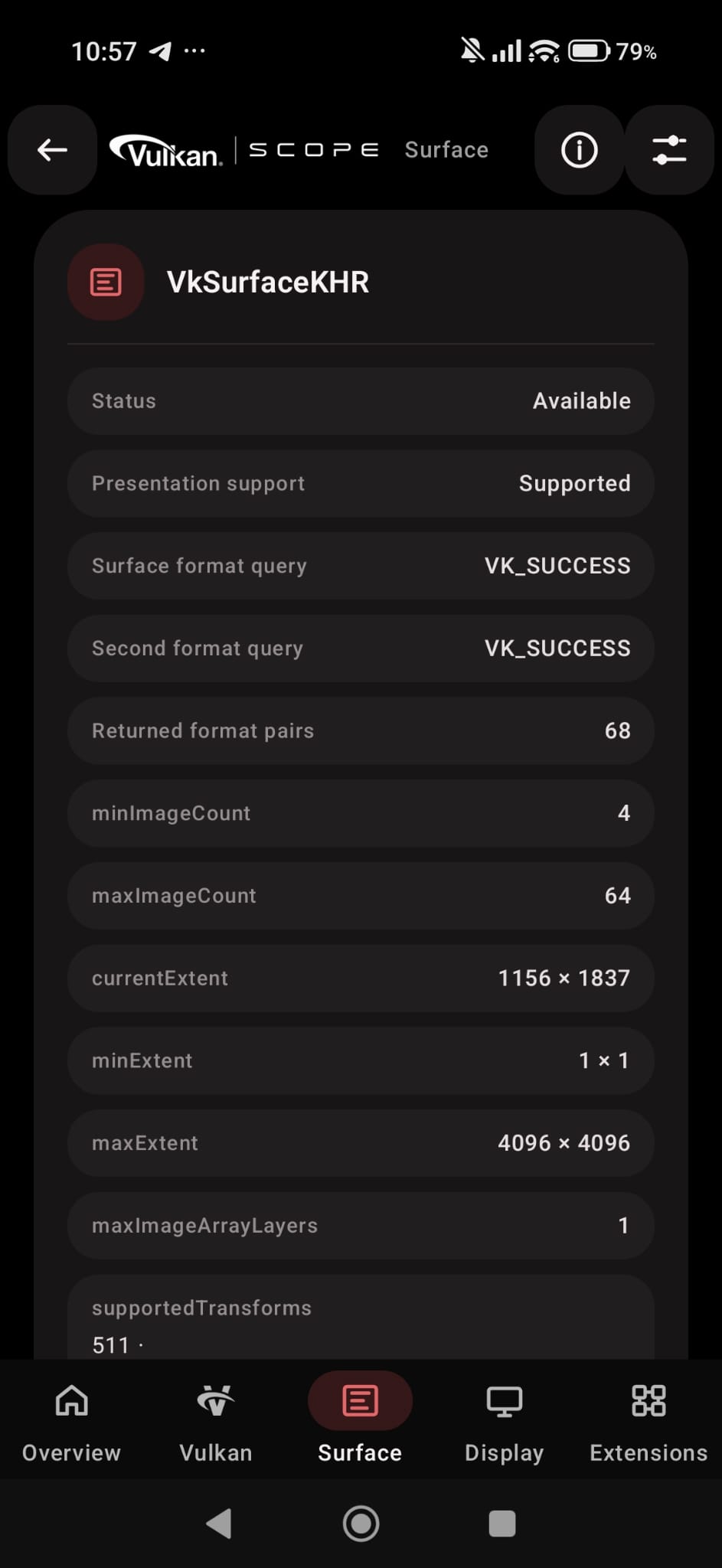
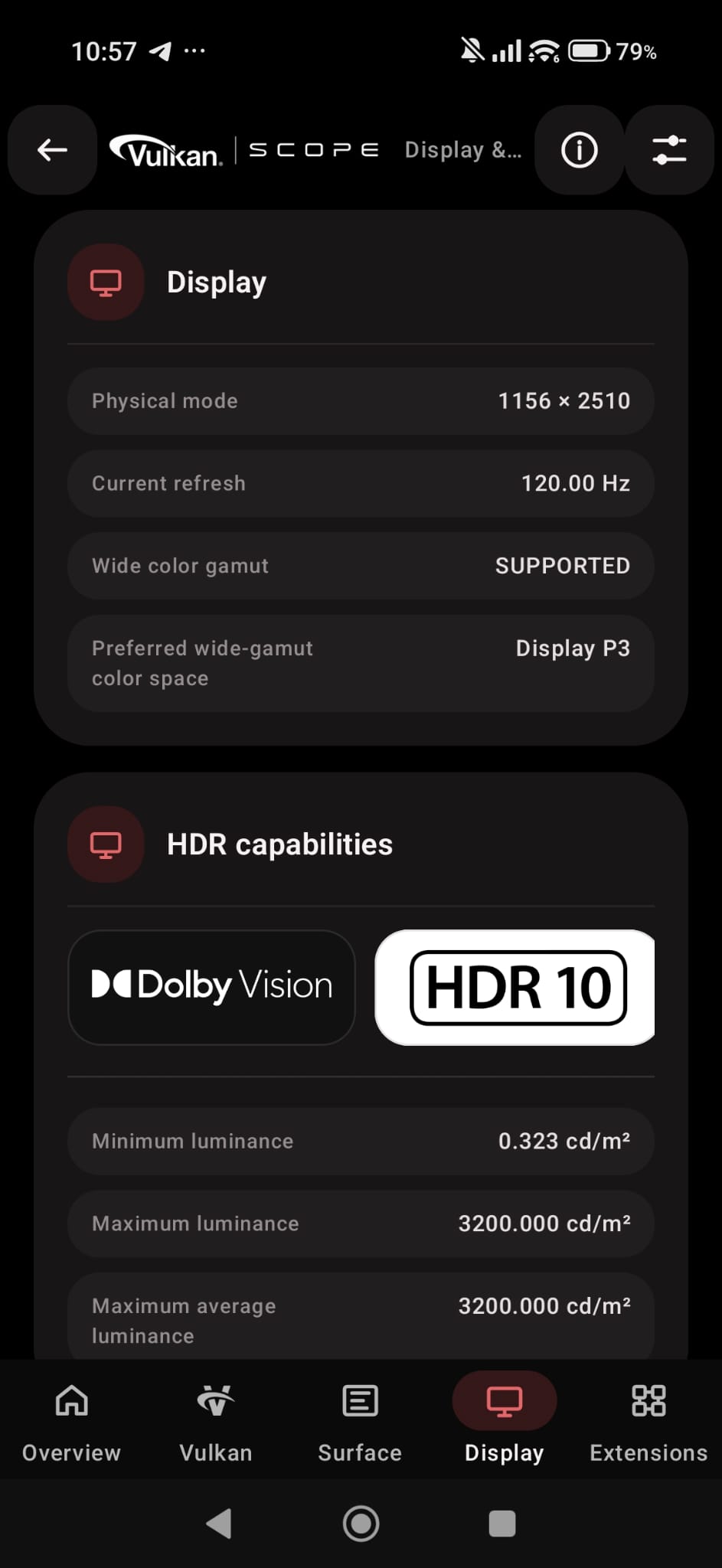
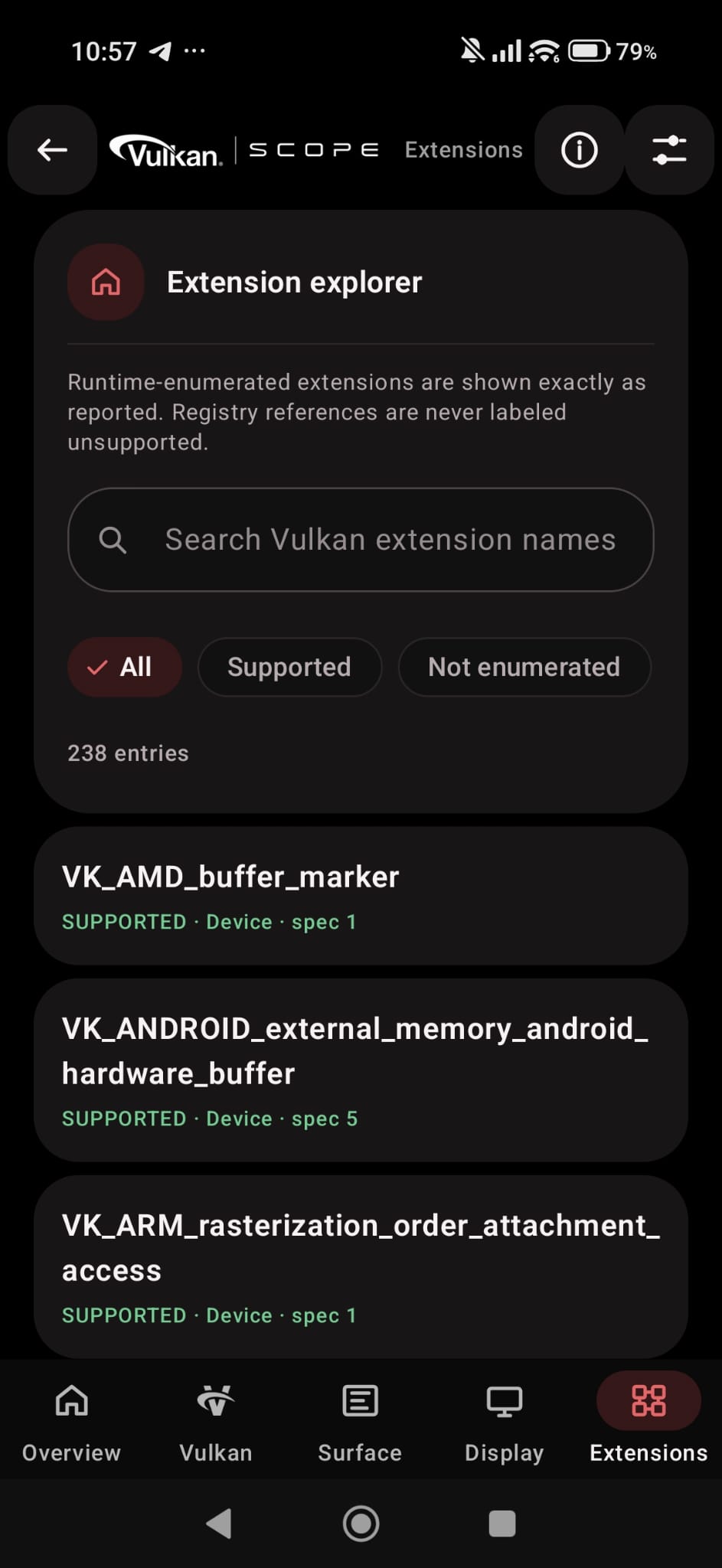
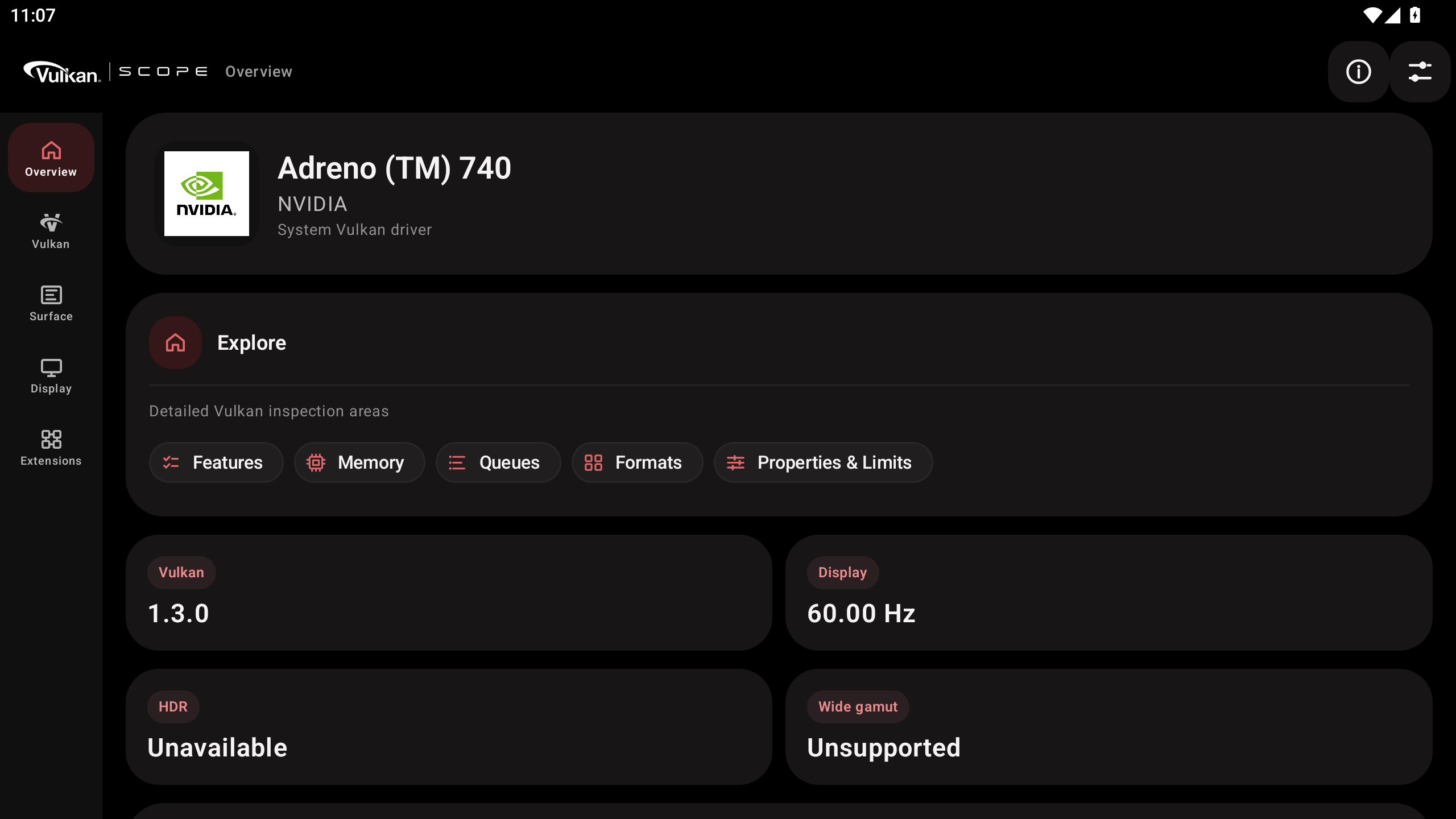
NOTE: The first landscape image was taken from MuMuPlayer, and VM (hypervisor) software like BlueStacks, MuMuPlayer, LDPlayer, QEMU etc. is not supported.
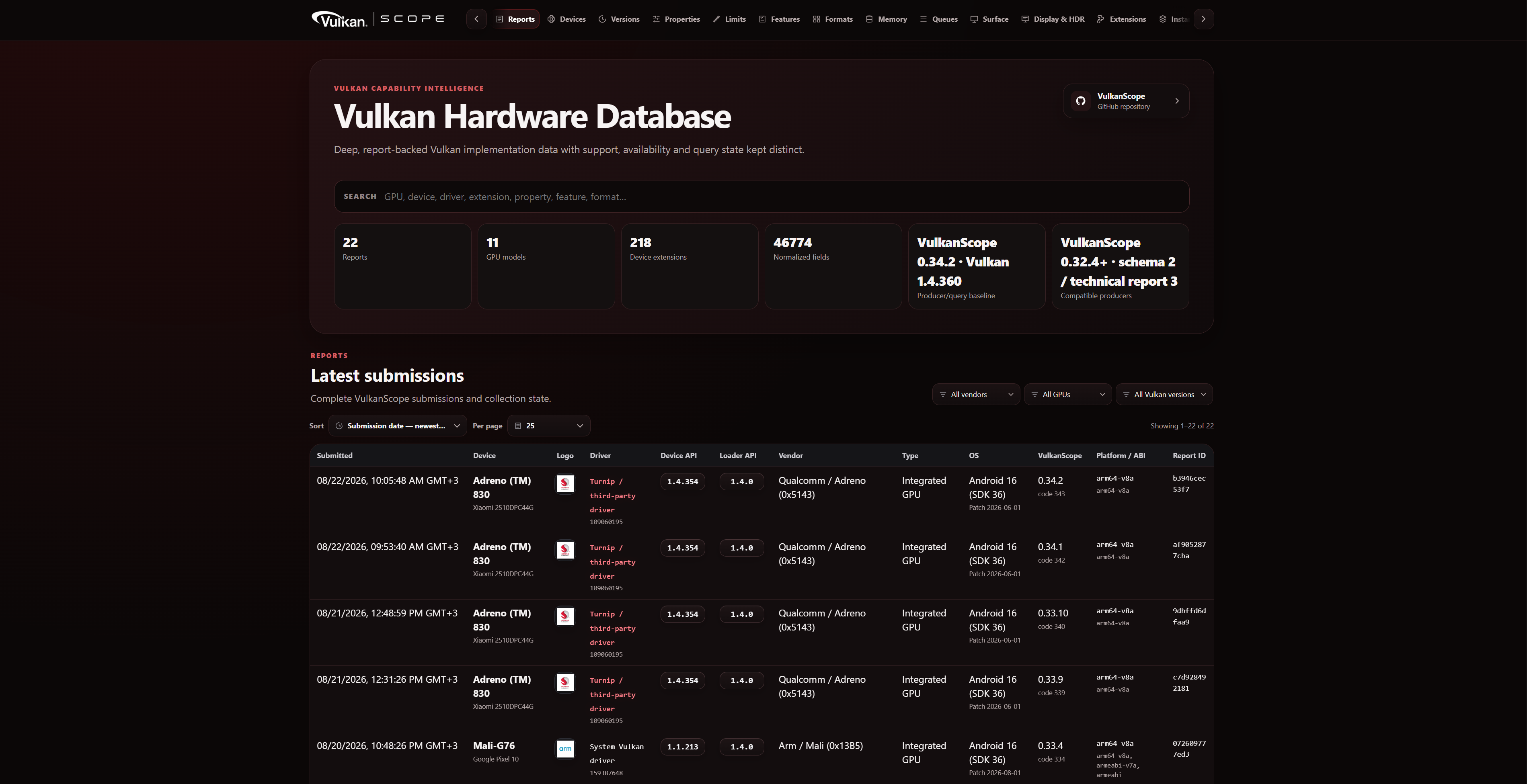
NOTE 2: The last landscape photo is a screenshot of the database website.
Database link: https://efishell0.github.io/VulkanScope_database/
VulkanScope queries the active Vulkan loader and selected physical device directly.
Coverage includes:
- Vulkan instance version
- Instance extensions
- Instance layers and layer-provided extensions
- Physical-device identification
- Core Vulkan 1.0 features
- Vulkan 1.1 feature/property structures
- Vulkan 1.2 feature/property structures
- Vulkan 1.3 feature/property structures
- Vulkan 1.4 feature/property structures
- Physical-device limits
- Sparse properties
- Subgroup properties
- Driver properties
- Device extensions and exact extension
specVersion - Extension-specific feature structures
- Extension-specific property structures
- Khronos, EXT, and vendor-specific capability structures
The bundled query catalog is validated against the Vulkan 1.4.360 header/registry baseline. Unknown or unreviewed structures are not queried using guessed sType values, layouts, or field definitions.
The current query set includes post-1.4.357 additions needed for the 1.4.360 baseline, including:
VK_EXT_image_tiling_controlVkPhysicalDeviceImageTilingControlFeaturesEXTimageTilingControl
VK_EXT_cooperative_matrix_maintenance1- maintenance feature fields
vkGetPhysicalDeviceCooperativeMatrixProperties2EXT- cooperative-matrix property records
- canonical component-type names with raw enum values
Extension-specific queries are run only when their requirements are actually exposed by the runtime.
The Device and Properties views expose detailed physical-device information such as:
- Device name and type
- Vendor ID and device ID
- Vulkan API version
- Driver version and driver properties
- Pipeline-cache UUID
- Physical-device limits
- Sparse residency properties
- Subgroup capabilities
- Core-version-specific properties
- Extension-specific properties
- Raw values where preserving the original Vulkan value is important
This makes VulkanScope useful for comparing vendor drivers, Android firmware revisions, and third-party Vulkan drivers on otherwise similar hardware.
VulkanScope enumerates the exact instance and device extensions exposed at runtime.
For each extension, the application can preserve information such as:
- Canonical Vulkan extension name
- Instance or device scope
specVersion- Runtime availability
- Associated queried feature/property information where implemented
Large extension lists can be searched and filtered.
Extension detail views can also show:
- runtime enumeration evidence,
- dedicated VulkanScope query-handler evidence,
- embedded Khronos registry dependency/reference metadata,
- bounded dependency traversal and graph visualization,
- links to the authoritative Khronos extension reference where applicable.
Registry metadata is presented separately from runtime support. A registry dependency or known query handler is not treated as proof that the active device exposes an extension.
Vendor-specific coverage includes applicable functionality from ecosystems such as AMD/AMDX, ARM, HUAWEI, IMG, INTEL, NV/NVX, QCOM, SEC, VALVE, and other Vulkan vendors represented by the registry.
Feature reporting includes both core and extension-defined feature structures.
Examples include:
- Robust buffer access
- Geometry and tessellation
- Multi-viewport functionality
- Texture compression
- Sparse resources
- Shader functionality
- Descriptor functionality
- Dynamic rendering
- Synchronization
- Mesh/ray-tracing related capabilities where exposed
- Vulkan Video related capabilities
- Vendor-specific feature structures
Feature values are reported from Vulkan queries rather than inferred from extension names alone.
The Memory view reports the physical device's Vulkan memory model in detail:
- Memory heap count
- Memory type count
- Heap size
- Heap index relationships
- Raw heap flags
- Canonical heap flag names
- Raw memory-property flags
- Canonical memory-property flag names
Canonical memory-property reporting can include:
VK_MEMORY_PROPERTY_DEVICE_LOCAL_BITVK_MEMORY_PROPERTY_HOST_VISIBLE_BITVK_MEMORY_PROPERTY_HOST_COHERENT_BITVK_MEMORY_PROPERTY_HOST_CACHED_BITVK_MEMORY_PROPERTY_LAZILY_ALLOCATED_BITVK_MEMORY_PROPERTY_PROTECTED_BIT- Applicable AMD/NV extension-defined memory bits
Heap flags include applicable core and extension-defined values, including QCOM tile-memory reporting where exposed.
Unknown future bits are preserved as raw values instead of being discarded.
For every queue family, VulkanScope can report:
- Queue family index
- Queue count
- Queue capability flags
- Graphics support
- Compute support
- Transfer support
- Sparse binding support
- Protected queue support
- Presentation support
- Vulkan Video codec-operation flags where exposed
Queue and video-operation masks are preserved as raw values and also decoded to canonical Vulkan names. A zero queue capability mask is shown as zero capability bits rather than a fabricated generic VK_NONE. Vulkan Video codec-operation query availability is tracked separately per queue family; a successfully queried zero codec-operation mask is represented as VK_VIDEO_CODEC_OPERATION_NONE_KHR, while unavailable, unknown, and not-applicable states remain distinct.
VulkanScope inspects Vulkan image and buffer format capabilities.
Reported format data can include:
- Linear tiling feature flags
- Optimal tiling feature flags
- Buffer feature flags
- Sampled-image support
- Storage-image support
- Color/depth-stencil attachment support
- Blending support
- Transfer source/destination support
- Video-related format capabilities
- Extension-defined format features
VkFormatFeatureFlags2 is treated as a 64-bit mask. Exact values are preserved so high-bit extension flags are not lost to JavaScript-style numeric precision limits when reports are submitted to the database.
Canonical flag names are derived from the current Vulkan registry baseline while raw values remain available for verification.
Selected formats can also expose an Image Format Properties2 drill-down using already-collected runtime evidence. VulkanScope does not manufacture an Image Format Properties2 result when the corresponding query evidence is absent. When VkFormatProperties3 / VkFormatFeatureFlags2 data is available, its 64-bit values remain authoritative; legacy 32-bit format-feature data is fallback evidence only.
VulkanScope creates a real Android VkSurfaceKHR and queries presentation capabilities against that surface.
Information includes:
- Minimum and maximum image counts
- Current, minimum, and maximum extents
- Maximum image-array layers
- Supported transforms
- Current transform
- Supported composite-alpha modes
- Supported image-usage flags
- Surface formats
- Surface color spaces
- Present modes
- Queue-family presentation support
- Surface-query diagnostics where needed
Surface transform, composite-alpha, and usage masks are preserved as raw values and decoded to canonical Vulkan names.
Surface format and present-mode enumeration use bounded, retry-aware collection with explicit completeness state. Partial VK_INCOMPLETE results remain partial positive evidence instead of being converted to unsupported, and driver-controlled second-stage counts are revalidated before use.
VulkanScope displays the exact Vulkan format + color-space pairs reported by the implementation.
Depending on the driver and device, this may expose SDR, wide-gamut, extended-range, or HDR-related color spaces such as:
- sRGB
- BT.709-related spaces
- BT.2020-related spaces
- Display P3
- HDR10 / ST2084
- HLG
- Extended sRGB
- Other core or extension-defined Vulkan color spaces
Vulkan Surface color-space support and Android physical-display HDR/wide-color capabilities are reported separately; one is not used as a substitute for the other.
The Display & HDR view reports Android display information independently from Vulkan Surface information.
Depending on the Android version and device, VulkanScope can report:
- HDR capability types
- Desired maximum luminance
- Desired maximum average luminance
- Desired minimum luminance
- Wide-color capability
- Preferred wide-gamut color space
- Display modes
- Resolution
- Refresh rates
If Android does not expose HdrCapabilities, VulkanScope reports the information as unavailable/not exposed rather than manufacturing HDR values.
VulkanScope includes Vulkan Video capability inspection.
Where exposed by the driver, codec-specific decode queries can include:
- H.264
- H.265 / HEVC
- AV1
- VP9
Where exposed, encode capability inspection can include:
- H.264
- H.265 / HEVC
- AV1
Additional information can include:
- Video queue codec operations
- Video profile capabilities
- Coded extent information
- DPB/reference limits
- Bitstream alignment
- Rate-control capabilities
- Quality-level information
- Feedback capabilities
- Vulkan Video format properties
- Standard-header version information
Each codec/profile path is evaluated independently.
VulkanScope evaluates supported Vulkan Profiles using the available runtime capability data.
Profile results distinguish between:
- PASS
- FAIL
- UNKNOWN
Unavailable or unqueried information is not automatically treated as failure.
The included profile catalog can cover profiles such as Android Baseline and Vulkan Roadmap profiles, depending on the bundled profile definitions.
VulkanScope 0.41.3 adds a dedicated Analysis workspace for local, evidence-based diagnostics without changing the canonical Vulkan capability report.
- Export and import bounded
VulkanScopeAnalysisSnapshot1snapshots - Compare a saved baseline against the current device/driver report entirely offline
- Search the resulting evidence differences
- Keep unknown/unavailable evidence distinct from unsupported
- Validate snapshot schema, total size, entry count, key length, and value length before use
Difference and regression labels describe evidence changes only; they are not Vulkan conformance or performance judgments.
The Analysis workspace can reuse VulkanScope's existing profile evidence for minimum/profile evaluation. Missing evidence remains UNKNOWN instead of being converted into failure.
Selected capability/evidence tokens can be stored in a persistent local watch list. The watch list stays on-device and is bounded to 256 entries.
VulkanScope includes a generated Khronos registry extension-reference catalog for offline dependency inspection. Dependency traversal is cycle-safe and bounded, and the visual graph is deliberately limited for legibility. Registry relationships are shown separately from actual runtime extension enumeration and query results.
The local diagnostic evidence score is derived only from explicit collector errors and query-safety rejections. It is not a Vulkan conformance result, benchmark, GPU ranking, or performance score. Missing capability evidence is not penalized by inference.
The Analysis workspace can explicitly run minimal isolated Vulkan diagnostics for:
VkDevicecreation- SPIR-V shader-module creation
- pipeline-layout creation
- minimal compute-pipeline creation
These tests use the selected Vulkan driver path, require no optional Vulkan feature or extension, do not dispatch GPU work, and create only the minimal required Vulkan objects. If a safe matching path is unavailable, VulkanScope reports UNAVAILABLE instead of guessing success. The self-tests do not alter normal capability collection results.
VulkanScope bundles offline registry-derived metadata used to organize and validate feature/property probing.
The system includes:
- Physical-device feature metadata
- Physical-device property metadata
- Extension requirements
- Core promotion information
- Dependency metadata
- Query manifests
- Validated native query mappings
- Coverage verification tooling
The registry metadata is bundled with the application and is not downloaded at runtime. The generated extension-reference catalog also feeds the Analysis dependency view, while runtime support decisions continue to come only from actual Vulkan API/extension/query evidence.
VulkanScope supports supported Android environments where an alternative Vulkan implementation such as Turnip is loaded explicitly.
Settings provides:
- System Vulkan driver
- Imported Turnip / third-party driver
Imported driver bundles are validated before use. Installed-bundle resolution is metadata-authoritative: a valid bundle requires exactly one bounded meta.json, schemaVersion 1, exactly one declared Vulkan .so, containment inside the app-private driver path, and a readable non-empty declared library. Arbitrary "first .so in the archive" fallback loading is not used.
The application also applies path validation so the selected library cannot escape the private imported-driver directory. ZIP import remains bounded by entry count, individual file size, aggregate extracted size, path length, and canonical extraction containment. Turnip import is gated to Android 9+ arm64-v8a together with the existing runtime checks.
Mesa-style variables such as VK_DRIVER_FILES / VK_ICD_FILENAMES can be configured before the loader is opened when required by the selected driver setup.
Actual third-party driver compatibility depends on the Android device, ABI, loader, and imported driver package.
VulkanScope treats driver-controlled Vulkan enumeration counts and incomplete results as untrusted runtime evidence. Applicable multi-stage queries revalidate returned counts before indexing or resizing buffers, and bounded retry/size rules are used for enumerations such as device extensions, physical devices, queue families, Vulkan tools, Vulkan Video formats, device groups, Surface formats/present modes, cooperative-matrix properties, and Sparse Image Format Properties2.
VK_INCOMPLETE remains partial positive evidence. Failed or unavailable second-stage queries are not emitted as complete support, and native queue, memory, and Surface safety-rejection evidence remains visible through the detailed report pipeline.
VulkanScope can export the complete collected technical report as:
- TXT
- HTML
Reports can contain:
- Application/version metadata
- Device and driver information
- Core and extension features
- Detailed queried properties
- Limits
- Instance/device extensions
- Layers and layer extensions
- Memory heaps/types
- Queue families
- Vulkan Video codec-operation information
- Formats and exact feature masks
- Surface/WSI data
- Display/HDR information
- Vulkan Profile results
- Registry/query coverage metadata
HTML reports are self-contained and use semantic status styling. Properties & Limits reporting also separates normal Vulkan property/query rows from mandatory query-safety diagnostic rows so safety evidence is not misrepresented as additional Vulkan properties.
Canonical names are accompanied by raw values where appropriate so the report remains useful for specification-level verification.
VulkanScope can explicitly submit a complete technical report to the VulkanScope Database.
Submission is opt-in: no hardware report is uploaded until the user chooses the database submission action.
The structured technical payload preserves the same underlying data model used by TXT/HTML reporting, including exact 64-bit values as decimal strings where needed to avoid precision loss.
Submission keeps the distinction between:
- Supported
- Unsupported
- Available
- Unavailable
- Unknown / not queried
The report is not intentionally truncated to make it fit a transport limit; an oversized submission fails rather than silently dropping capability data.
VulkanScope 0.41.3 can also present the official Database permalink and generate a QR code locally for a submitted report. QR encoding is performed on-device; no remote QR-generation service, analytics endpoint, or automatic report upload is introduced. Report identifiers are validated as lowercase SHA-256 hexadecimal identifiers.
VulkanScope can check the official GitHub releases for application updates.
The updater validates update candidates before handing an APK to Android's installer. Checks include applicable package identity, version, and signing-certificate validation.
An APK that does not match VulkanScope's expected application identity is not treated as a valid update.
Network access used for updates is separate from Vulkan hardware collection.
VulkanScope is designed so capability inspection itself remains local.
Network access is limited to explicit network-backed features such as:
- VulkanScope Database submission
- Official GitHub release update checks/downloads
Security-related design choices include:
- Explicit report submission
- No automatic hardware-report upload
- Bounded report/update sizes
- Canonical-path validation for imported driver files
- Exact imported-driver library selection
- APK package/signature/version verification
- Native linker hardening
- No guessed Vulkan structure layouts or
sTypevalues - Bounded second-stage Vulkan enumeration handling with returned-count revalidation
- Explicit preservation of partial
VK_INCOMPLETEevidence - Local-only QR generation and Analysis snapshot processing
- Isolated optional Vulkan self-tests with deterministic cleanup
Users should still review imported third-party Vulkan driver packages before using them.
Native builds are provided for:
| ABI | Status |
|---|---|
arm64-v8a |
Supported |
armeabi-v7a |
Supported |
x86_64 |
Supported |
x86 |
Intentionally excluded |
VulkanScope 0.41.3 uses the current project baseline:
- Compile SDK: Android API 37
- Target SDK: Android API 37
- Android Gradle Plugin: 9.3.1
- Gradle: 9.7.x build family
- JDK: 17+
- NDK: r29
- Native language level: C++20
- Vulkan-Headers: 1.4.360, pinned to the validated project revision
The project uses CMake for the native Vulkan collector.
From the project root:
./gradlew assembleReleaseOn Windows:
gradlew.bat assembleReleaseAn Android SDK/NDK installation matching the project configuration is required.
- Android device with a Vulkan-capable implementation
- Compatible Android version for the installed APK
- A real device is recommended for meaningful hardware/Surface/display inspection
The exact data available depends on the Vulkan loader, GPU driver, Android framework, display stack, and device configuration.
Virtualized Android environments may expose synthetic or incomplete GPU/display information and are not considered supported hardware targets.
The application uses the VulkanScope branding and approved project logo assets stored in the repository.
The master launcher artwork is kept at:
app/src/main/res/drawable-nodpi/vulkanscope_logo_master.png
VulkanScope is open-source software.
Repository:
https://github.com/EFIShell0/VulkanScope
Bug reports, testing feedback, and contributions are welcome.
VulkanScope uses third-party open-source components where required by the project.
Each third-party component remains subject to its own license, copyright notice, and upstream terms.
Inspect your GPU. Inspect your driver. Inspect your Vulkan implementation.