A fully GUI-driven auction house plugin for Minecraft Paper servers.
Browse, sell, search, and manage auctions — all from intuitive in-game menus.


Wiki
· Report a Bug
· Discussions
- Features
- Requirements
- Installation
- Commands
- Permissions
- Configuration
- Integrations
- Developer API
- Building from Source
- Support
- License
- 100% GUI-based — every interaction happens through fully configurable chest menus; no complex command trees to memorize.
- Single command entry point —
/ah(or/hdv) opens the auction house; subcommands handle selling, searching, and administration. - Multiple currency modes — pay with Vault economy, player experience points, or experience levels.
- Robust database support — SQLite out of the box, with MySQL, MariaDB, and PostgreSQL for production setups (powered by HikariCP connection pooling).
- Category filtering — browse auctions by material groups: weapons, tools, armor, blocks, food, potions, ores, shulker boxes, and more.
- Flexible sorting — sort listings by date (newest/oldest) or by price (lowest/highest).
- Search by material — quickly find auctions for a specific item type.
- Auction expiration — items automatically expire after a configurable duration and move to a collection inbox.
- Purchase confirmation — a dedicated confirmation GUI prevents accidental purchases.
- Transaction history — players can review past purchases.
- Player view — see only your own active listings at a glance.
- Price controls — enforce per-item minimum and maximum prices, including content-aware pricing for shulker boxes.
- Listing limits — cap the number of active auctions per player, configurable by rank or LuckPerms meta.
- Item blacklist — prevent specific materials from being sold.
- Anti-spam protection — built-in packet spam guard to prevent GUI abuse.
- Duplication protection — optional hashcode-based control to prevent item duplication exploits.
- Custom commands on purchase — execute server commands when an item is bought.
- Cached data — background scheduled tasks keep auction data cached for fast GUI rendering.
- Multi-language — ships with English, French, Russian, and Simplified Chinese translations; easily add your own.
- PlaceholderAPI support — expose auction stats as placeholders for scoreboards, tab lists, etc.
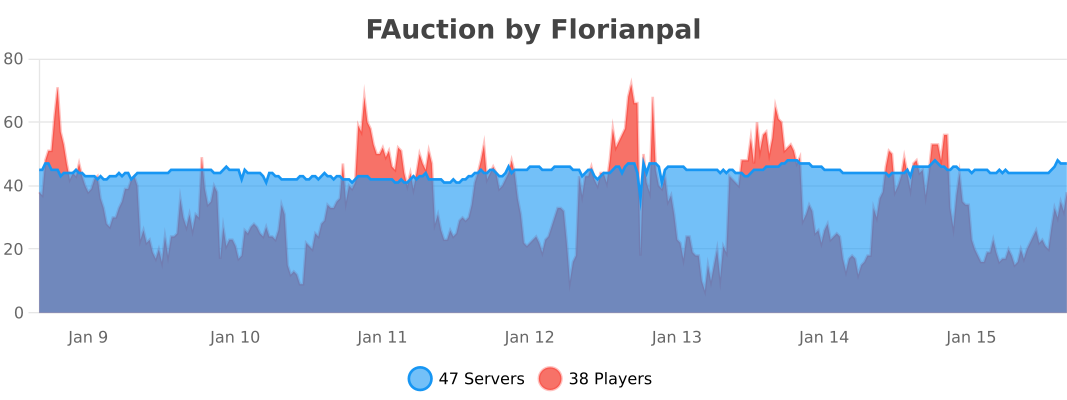
- bStats metrics — anonymous usage statistics for plugin insights.
| Requirement | Version |
|---|---|
| Minecraft | 1.16.5+ |
| Server | Paper (or forks) |
| Java | 21 or newer |
Optional dependencies:
| Plugin | Purpose |
|---|---|
| Vault | Economy integration (Vault currency mode) |
| PlaceholderAPI | In-game placeholders |
| LuckPerms | Per-rank auction limits via meta |
- Download the latest JAR from the Releases page.
- Place
fauction-x.x.x.jarin your server'splugins/folder. - Start (or restart) the server to generate default configuration files.
- Edit the configuration files in
plugins/FAuction/to your liking (see Configuration). - Run
/ah admin reloadin-game or restart the server to apply changes.
All commands use the /ah alias (or /hdv).
| Command | Description |
|---|---|
/ah |
Open the default auction GUI (configurable) |
/ah list |
Open the auction house browser |
/ah sell <price> |
Sell the item in your main hand at the given price |
/ah search <material> |
Search auctions by item material (e.g. DIAMOND_SWORD) |
/ah expire |
View and collect your expired items |
/ah help [query] |
Show the command help menu, optionally for one command |
| Command | Description |
|---|---|
/ah admin reload |
Reload all configuration files |
/ah admin purge all |
Purge all auctions, expired items, and history |
/ah admin purge auction |
Purge all active auctions |
/ah admin purge expire |
Purge all expired items |
/ah admin purge historic |
Purge all transaction history |
/ah admin transfertToPaper |
Migrate database items to Paper serialization |
/ah admin transfertToBukkit |
Migrate database items to Bukkit serialization |
/ah admin migrate <version> |
Run data migration for a specific version (tab-completes the versions it knows) |
| Permission | Description | Default |
|---|---|---|
fauction.user |
Parent — grants all children | true |
fauction.list |
Open the auction GUI | true |
fauction.sell |
Sell items on the auction | true |
fauction.expire |
View expired items | true |
fauction.search |
Search auctions by material | true |
fauction.bypass.spam |
Ignore the anti-spam protection | op |
| Permission | Description | Default |
|---|---|---|
fauction.mod.cancel |
Cancel the auction of another player | op |
| Permission | Description | Default |
|---|---|---|
fauction.admin |
Parent — grants all children | op |
fauction.admin.reload |
Reload plugin configuration | op |
fauction.admin.purge.all |
Purge all data | op |
fauction.admin.purge.auction |
Purge active auctions | op |
fauction.admin.purge.expire |
Purge expired items | op |
fauction.admin.purge.hictoric |
Purge transaction history | op |
fauction.admin.transfertBddToPaper |
Migrate DB serialization format | op |
fauction.admin.migrate |
Run version migrations | op |
All configuration files are generated in plugins/FAuction/ on first startup.
lang: "en"                         # Language file to use (en, fr, ru, zhcn)
currencyUse: VAULT                 # VAULT, EXPERIENCE, or LEVEL

defaultGui: AUCTION                # Default GUI: AUCTION, EXPIRE, HISTORIC, PLAYER, or MENU:<name>

feature-flipping:
  item-expiration: true            # Enable automatic auction expiration
  cache-update: true               # Enable periodic cache refresh
  money-format: false              # Format currency values with decimal pattern
  duplication-hashcode-control: false  # Extra duplication prevention

expiration:
  time: 3600                       # Expiration time in seconds (default: 1 hour)
  checkEvery: 72000                # Check interval in ticks (default: 1 hour)

currencyCheck:                     # Delivery of the payments owed to offline sellers
  time: 3600                       # In seconds — reserved, currently unused
  checkEvery: 72000                # Check interval in ticks (default: 1 hour)

cacheUpdate: 72000                 # Cache refresh interval in ticks (default: 1 hour)

limitations-use-meta-luckperms: false  # Use LuckPerms meta for auction limits
limitations:                       # Max active auctions per permission group
  default: 5

min-price-default:                 # Global minimum price per item
  enable: false
  value: 0
max-price-default:                 # Global maximum price per item
  enable: false
  value: 100000000

min-price:                         # Per-material minimum price
  COBBLESTONE: 0.5
max-price:                         # Per-material maximum price
  COBBLESTONE: 5

item-blacklist: []                 # Materials that cannot be auctioned

securityForSpammingPacket: true    # Anti-spam protection, bypassed with fauction.bypass.spam

anti-spam:                         # One budget per action type: "burst" actions in a row,
  messageCooldown: 3000            # then "perSecond" actions per second
  logThreshold: 25                 # Actions blocked in a row before warning the console (0 disables)
  interact:                        # Click on an item in a GUI
    burst: 8
    perSecond: 4
  command:                         # /ah, /ah search
    burst: 6
    perSecond: 2
  transaction:                     # Purchase confirmation, /ah sell
    burst: 4
perSecond: 2FAuction supports SQLite, MySQL, MariaDB, and PostgreSQL.
database:
  type: SQLite                     # SQLite, MySQL, MariaDB, PostgreSQL
  url: "jdbc:sqlite:plugins/FAuction/database.db"
  user: "root"
  password: ""
  maximumPoolSize: 50              # HikariCP connection pool size
MySQL example:
database:
  type: MySQL
  url: "jdbc:mysql://localhost:3306/fauction"
  user: "minecraft"
  password: "s3cret"
maximumPoolSize: 10Define material groups for the category filter in the auction GUI.
categories:
  'default':
    displayName: "All"
    materials:
      - ALL
  'weapons':
    displayName: "Weapons"
    materials:
      - WEAPONS
  'armor':
    displayName: "Armor"
    materials:
      - ARMOR
  'tools':
    displayName: "Tools"
    materials:
      - TOOLS
  'food':
    displayName: "Food & Drinks"
    materials:
      - FOOD
  'blocks':
    displayName: "Building Blocks"
    materials:
      - BLOCKS
  # ... add your own categories with individual materials
Categories support both group keywords (WEAPONS, ARMOR, TOOLS, BLOCKS, FOOD, POTIONS, MISC, CUSTOM, ALL) and individual materials (e.g. DIAMOND_SWORD, OAK_LOG).
Configure available sort options in the auction GUI.
sort:
  'DEFAULT':
    displayName: "By date (Newer to Older)"
    type: DATE_NEWER_TO_OLDER
  'DATE_OLDER_TO_NEWER':
    displayName: "By date (Older to Newer)"
    type: DATE_OLDER_TO_NEWER
  'PRICE_LOWER_TO_HIGHER':
    displayName: "By price (Lower to Higher)"
    type: PRICE_LOWER_TO_HIGHER
  'PRICE_HIGHER_TO_LOWER':
    displayName: "By price (Higher to Lower)"
type: PRICE_HIGHER_TO_LOWEREvery GUI screen is fully configurable through YAML files in plugins/FAuction/gui/:
| File | Screen |
|---|---|
auction.yml |
Main auction browser |
auctionConfirm.yml |
Purchase confirmation dialog |
expire.yml |
Expired items collection |
historic.yml |
Transaction history viewer |
playerView.yml |
Player's own active listings |
menus/main.yml |
Custom main menu (when defaultGui: MENU:main) |
Each file lets you configure:
- Layout — inventory size, slot assignments, and utility types per slot
- Materials and textures — icon materials, player head textures
- Titles and descriptions — fully customizable with color codes and placeholders
- Navigation — previous/next page buttons with replacement items when unavailable
Available placeholders in GUI descriptions:
| Placeholder | Value |
|---|---|
{ItemName} |
Item display name |
{OwnerName} |
Seller's player name |
{Price} |
Listing price |
{ExpireTime} |
Expiration date |
{RemainingTime} |
Time remaining until expiry |
{Page} / {TotalPage} |
Current and total page numbers |
{TotalSale} |
Total number of active listings |
{categoryDisplayName} |
Current category filter name |
{sortDisplayName} |
Current sort method name |
{lore} |
Original item lore |
FAuction ships with four language files:
lang_en.yml— Englishlang_fr.yml— Frenchlang_ru.yml— Russianlang_zhcn.yml— Simplified Chinese
Set the active language in config.yml with the lang key. You can create additional translation files following the same naming pattern (lang_<code>.yml).
Language files are versioned and updated automatically, like the other configuration files: new keys are
added, obsolete ones are removed, and any text you have edited is kept. The version key at the top is
managed by the plugin — leave it alone. The first time a file from an older version is updated, a
lang_<code>.yml.bak copy is left next to it.
A language the plugin does not ship is supported: none of your keys are removed, and the keys you have not translated fall back to the English texts.
When currencyUse is set to VAULT, FAuction uses the Vault economy API for all transactions. Any Vault-compatible economy plugin (EssentialsX Economy, CMI, etc.) will work.
When PlaceholderAPI is installed, the following placeholders become available:
| Placeholder | Returns |
|---|---|
%fauction_auction_number% |
Number of the player's active auction listings |
%fauction_expire_number% |
Number of the player's expired items |
%fauction_historic_number% |
Number of the player's transaction history entries |
Enable limitations-use-meta-luckperms: true in config.yml to control per-player auction limits through LuckPerms meta values instead of the static config-based approach.
FAuction exposes a static API instance and fires custom Bukkit events that other plugins can listen to.
FAuction api = FAuction.getApi();Listen to these events using the standard Bukkit event system:
| Event | Fired when... | Key data |
|---|---|---|
AuctionAddEvent |
A player lists a new item for sale | Player, ItemStack, price |
AuctionBuyEvent |
A player purchases an auction | Player, auction details |
AuctionCancelEvent |
A player cancels their own listing | Player, auction details |
ExpireAddEvent |
An auction expires and moves to the inbox | Expired item details |
ExpireRemoveEvent |
A player collects an expired item | Expired item details |
CacheReloadEvent |
The auction cache is refreshed | Updated auction list |
CacheHistoricReloadEvent |
The history cache is refreshed | Updated history list |
Example listener:
@EventHandler
public void onAuctionBuy(AuctionBuyEvent event) {
    Player buyer = event.getPlayer();
    getLogger().info(buyer.getName() + " purchased an item from the auction house!");
}FAuction is published via GitHub Packages:
<repository>
    <id>github</id>
    <url>https://maven.pkg.github.com/florianpal1/fauction</url>
</repository><dependency>
<groupId>fr.florianpal</groupId>
<artifactId>fauction</artifactId>
<version>2.0.0</version>
<scope>provided</scope>
</dependency>Prerequisites: Java 21+, Maven 3.8+
git clone https://github.com/Florianpal1/FAuction.git
cd FAuction
mvn clean package
The compiled JAR will be in target/fauction-x.x.x.jar.
- Wiki — detailed documentation and guides
- Discord — community support
- GitHub Discussions — questions and ideas
- SpigotMC — plugin page
- Hangar — PaperMC distribution
- Modrinth — alternative download
- bStats — usage statistics
FAuction is licensed under the GNU General Public License v3.0.