The CPU Scheduling Simulator is a Java-based application designed to simulate various CPU scheduling algorithms. It provides a graphical user interface (GUI) that allows users to input process parameters and visualize the scheduling process. This tool is beneficial for understanding how different scheduling algorithms manage process execution in an operating system environment.
- Graphical User Interface (GUI): Intuitive and user-friendly interface for inputting process details and viewing scheduling results.
- Multiple Scheduling Algorithms: Supports simulation of various CPU scheduling algorithms.
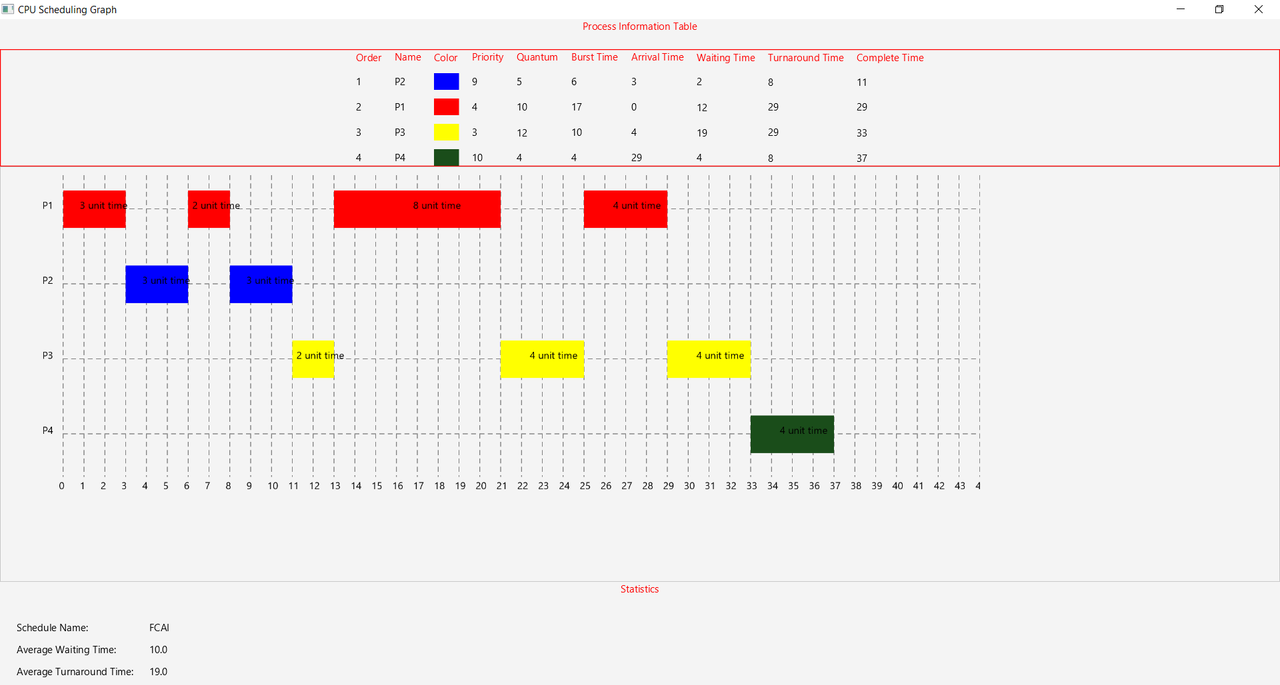
- Process Visualization: Displays the order of process execution and relevant metrics for analysis.
- FCAI Scheduling: A custom algorithm that prioritizes tasks based on a combination of factors, including priority, arrival time, and remaining burst time.
- Priority Scheduling: Executes processes based on priority levels.
- Shortest Job First (SJF):
- Standard SJF: Selects the process with the smallest execution time.
- SJF with Starvation Solution: Implements aging to prevent long waiting times for low-priority processes.
- Shortest Remaining Time First (SRTF):
- Standard SRTF: Selects the process with the smallest remaining execution time.
- SRTF with Starvation Solution: Uses aging to balance execution fairness and prevent process starvation.
- Java Development Kit (JDK) 8 or higher
- Maven
-
Clone the Repository:
git clone https://github.com/Hemdan47/CPU-Scheduling-Simulator.git cd CPU-Scheduling-Simulator -
Build the Project:
mvn clean install
-
Run the Application:
mvn javafx:run
-
Launch the Application:
-
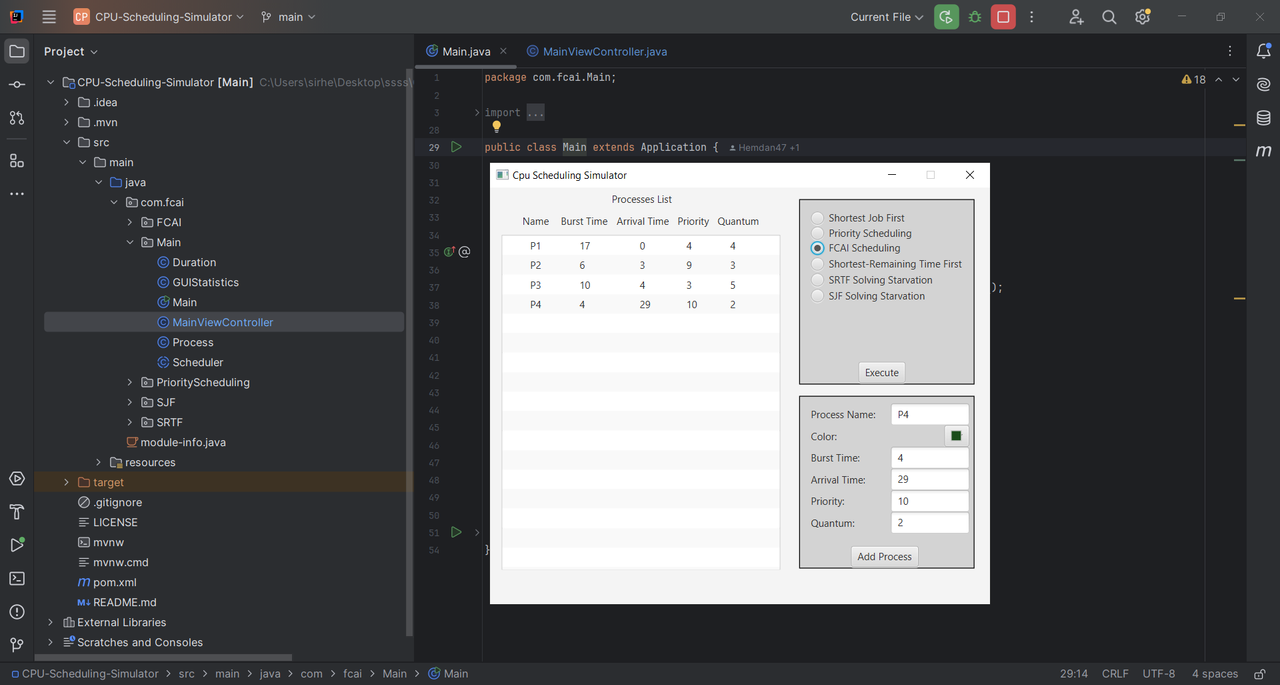
Input Process Details:
- Enter the process ID, arrival time, burst time, and priority (if applicable).
- Add multiple processes as needed.
-
Select Scheduling Algorithm:
- Choose the desired CPU scheduling algorithm from the available options.
-
Simulate and View Results:
- Start the simulation to see the order of process execution.
- Analyze metrics such as waiting time, turnaround time, and CPU utilization.
Contributions are welcome! To contribute:
- Fork the repository.
- Create a new branch (
feature/YourFeature). - Commit your changes.
- Push to the branch.
- Open a pull request.
This project is licensed under the MIT License. See the LICENSE file for details.