qlBitRate is a QuickLook plugin that will display the bit rate (in kbps) of an MP3 file in the title bar of the QuickLook window. This plugin has been tested to work in at least OS X 10.7 (Lion) and 10.8 (Mountain Lion).
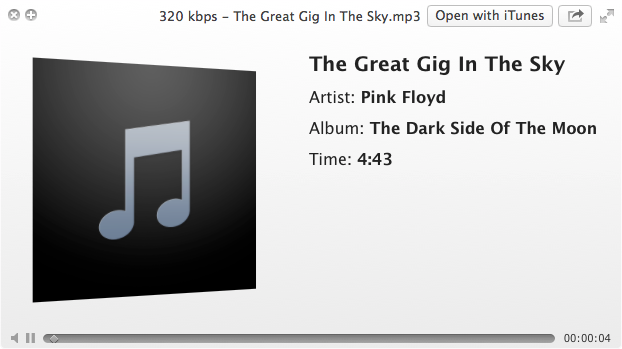

- Download the latest release of qlBitRate here
- Unzip file
- Move file into
/Library/QuickLook/(to install for all users) or into~/Library/QuickLook/(to install for this user only)
- Clone or fork the latest source code of qlBitRate
- Using Xcode, build the
qlBitRate.qlgeneratorfile - Move file into
/Library/QuickLook/(to install for all users) or into~/Library/QuickLook/(to install for this user only)
After copying the file to the correct location, you may run the command qlmanage -r in the Terminal to reset QuickLook and force reload all of your plugins.
qlBitRate was authored by Jordan Saints, and is released under the GPLv2 license.
Website: www.jordansaints.com