Save and open frequently-used links from the Command Palette — no browser-switching needed.
One shortcut. Pick a link. Done.
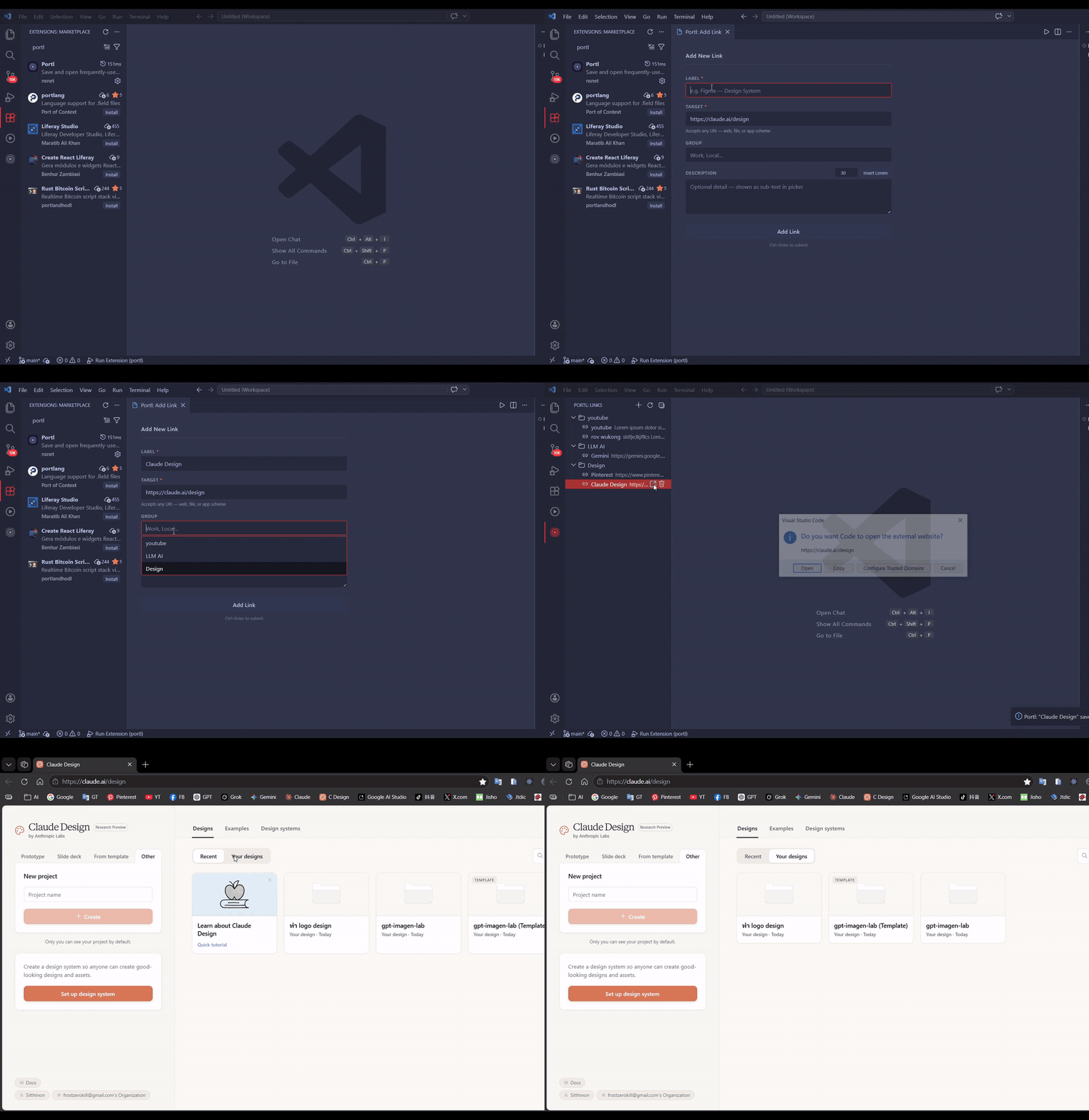
- Command Palette launcher — open any link with
Ctrl+Shift+Lwithout leaving VS Code - Sidebar tree view — browse links by group directly in the Activity Bar
- Any URI — web (
https://), local files (file:///), apps (onenote:,vscode://), and more - Groups — organize links into collapsible folders
- Add link form — clean webview UI with group autocomplete and duplicate warning
- Quick delete — remove links from the tree or Command Palette
- Reset — clear all links in one step with confirmation
- Open in Simple Browser — optionally keep links inside VS Code
| Command | Description | Shortcut |
|---|---|---|
Portl: Open Link |
Pick and open a saved link | Ctrl+Shift+L |
Portl: Add New Link |
Open the add-link form | — |
Portl: Delete Link |
Pick a link to delete | — |
Portl: Reset All Links |
Clear all saved links | — |
Portl: Edit Config (JSON) |
Edit links directly in settings.json |
— |
- Open Command Palette → Portl: Add New Link (or click
+in the Links panel) - Fill in Label, Target URI, optional Group and Description
- Click Add Link or press
Ctrl+Enter
Press Ctrl+Shift+L, type to filter, press Enter to open.
Or click any link in the Portl sidebar (Activity Bar).
https://figma.com/...
file:///C:/Projects/MyApp
onenote:https://...
vscode://settings/editor
| Setting | Default | Description |
|---|---|---|
portl.links |
{} |
Saved links (edit via Edit Config (JSON)) |
portl.openInBrowser |
true |
true = system browser · false = VS Code Simple Browser |