A modified RPCS3 build that adds a loopback TCP listener for the emulated LEGO Dimensions Toypad, so figures can be loaded, removed or moved from a controller-driven companion app instead of the mouse-driven Manage → Dimensions Manager dialog — and so that app can read back the Toypad's LED state and render the pads glowing like the real hardware.
It is the RPCS3 counterpart of harrysof/Cemu-2.6-Remote-Toypad-Build and speaks the same wire protocol, so LegoToypad works with it unchanged — the app does not even know whether Cemu or RPCS3 is on the other end of the socket.
RPCS3's own Dimensions Manager is untouched and still works normally. This is an additional interface, not a replacement.
Thanks LEGO Dimensions Discord for support!
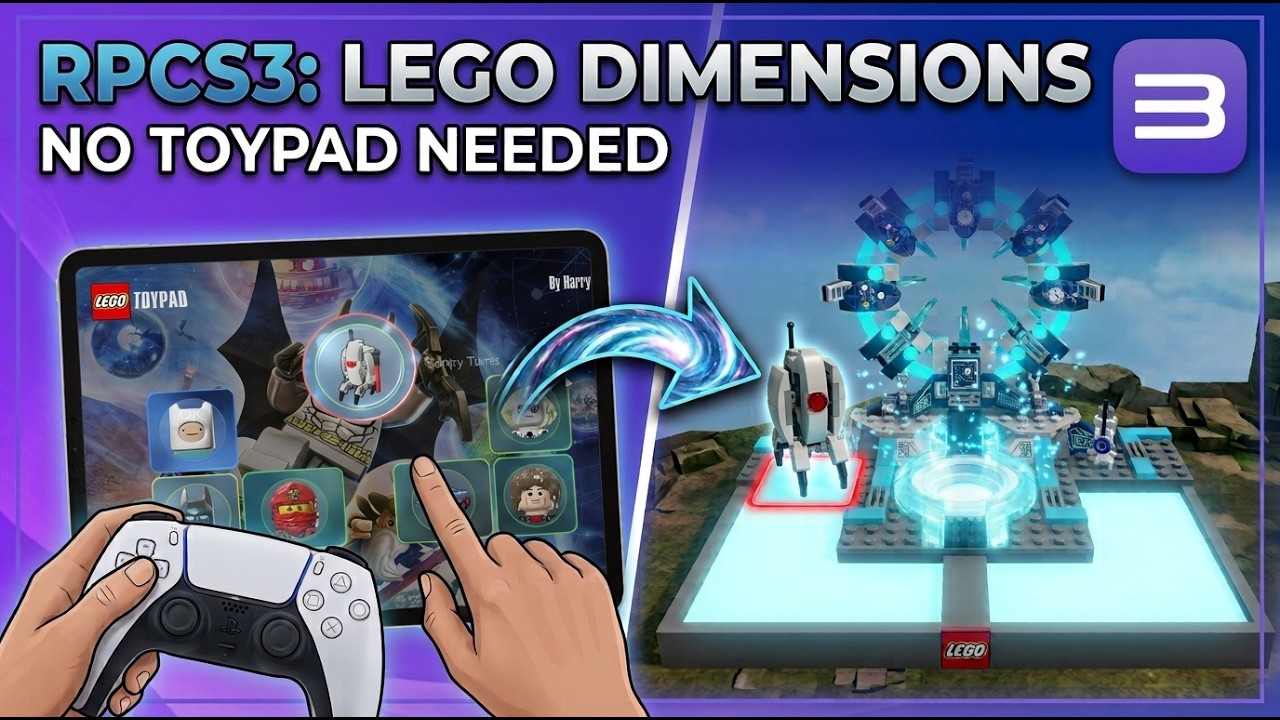
Setup from scratch, plus swapping figures mid-game straight from the controller — no pausing, no alt-tab, no mouse.
Loading a figure through RPCS3's dialog means pausing, alt-tabbing and hunting for a .bin file with the mouse every single time. This build opens a listener so an external picker app can do it instead, controller in hand, without leaving the game.
LegoToypad  --TCP 127.0.0.1:9191-->  RPCS3 listener  -->  g_dimensionstoypad
  (client)                              (server)          (existing Toypad API)
- RPCS3 starts a TCP listener bound to
127.0.0.1only, as soon as the emulated Toypad device is created by the game. - LegoToypad scans your tag library, lets you pick a figure and a Toypad slot with a controller, and sends it over the socket.
- RPCS3 decodes the message and calls the same
load_figure/remove_figure/move_figuremethods the built-in dialog uses. - The emulated Toypad also mirrors the game's own LED commands, and the listener hands that state back on request, so the picker can light its pads in step with the game.
- While the picker overlay is on screen, RPCS3 mutes gamepad input to the game, so navigating the overlay never presses buttons in LEGO Dimensions.
No authentication, no encryption — it is loopback-only by design.
Grab the latest zip from Releases. Windows x64, MSVC build, same requirements as stock RPCS3 (up-to-date GPU drivers and the Visual C++ redistributable).
- Back up your existing RPCS3 folder, then copy the contents of the zip over it, replacing files. RPCS3 keeps everything (
config,dev_hdd0, games, saves) next to the executable, so this keeps your setup and only swaps the emulator. Alternatively, copyconfig,dev_flashanddev_hdd0from your current install into the extracted folder and run from there. - Unplug a physical Toypad if you have one — RPCS3 uses the real device instead of the emulated one when it is present.
- Launch
rpcs3.exeand start LEGO Dimensions. - When the game attaches the emulated Toypad, the Log tab shows:
DIMLISTEN: Toypad listener active on 127.0.0.1:9191— the listener is up. - Download LegoToypad, put your tag library in a folder named
Lego Dimensions Organized bins(found automatically by walking up from the executable), and run it. It minimizes to the tray. - Open the overlay (default: Back/Select on an XInput controller), pick a figure and a pad slot, and it appears in game.
| Setting | Where | Default |
|---|---|---|
| Listener port | RPCS3_TOYPAD_PORT environment variable |
9191 |
If port 9191 is taken, set the same port in LegoToypad's LegoToypad.ini ([Listener] Port=) and in RPCS3_TOYPAD_PORT before starting RPCS3. Values outside 1–65535 fall back to the default.
There is no GUI setting on purpose — the listener has no state to configure beyond the port, and this keeps the diff against upstream RPCS3 minimal.
Every message starts with a 5-byte header:
| Offset | Field | Value |
|---|---|---|
| 0 | Command | 0x01 LOAD, 0x02 REMOVE, 0x03 MOVE, 0x04 GET_LED |
| 1 | Dest pad | 1 = left, 2 = center, 3 = right |
| 2 | Dest slot | 0–6 |
| 3 | Source pad (MOVE only) | 0 for LOAD/REMOVE |
| 4 | Source slot (MOVE only) | 0 for LOAD/REMOVE |
| Command | Payload after header | Behavior |
|---|---|---|
LOAD 0x01 |
180 raw tag bytes, then a u16 little-endian path length, then that many UTF-8 path bytes (length may be 0) |
remove_figure(pad, index, true, true) then load_figure(tag, file, pad, index, true) |
REMOVE 0x02 |
none | remove_figure(pad, index, true, true) |
MOVE 0x03 |
none | move_figure(pad, index, old_pad, old_index) |
GET_LED 0x04 |
none | Replies with a 30-byte LED snapshot; header bytes 1–4 are ignored and skip slot validation |
If LOAD carries a path, the file is opened read/write/locked and handed to the Toypad, so writes the game makes to the tag are persisted back into that .bin — exactly as if the figure had been loaded through the Dimensions Manager. With a zero-length path the figure lives in memory for the session only.
LOAD deliberately overwrites an occupied slot (remove first, then load), matching the Cemu listener's contract. Out-of-range pad/slot values and unknown commands are logged and the connection is dropped.
LOAD/REMOVE/MOVE are fire-and-forget; GET_LED is the one command that answers. It returns a fixed 30-byte snapshot of what the game has the three LED regions doing:
[0]   0x4C  'L' magic
[1]   serial       increments whenever any region actually changes
[2]   0x03         region count
[3..] 3 x 9 bytes: pad, mode, r, g, b, on_ms, off_ms, count, speed_ms
| Field | Meaning |
|---|---|
pad |
LED region — 1 centre, 2 left, 3 right |
mode |
0 off, 1 solid, 2 flash, 3 fade |
r, g, b |
The colour the game set, verbatim |
on_ms / off_ms |
Flash on and off durations, in Toypad ticks (~40ms each) |
count |
Cycle count; 0 means "until the next command" (0xFF on the wire is normalized to 0) |
speed_ms |
Fade tick time |
The emulated Toypad builds this snapshot in handle_led_command, parsing the game's own HID LED commands as they pass through interrupt_transfer — 0xC0 Color, 0xC2 Fade, 0xC3 Flash, 0xC4 Fade Random, and the 0xC6/0xC7/0xC8 "All" variants, which carry a per-region on/off byte. A pad of 0 ("all pads") fans out to all three regions. 0xC1 (Get Pad Color) is a query and changes nothing.
The serial only advances when a command actually changes a region's state — re-sending an identical command leaves it alone. A polling client can therefore skip snapshots it has already applied and never restart a flash mid-cycle.
This is byte-for-byte the same snapshot the Cemu fork returns, so LegoToypad's LED mirror works against either emulator with no changes.
| Path | Change |
|---|---|
rpcs3/Emu/Io/DimensionsListener.h / .cpp |
New. Listener thread, TCP framing, validation, picker input-mute watcher |
rpcs3/Emu/Io/Dimensions.cpp |
Starts the listener when usb_device_dimensions is constructed, stops it on destruction |
rpcs3/Emu/Io/Dimensions.h / .cpp |
LED command parsing (handle_led_command) and the mirrored per-region state behind m_led_mutex |
rpcs3/Emu/CMakeLists.txt, rpcs3/emucore.vcxproj(.filters) |
Add the new sources to the build |
Everything else is stock upstream RPCS3 — around 300 added lines, nothing removed.
- The listener only exists while the emulated Toypad exists, so it is inactive unless a game actually attached the device — and it never competes with a physical Toypad, which takes priority in RPCS3.
load_figure/remove_figureare called withlock = true, so the listener takes the Toypad's own lock and shares the threading model of the GUI dialog. No new locking was introduced.- Input hand-off: LegoToypad keeps a named event (
Local\CemuToypadPickerInputActive, the same contract as the Cemu fork) signaled while its overlay is visible. A watcher thread polls it and holds RPCS3's regular pad interception (input::SetIntercepted) for as long as it is signaled. If interception is already held by an RPCS3 dialog, the watcher leaves it alone and does not release it afterwards. The handle is re-opened once a second so a restarted companion app is picked up again. Windows only; on other platforms the listener works and only the input muting is absent. - LED mirroring is read-only and passive:
handle_led_commandruns off the existing0xC0–0xC8acknowledgement path and changes nothing about the response the game receives. A client that never sendsGET_LEDsees no difference at all. LED state lives behind its ownm_led_mutex, written on the emulation thread byinterrupt_transferand read by the listener'sGET_LEDhandler. - LED commands and state changes are logged on the
dimensionschannel at notice level (Toypad LED command 0x../Toypad LED set: ...), which makes it easy to tell "the game is not driving the pads" apart from "the mirror is broken". - Error messages inside LegoToypad mention "Cemu" — that is only text, the app is protocol-identical and works fine here.
Standard upstream RPCS3 build, nothing special is required:
git clone --recursive https://github.com/NeverCookFirst/RPCS3-Seamless-Toypad-Build
Then follow the upstream build guide (Visual Studio 2022 + Qt 6 on Windows). The GitHub Actions workflow in .github/workflows/rpcs3.yml is the upstream one and can be started manually via workflow_dispatch to reproduce the release binary.
Base: upstream RPCS3 0059e4e, released here as v0.0.42-19788-e06b68ef.
- RPCS3 and its contributors — the emulator itself, licensed under GPLv2 (see LICENSE). This build is distributed under the same license and this repository is its complete corresponding source. Upstream's own readme is kept as README-RPCS3.md.
- harrysof — LegoToypad and the Cemu Remote Toypad build whose protocol this implements.
Not affiliated with the RPCS3 team, Sony, LEGO or Warner Bros. Interactive. Bring your own game dump and your own tag dumps.