



Official monorepo for the Ark Format extensions for Visual Studio Code. It brings together formatters for Shell, PowerShell, and Makefile, plus an extension pack and shared libraries.
🌍 Languages: 

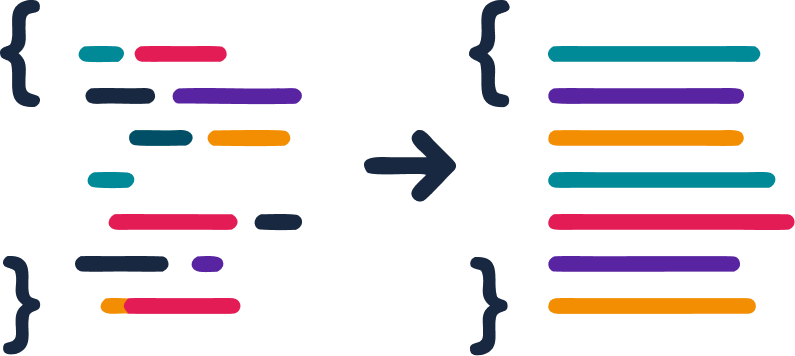
- 🎯 Consistent formatting for Shell, PowerShell, and Makefile
- 📦 Packages split by responsibility (formatters, pack, and shared code)
- 🧩 Monorepo with pnpm workspaces for unified build, test, and lint
- ⚡ Fast development workflow with VS Code tasks and debugging
| Package | Version | Installs | Description |
|---|---|---|---|
| packages/shell |  |
 |
Formatting extension for Shell (.sh, .bash, .zsh, .ksh, .tcsh, .azcli, .bats) |
| packages/powershell |  |
 |
Formatting extension for PowerShell (.ps1, .psm1, .psd1) |
| packages/makefile |  |
 |
Formatting extension for Makefile (Makefile, GNUmakefile, *.mk) |
| packages/pack |  |
 |
Extension Pack that installs Shell + PowerShell together |
| packages/shared |  |
— | Shared code across packages (lexer, indentation, utilities, and document processing) |
Install dependencies at the repository root:
pnpm installBuild the monorepo:
pnpm run buildWatch mode for development:
pnpm run watchLint every package that provides the script:
pnpm run lintRun the tests across the whole monorepo:
pnpm run testRun the tests for a specific package (example: PowerShell):
cd packages/powershell
pnpm test
Generate coverage for a specific package (example: PowerShell):
cd packages/powershell
pnpm exec vitest run --coverageBuild the .vsix for every package that provides the script:
pnpm run packageThe .vscode/ directory contains task and debug configurations to ease local development.
Recommended workflow:
- Open the workspace in VS Code
- Run the task
pnpm: watch shell,pnpm: watch powershellorpnpm: watch makefileto start the watch mode for the desired package - Press
F5to launch the Extension Host and validate the extension locally
Contributions are welcome! Start with CONTRIBUTING.md — it covers the repository layout, the development workflow, the commit convention, the DCO sign-off requirement, and the release process.
Quick notes:
- Read each package's README before opening a PR
- Follow the shared lint rules in
configs/eslint.base.mjs - Run build and tests locally before submitting changes
- Sign off every commit (
git commit -s) — a CI check enforces it
By participating you agree to the Code of Conduct.
- ❓ Questions, bugs, feature ideas — see SUPPORT.md for the right channel
- 🔒 Security vulnerabilities — do not open a public issue; follow SECURITY.md
If this project helps your workflow, consider supporting its development:
- 💙 GitHub Sponsors
- ☕ Ko-fi
Every contribution helps keep the project maintained and improving. Thank you! 🙏
This project is licensed under the MIT License.