A lightweight, self-hostable service for rendering HTML emails with React Email.
- Hassle-free & maintenance-free – runs entirely on the free tier of Cloudflare Workers.
- Simple to use – perfect for login codes, registration flows, and other transactional emails.
- Flexible – develop locally with a Bun server, then deploy serverlessly with zero configuration.
- Clean separation – does not pollute your project with
reactorreact-emailimports or dependencies.
Whether you need a quick drop-in solution or a fully open-source foundation for your project, this microservice makes email generation easy and reliable.
Quick Links
- code - https://github.com/david1gp/email-generator
- npm - https://www.npmjs.com/package/@adaptive-ds/email-generator
- react email docs - https://react.email/docs/getting-started/manual-setup
- Renders HTML and plain text email templates.
- Supports internationalization (English and German).
- Validates input using Valibot schemas.
- Includes server timing headers for performance monitoring.
- Endpoints:
/renderEmailTemplate/signUpV1,/renderEmailTemplate/signInV1,/renderEmailTemplate/orgInvitationV1,/renderEmailTemplate/teamInvitationV1,/renderEmailTemplate/invoiceV1, and/renderEmailTemplate/markdownV1.
- Origin & Purpose: All supported project email templates enforce a 90 KiB (92,160 bytes) pre-send HTML size budget. This acts as a pre-send HTML guard to keep rendered emails comfortably below Gmail's observed 102 KiB (102,400 bytes) message clipping threshold (
[Message clipped] View entire message). - Scope & Coverage: The budget covers the raw pre-send HTML output rendered by the service for every supported email template (
signUpV1,signInV1,invitationV1,orgInvitationV1,teamInvitationV1,passwordChangeV1,emailChangeV1,invoiceV1, andmarkdownV1for supported input profiles). - Caveats & MIME Growth:
- The 90 KiB limit is a pre-send HTML guard measured on raw service output prior to ESP delivery.
- Final ESP-delivered MIME messages can grow in size during transit due to MIME transfer encoding (such as quoted-printable or base64), tracking wrappers/pixels added by Email Service Providers, custom headers, boundary markers, or attached plain-text/multipart representations.
- For
markdownV1, the 1,000-character input limit keeps approved two-column tables, bullet lists, key/value transposes, and paragraph content under 90 KiB. Wide, out-of-contract multi-column stress tables (such as dense 4-column pipe tables filling 1,000 characters) are not supported and can exceed 90 KiB.
The /renderEmailTemplate/markdownV1 endpoint renders trusted, self-authored Markdown content into standard HTML and plain text email formats.
- Requires
Authorization: Bearer <MARKDOWN_RENDER_TOKEN>header. - Environment variable:
MARKDOWN_RENDER_TOKEN. Must be configured on the server/worker. Requests fail closed (401 Unauthorized) when absent or invalid. - Body size limit: 32,768 bytes (413 Payload Too Large if exceeded).
markdownfield limit: 1,000 characters so all supported input profiles (including approved two-column tables, key/value transposes, and bullet lists) remain below the 90 KiB pre-send HTML budget. Note that dense out-of-contract four-column stress tables filling 1,000 characters can exceed 90 KiB pre-send HTML and are not supported. - Trusted Author Model: Designed strictly for self-authored/system content delivered through authenticated private service boundaries. It does not sanitize raw HTML or validate arbitrary URL schemes. If user-generated, CMS, or untrusted content parsing is required in the future, migrate to an AST/component-based renderer.
- Supported syntax: Paragraphs, bold text (
**bold**), absolute URLs / labeled links ([label](https://...)), unordered bullet lists (- item), and simple pipe tables. - Table limits: At most 2 columns, one header row, short breakable text/labels, simple pipe syntax. Labeled links are preferred over bare URLs inside table cells.
- Wider records (3+ fields): Format as bullet lists (e.g.,
- **Label:** Value 1; Value 2; [Link](https://...)) or a two-columnField / Valuetranspose table, or link to an external web table. - Headings, ordered lists, italics, strikethrough, block quotes, code blocks, images, task controls, raw HTML, and SVGs are unsupported by contract.
| Variable | Required | Description |
|---|---|---|
MARKDOWN_RENDER_TOKEN |
Yes (for markdownV1) |
Bearer token secret required to access the trusted markdownV1 rendering route. Set via Worker secrets or environment variables. |
signUpV1 - Sign-up / Registration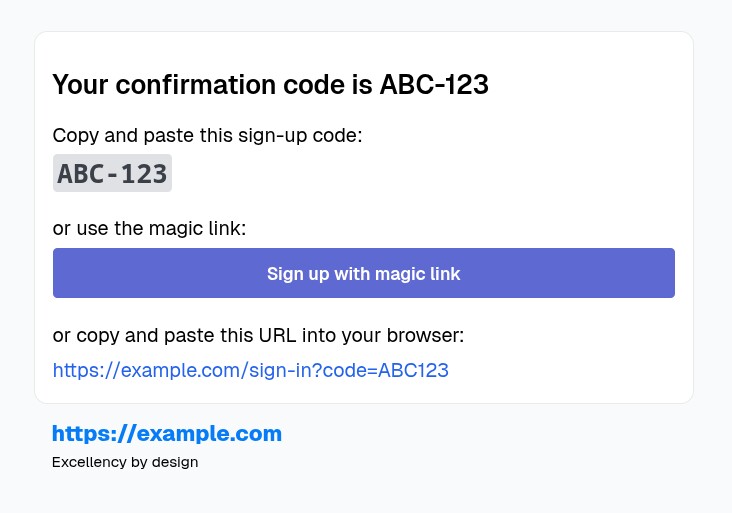 |
signInV1 - Sign-in / Login / Forgot password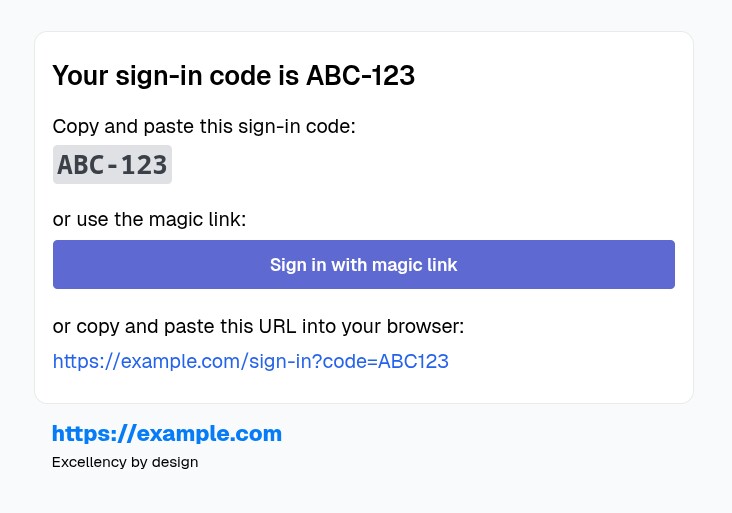 |
passwordChangeV1 - Change/Reset Password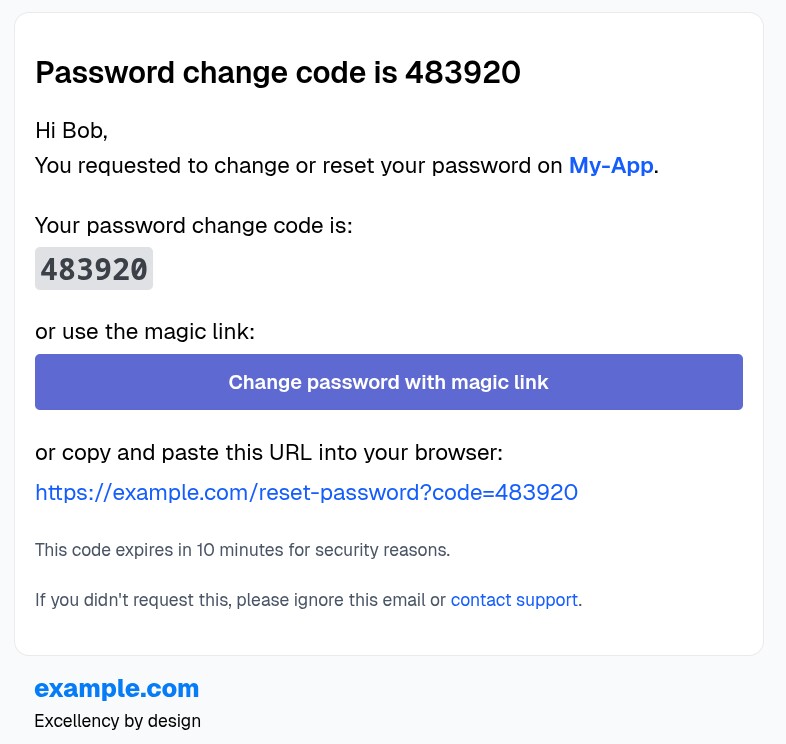 |
emailChangeV1 - Change Email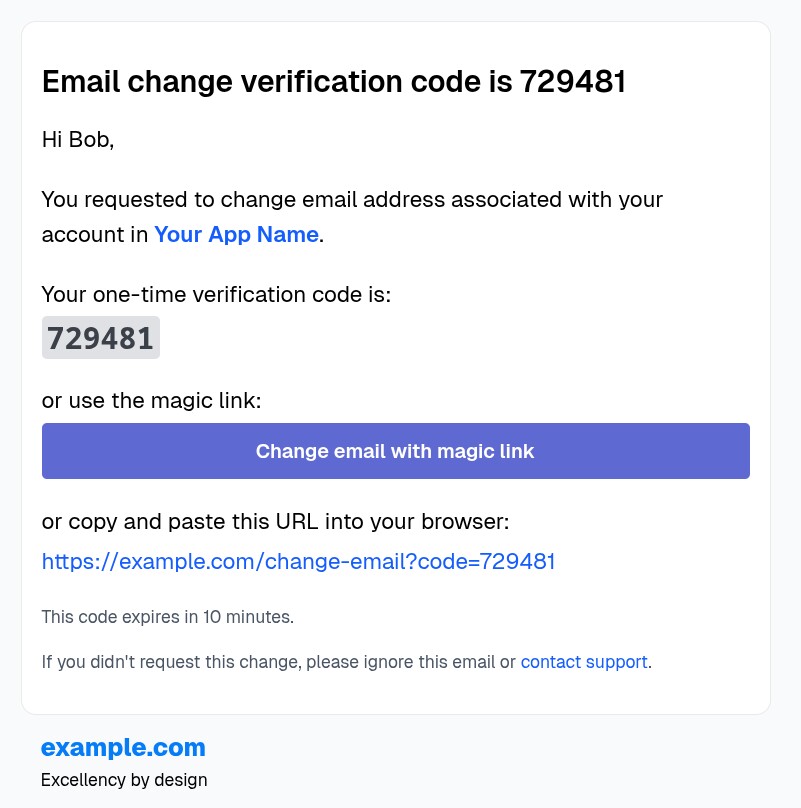 |
orgInvitationV1 - Organization invitation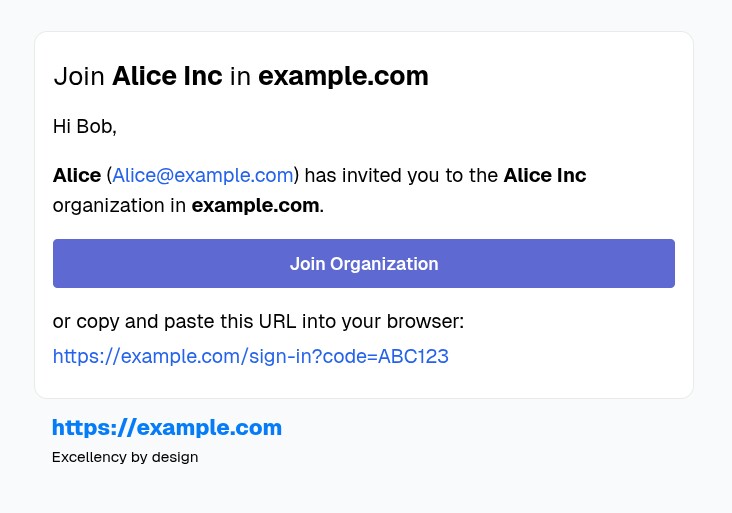 |
teamInvitationV1 - Team invitation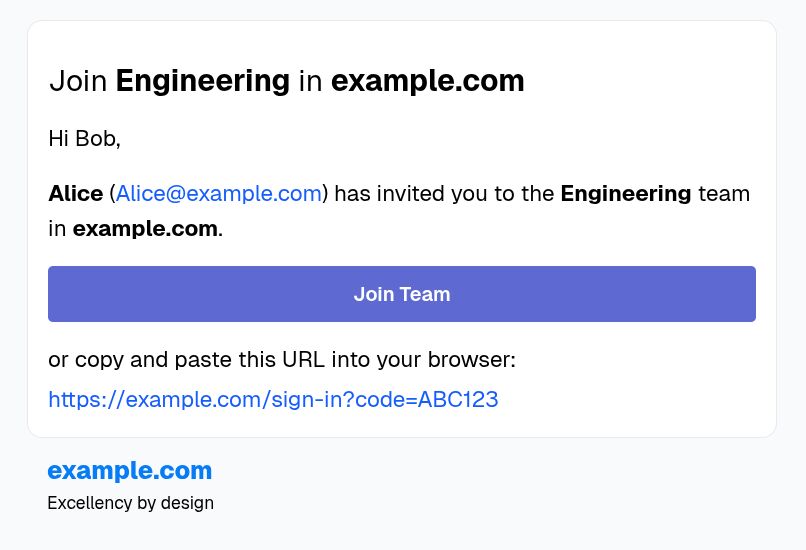 |
invoiceV1 - Invoice (paid / unpaid variants)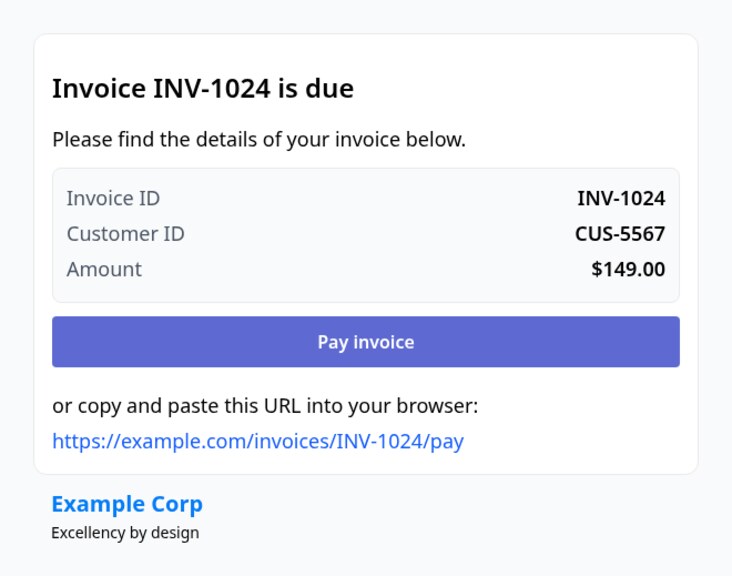 |
markdownV1 - Trusted Markdown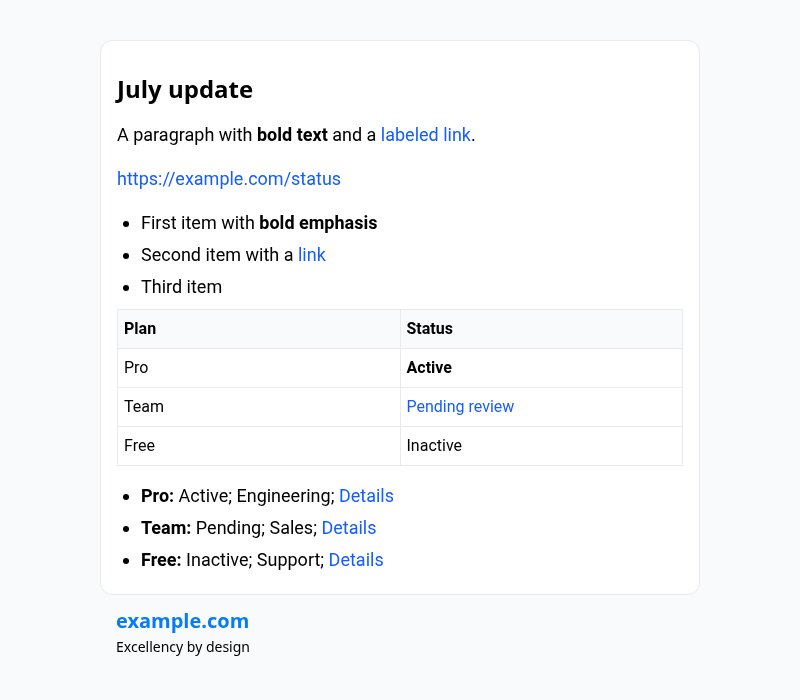 |
- Node.js (for package management) or Bun.
- Cloudflare account (for Workers deployment).
- Clone the repository.
- Install dependencies:
bun install
-
Start the development server:
bun run startThe server runs on
http://localhost:3055(port configurable viasrc/server/serverPortBun.ts). -
For React Email preview (optional):
bun run dev:emailThis starts the React Email preview server for template development.
-
Start the local Worker development server:
bun run dev:workerThe Worker runs on
http://localhost:8787(default Wrangler port). -
To test endpoints, send POST requests to:
http://localhost:8787/renderEmailTemplate/signUpV1
Run tests with Bun:
bun run test
Or in watch mode:
bun run test:w
Tests cover API rendering for login codes (extend for registration as needed).
-
Login to Cloudflare:
wrangler login -
Configure Account ID (if needed, add to
wrangler.toml):wrangler whoamiThen update
wrangler.tomlwithaccount_id = "your-account-id". -
Deploy:
bun run deploy(Or
npx wrangler deploy.) -
Monitor:
wrangler tail email-generator-worker