




MultiMart is a production-ready multivendor e-commerce platform where multiple sellers run their own storefronts, and customers can browse, purchase, and pay — all in one place.
Built to simulate real-world platforms like Amazon and Daraz, this project covers the full development lifecycle: REST API design, JWT authentication, real-time messaging, Stripe and Paypal payments, cloud image storage, and serverless deployment.
Built as a portfolio project to strengthen full-stack skills.
Most beginner e-commerce projects are single-vendor — only the platform owner manages products. This limits scalability and product diversity.
MultiMart solves this by:
- Giving sellers their own dashboards to manage shops and products
- Giving customers a smooth experience with cart, wishlist, and secure checkout
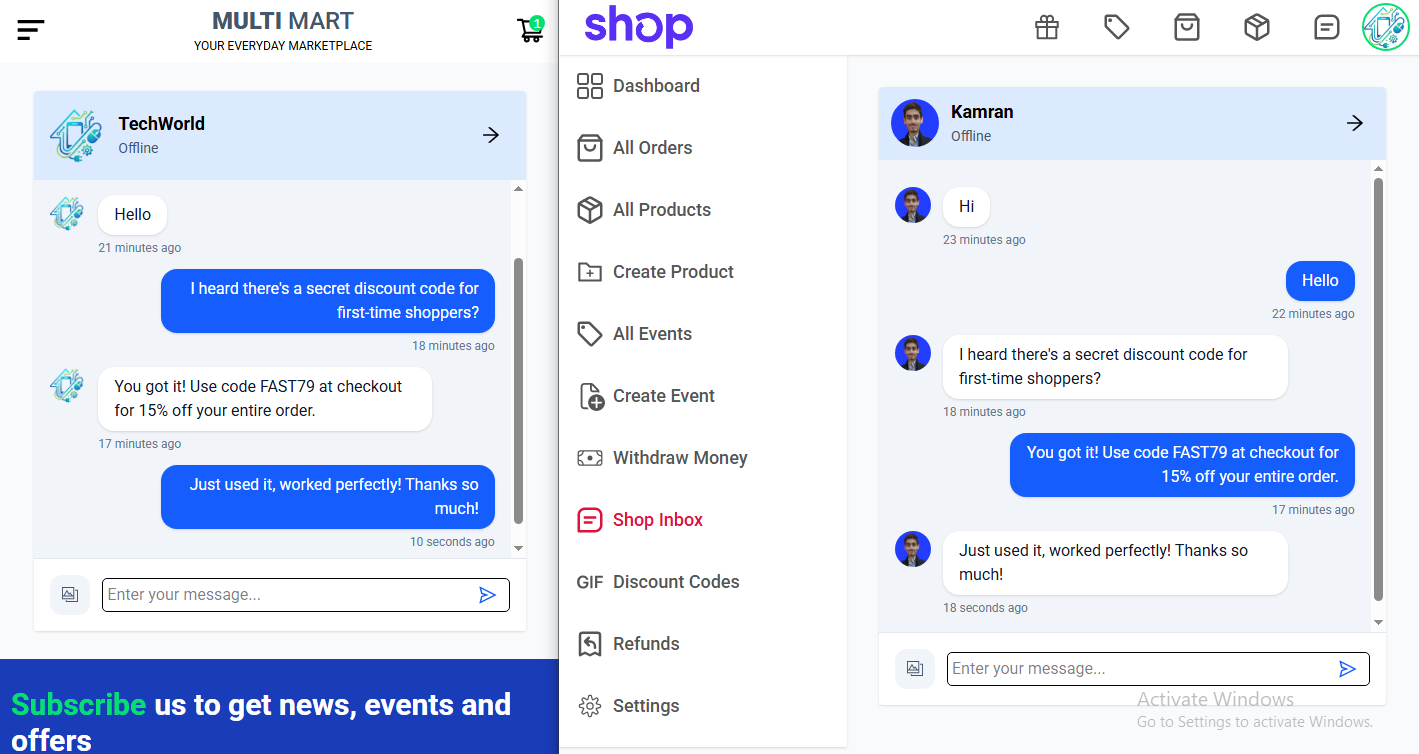
- Enabling real-time communication between buyers and sellers
| Technology | |
|---|---|
| Framework | React 19 + Vite |
| State Management | Redux Toolkit |
| Routing | React Router v7 |
| Styling | Tailwind CSS v4 |
| UI Components | Material UI (MUI) |
| Payments | Stripe.js & PayPal |
| Real-Time | Socket.IO Client |
| HTTP Client | Axios |
| Technology | |
|---|---|
| Server | Node.js + Express 5 |
| Database | MongoDB + Mongoose |
| Auth | JWT + HTTP-only cookies |
| Passwords | Bcrypt |
| Images | Cloudinary + Multer |
| Nodemailer (Gmail SMTP) | |
| Payments | Stripe API |
| Technology | |
|---|---|
| Deployment | Vercel (frontend + backend), Render (socket) |
| Database Hosting | MongoDB Atlas |
| Monitoring | Uptime Robot |
graph TD
    subgraph Frontend["🖥️ Frontend (React + Vite)"]
        A[Customer UI]
        B[Seller Dashboard]
    end

    subgraph API["⚙️ Backend (Node.js + Express)"]
        D[REST API + Auth Middleware]
    end

    subgraph Socket["⚡ Socket Server (Socket.IO)"]
        G[Real-Time Events]
    end

    subgraph DB["🗄️ MongoDB Atlas"]
        H[(Users / Shops / Products / Orders / Messages)]
    end

    subgraph External["🌐 External Services"]
        K[Stripe]
        L[Cloudinary]
        M[Gmail SMTP]
    end

    A & B -->|HTTP + Cookie Auth| D
    A & B -->|WebSocket| G
    D --> H
    D --> K & L & M
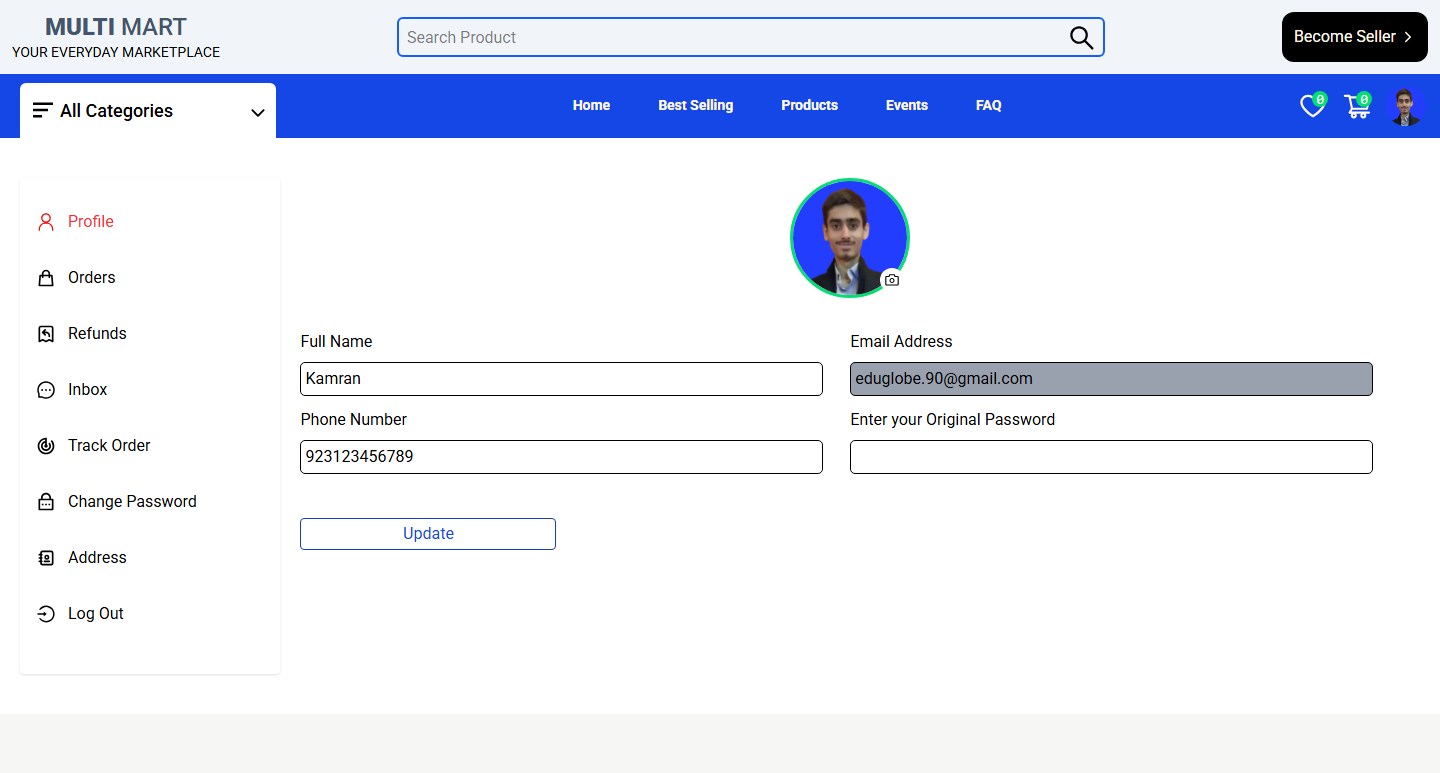
- Register & log in with email activation
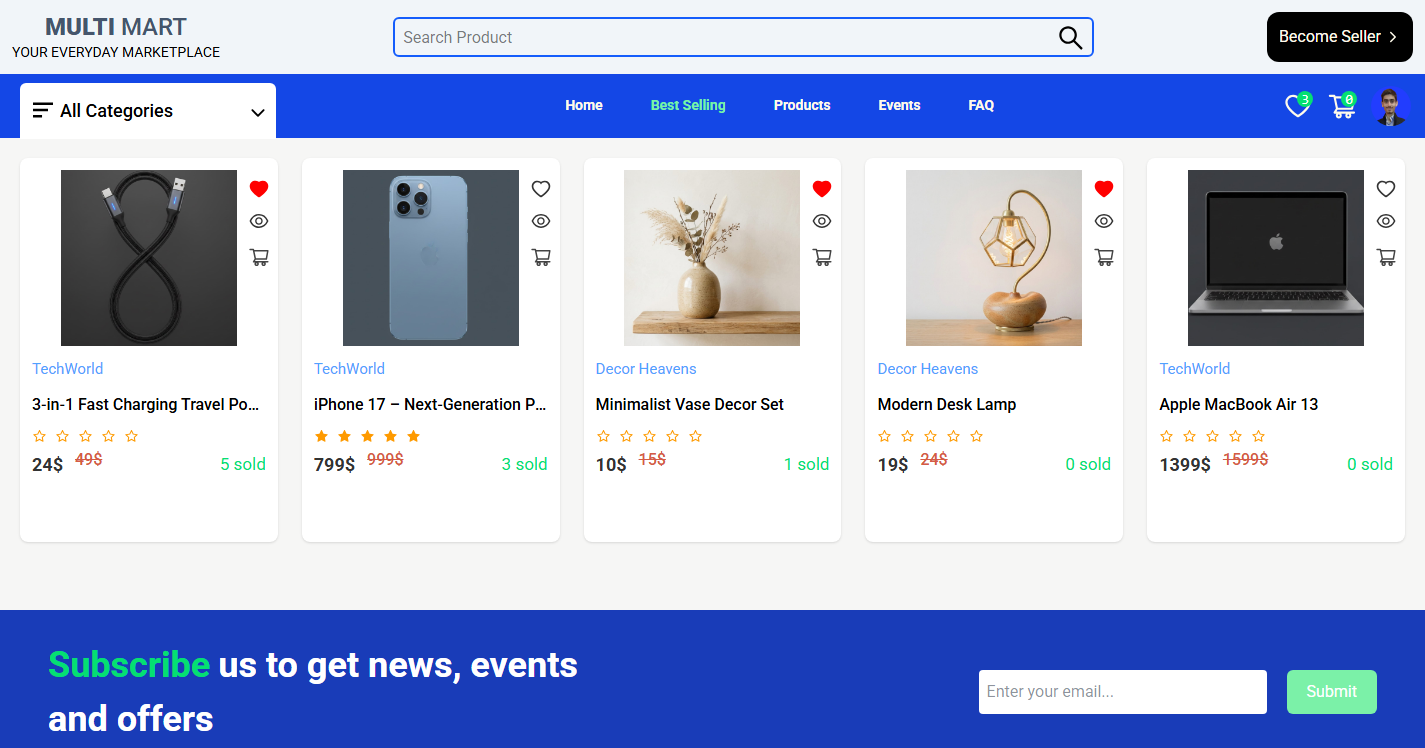
- Browse products by category, search, and best-selling
- Add to cart and wishlist
- Checkout with Stripe payment
- Apply coupon codes
- Track orders and request refunds
- Real-time chat with sellers
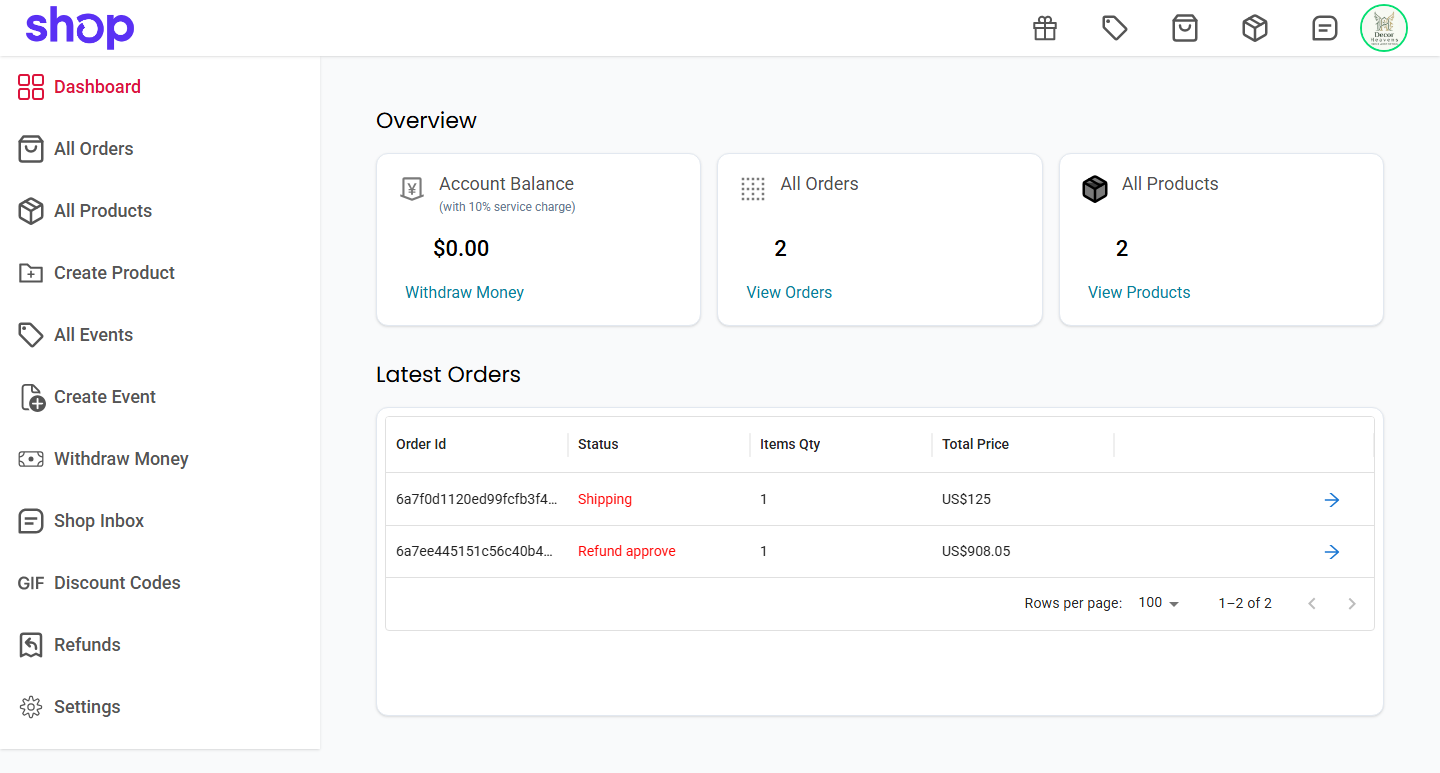
- Create and manage a branded storefront
- Add, update, and delete products & events
- Manage orders and process refunds
- Generate coupon codes
- Real-time inbox to chat with customers
- Withdraw earnings
sequenceDiagram
    actor Customer
    participant Frontend
    participant Backend
    participant Stripe
    participant Database

    Customer->>Frontend: Add to cart & place order
    Frontend->>Backend: Send order request
    Backend->>Stripe: Create payment intent
    Stripe-->>Backend: Payment confirmation
    Backend->>Database: Save order
    Backend-->>Frontend: Order confirmed
    Frontend-->>Customer: Success message
sequenceDiagram
    actor Seller
    participant Frontend
    participant Backend
    participant Database

    Seller->>Frontend: Login
    Frontend->>Backend: Authenticate (JWT)
    Backend-->>Frontend: Auth success
    Seller->>Frontend: Add / Edit / Delete product
    Frontend->>Backend: Product request
    Backend->>Database: Save changes
    Backend-->>Frontend: Confirmation
    Frontend-->>Seller: Product updated
sequenceDiagram
    actor Customer
    actor Seller
    participant Frontend
    participant Backend
    participant SocketServer
    participant Database

    Customer->>Frontend: Open chat
    Frontend->>Backend: GET messages (HTTP)
    Backend->>Database: Load chat history
    Database-->>Frontend: Return messages
    Frontend->>SocketServer: Connect + emit addUser
    Customer->>Frontend: Type and send message
    Frontend->>Backend: POST create message (HTTP save)
    Frontend->>SocketServer: emit sendMessage (relay)
    SocketServer-->>Seller: emit getMessage (real-time)
    Seller->>Frontend: Type and reply
    Frontend->>Backend: POST create message (HTTP save)
    Frontend->>SocketServer: emit sendMessage (relay)
    SocketServer-->>Customer: emit getMessage (real-time)
erDiagram
    USER {
        ObjectId id
        string name
        string email
        number phoneNumber
        string password
        string role
        object avatar
        array addresses
        string resetPasswordToken
        date resetPasswordTime
        date createdAt
    }
    SHOP {
        ObjectId id
        string name
        string email
        string password
        number phoneNumber
        string address
        string description
        string role
        object avatar
        number zipCode
        string resetPasswordToken
        date resetPasswordTime
        date createdAt
    }
    PRODUCT {
        ObjectId id
        string name
        string description
        string category
        string tags
        number originalPrice
        number discountPrice
        number stock
        array images
        array reviews
        string shopId
        object shop
        number sold_out
        date createdAt
    }
    EVENT {
        ObjectId id
        string name
        string description
        string category
        string tags
        number originalPrice
        number discountPrice
        number stock
        array images
        date start_Date
        date finish_Date
        string status
        string shopId
        object shop
        number sold_out
        date createdAt
    }
    ORDER {
        ObjectId id
        array cart
        object shippingAddress
        object user
        number totalPrice
        string status
        string paymentInfo_id
        string paymentInfo_status
        string paymentInfo_type
        date paidAt
        date deliveredAt
        date createdAt
    }
    CONVERSATION {
        ObjectId id
        string conversationTitle
        array members
        string lastMessage
        string lastMessageId
        date createdAt
        date updatedAt
    }
    MESSAGE {
        ObjectId id
        string conversationId
        string text
        string sender
        array images
        date createdAt
        date updatedAt
    }
    COUPONCODE {
        ObjectId id
        string name
        number value
        number minAmount
        number maxAmount
        object shop
        string selectedProduct
        date createdAt
    }

    SHOP ||--o{ PRODUCT : "lists"
    SHOP ||--o{ EVENT : "runs"
    SHOP ||--o{ COUPONCODE : "creates"
    CONVERSATION ||--o{ MESSAGE : "contains"
Multi Vendor/
├── backend/
│   ├── config/.env          # Environment variables (gitignored)
│   ├── controllers/         # user, shop, product, order, payment...
│   ├── models/              # Mongoose schemas
│   ├── routers/             # API routes
│   ├── middlewares/         # Auth guards, error handler
│   ├── utils/               # JWT, email, error helpers
│   └── server.js
│
├── frontend/
│   └── src/
│       ├── components/      # Reusable UI components
│       ├── pages/           # Route-level pages
│       ├── redux/           # Store, actions, reducers
│       └── routes/          # Protected routes
│
└── socket/
    └── index.js             # Socket.IO server
- Node.js v18+, MongoDB Atlas account, Stripe account, Cloudinary account, Gmail App Password
git clone https://github.com/fastwithkamran/Multi_Vendor.git
cd Multi_Vendorbackend/config/.env
PORT=8000
NODE_ENV=development
MONGODB_URI=your_mongodb_uri

JWT_SECRET_KEY=your_jwt_secret
Activation_Secret=your_activation_secret

STRIPE_SECRET_KEY=sk_test_...
STRIPE_API_KEY=pk_test_...

SMTP_HOST=smtp.gmail.com
SMTP_PORT=465
SMTP_SERVICE=gmail
SMTP_MAIL=your@email.com
SMTP_PASSWORD=your_app_password

CLOUDINARY_CLOUD_NAME=your_name
CLOUDINARY_API_KEY=your_key
CLOUDINARY_API_SECRET=your_secret

FRONTEND_API=http://localhost:5173
frontend/.env
VITE_BackEnd_API=http://localhost:8000/api/v1
VITE_SOCKET_API=http://localhost:3000
socket/.env
PORT=3000
FRONTEND_API=http://localhost:5173# Backend
cd backend && npm install && npm run dev
# Frontend (new terminal)
cd frontend && npm install && npm run dev
# Socket server (new terminal)
cd socket && npm install && npm run devOpen http://localhost:5173 🎉
| Module | Base Route |
|---|---|
| Users | /api/v1/user |
| Shops | /api/v1/shop |
| Products | /api/v1/product |
| Events | /api/v1/event |
| Coupon Codes | /api/v1/couponCode |
| Orders | /api/v1/order |
| Payments | /api/v1/payment |
| Conversations | /api/v1/conversation |
| Messages | /api/v1/message |
| Customer Home | Seller Dashboard |
|---|---|
 |
 |
| Product Page | Real-Time Chat |
|---|---|
 |
 |
| Challenge | Solution |
|---|---|
| Role-based auth across User, Seller & Admin | JWT with role field + dedicated middleware (isAuthenticated, isSeller, isAdmin) per protected route |
| Serverless incompatibility with Socket.IO | Deployed Socket.IO as a separate persistent service on Render with UptimeRobot keep-alive pings — Vercel serverless cannot hold WebSocket connections |
| Cross-origin cookies blocked by Chrome third-party policy | Implemented Vercel vercel.json reverse proxy rewrites (/api/v1/:path* → backend) — browser sees all traffic as first-party, enabling SameSite: lax |
| Gmail security scanner prefetching one-time JWT activation links | Button-based activation page (robots cannot click) combined with atomic findByIdAndDelete on backend to prevent race conditions |
| Oversized JWT tokens crashing email links | Replaced full user object in JWT with MongoDB _id only — unverified user data stored in a dedicated TTL collection auto-deleted by MongoDB after 20 minutes |
- End-to-end MERN development with real production patterns
- JWT auth with HTTP-only cookies and role-based route guards
- Real-time architecture with Socket.IO on a persistent Render service
- Stripe Payment Intents API for secure checkout
- Cloud image storage and delivery with Cloudinary
- Serverless deployment on Vercel + persistent deployment on Render
MIT License — see LICENSE for details.
Kamran Ayaz

