







featherdrop is a sleek, feather-light, self-hosted drop zone for your files — think WeTransfer or Smash, but it runs on your own server with no size paywall. Drop your files (one or a whole batch), set how long they live (plus an optional password or download limit), and share a short link or QR code. Zero-knowledge end-to-end encryption, resumable uploads, inline previews, one tiny container. No accounts, no clouds, no tracking, no nonsense.

- What is this?
- Screenshots
- How it works
- Security & Privacy
- Languages
- Quick Start on Unraid
- Configuration
- Reverse Proxy
- Local Development
- Contributing / License
- Support this project
featherdrop is a sleek, feather-light, self-hosted file-sharing page for your own server — your own private WeTransfer, minus the accounts, size paywalls, and handing your files to someone else's cloud. It's a much simpler take inspired by Pingvin Share. Where Pingvin ships a full backend, database, and accounts, featherdrop is a single container with no login and no separate database:
- Open the page → a central drop zone is right there.
- Drop a file — or several at once, or just Ctrl+V a screenshot → a settings panel slides in (expiry, optional password, optional download limit), and a progress ring overlays the drop zone while it uploads.
- You get a shareable link plus a QR code you can save as a PNG. The recipient can preview the files right on the share page and download them any time until the share expires.
- Pasting the link into a chat shows a clean preview card — your branding, never the file's name.
- A light/dark toggle and a flag language picker sit in the header — the UI speaks 26 languages and picks yours from the browser.
Highlights
- 🔒 Zero-knowledge — files are end-to-end encrypted in your browser before upload (libsodium XChaCha20-Poly1305); the server only ever stores opaque ciphertext and never sees your files, their names, or the key.
- 🗂️ Multi-file shares — drop several files and they travel as one encrypted bundle under a single link; the recipient gets the originals back individually (Download all, or Save to folder on Chromium), no zip.
- ⏳ Self-destructing — expiry from 1 hour to 30 days (or never), plus an optional burn-after-N-downloads.
- 🖼️ Inline preview for images, video, audio, text & PDF before downloading (large videos stream with true seeking), a savable QR code, and clean link previews that never leak the file's name.
- 🧼 Sheds metadata like feathers — JPEGs can be scrubbed of EXIF/GPS data in the browser, before encryption (on by default, one switch to keep it).
- 📲 Installable PWA — paste to upload with Ctrl/Cmd+V, and on Android featherdrop registers as a share target ("Share → featherdrop").
- 🌍 26 languages (right-to-left for Arabic & Hebrew), light/dark, and custom branding (name, logo, accent colour) via env vars.
- 📦 One container — resumable chunked uploads (tus), a single SQLite file, separate data/config volumes, a built-in healthcheck, multi-arch (amd64 + arm64) on a distroless base.
- 🚦 Operator guardrails — per-IP rate limiting, a storage quota, an expiry cap, and an optional upload password make an internet-facing instance a reasonable thing to run.
- 🧹 Private by design — no accounts, no telemetry, no third-party calls at runtime; your files stay on your server.
What it deliberately does not have: user accounts, OIDC/LDAP, email, malware scanning, S3 backends. If you need those, use Pingvin Share — that is the point.
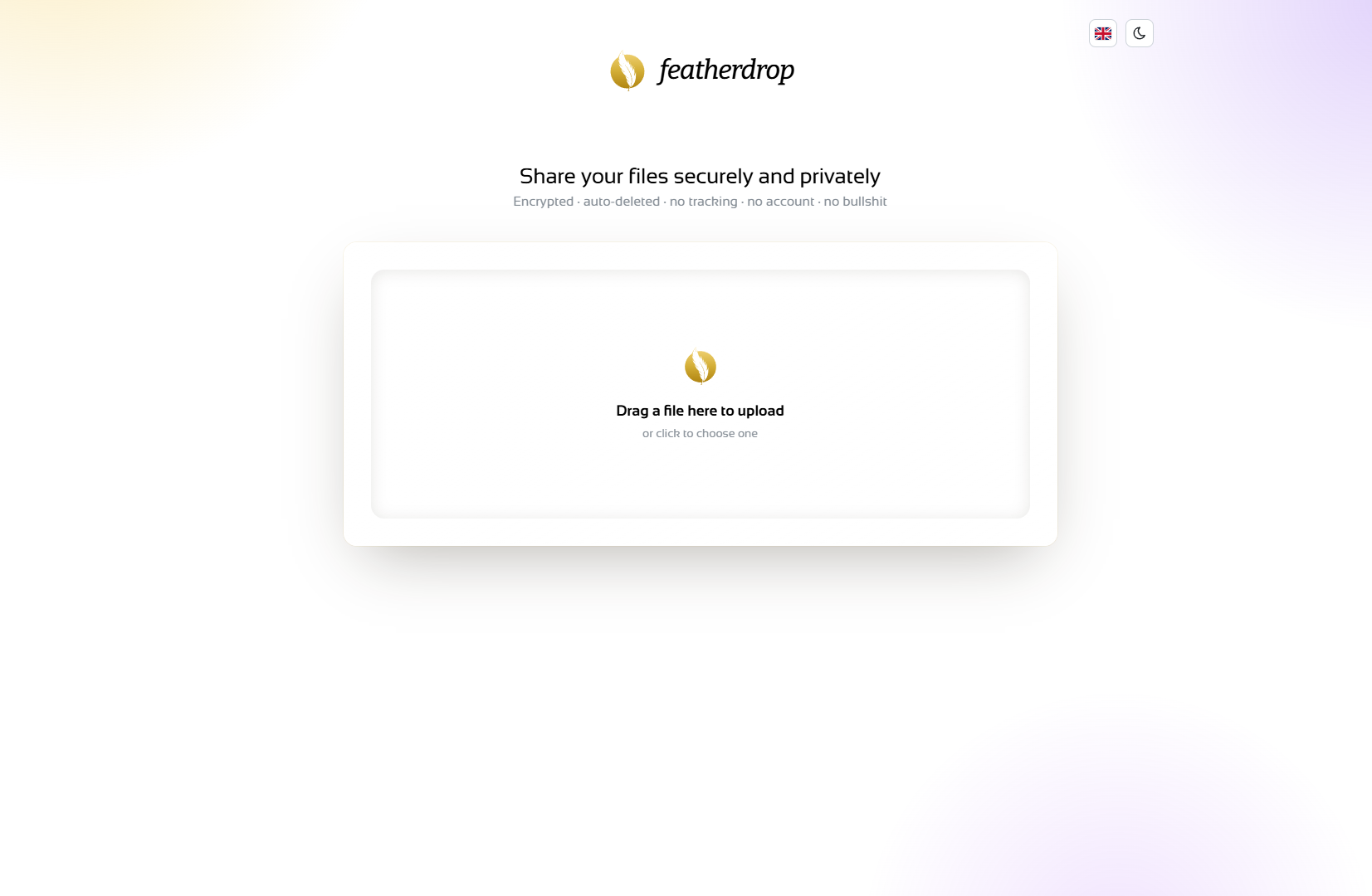
The home page — drop a file to share it.
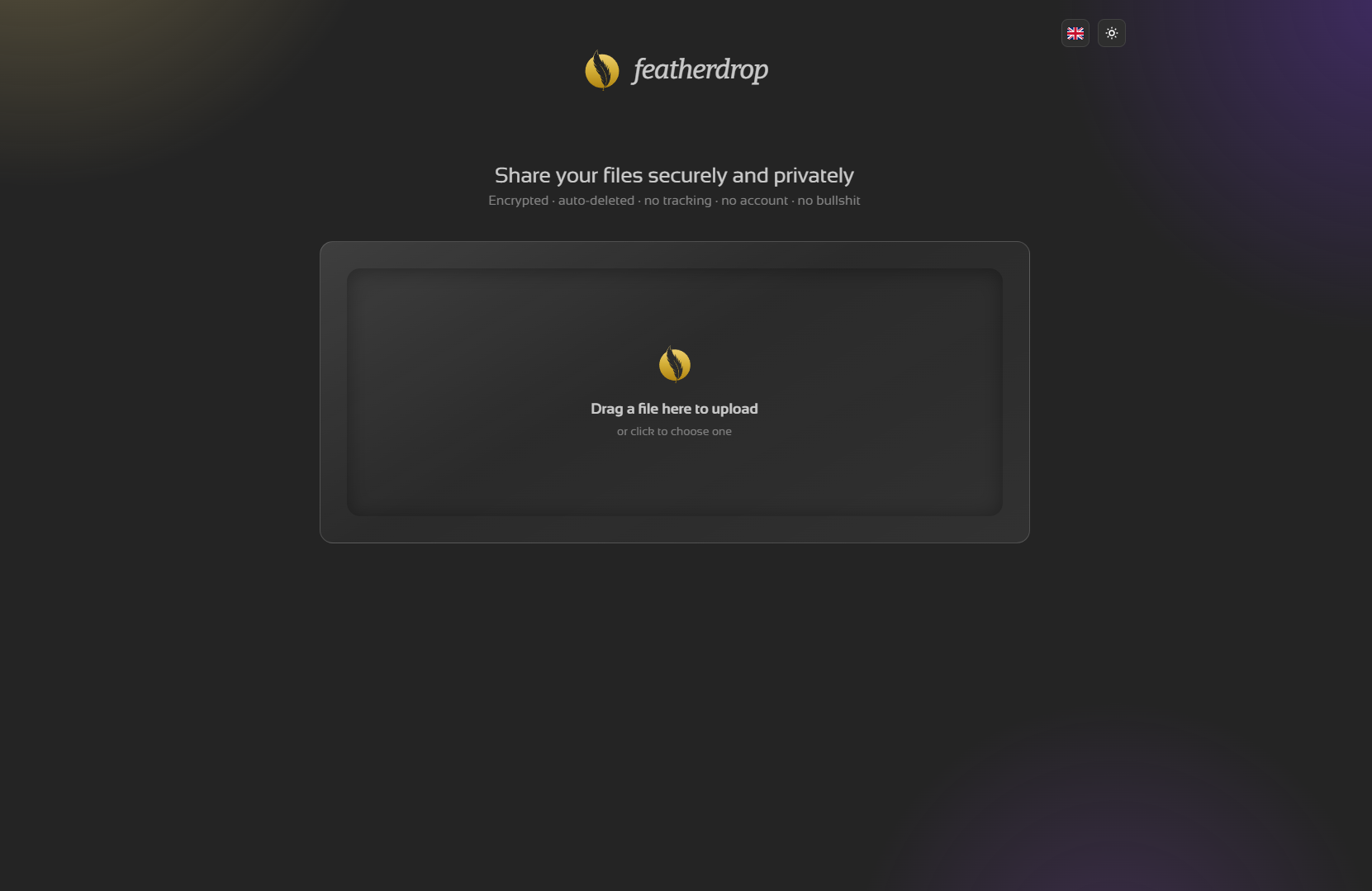
Light and dark themes, with a flag language picker.
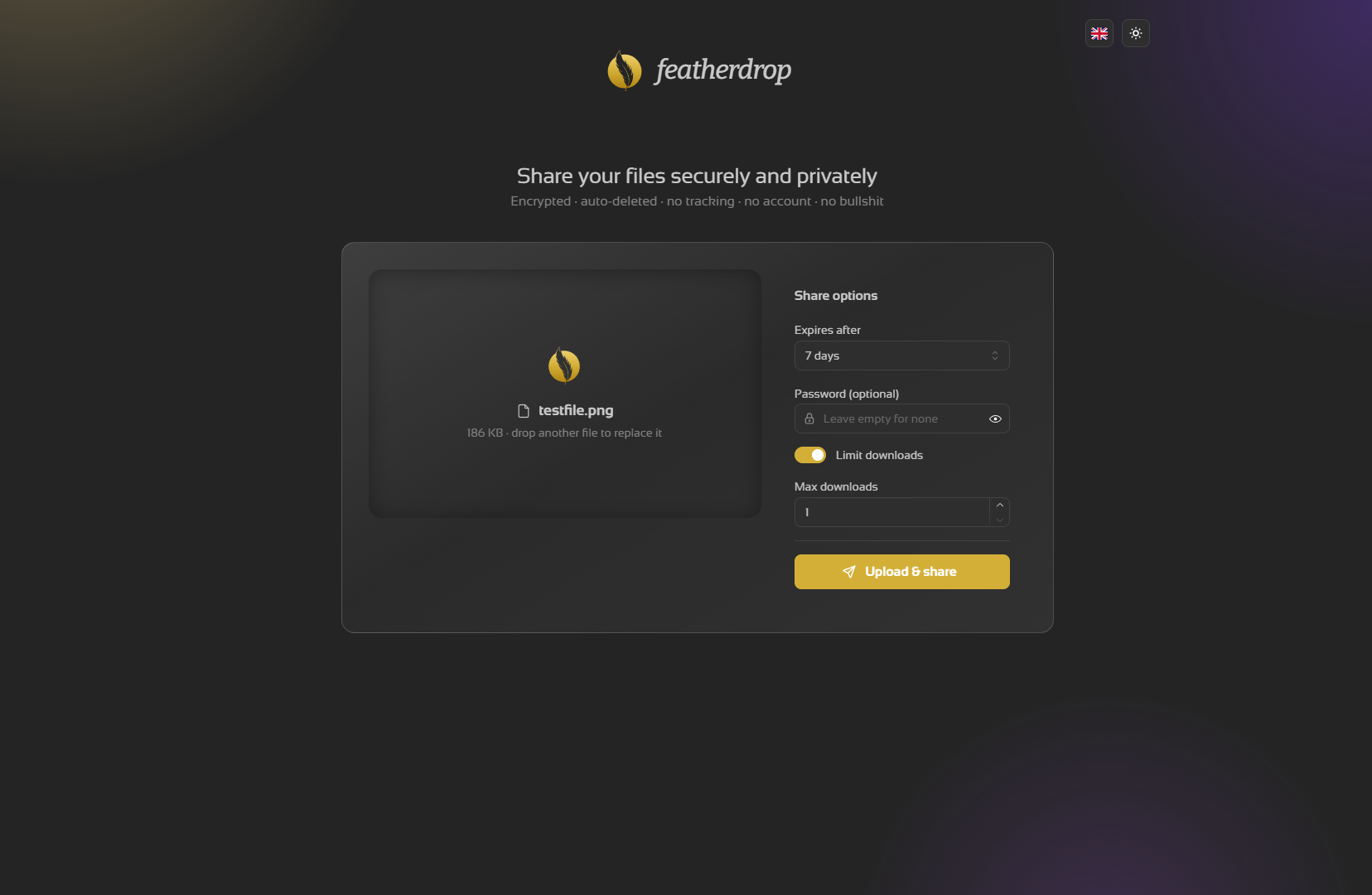
Set an expiry, an optional password, and a download limit before sharing.
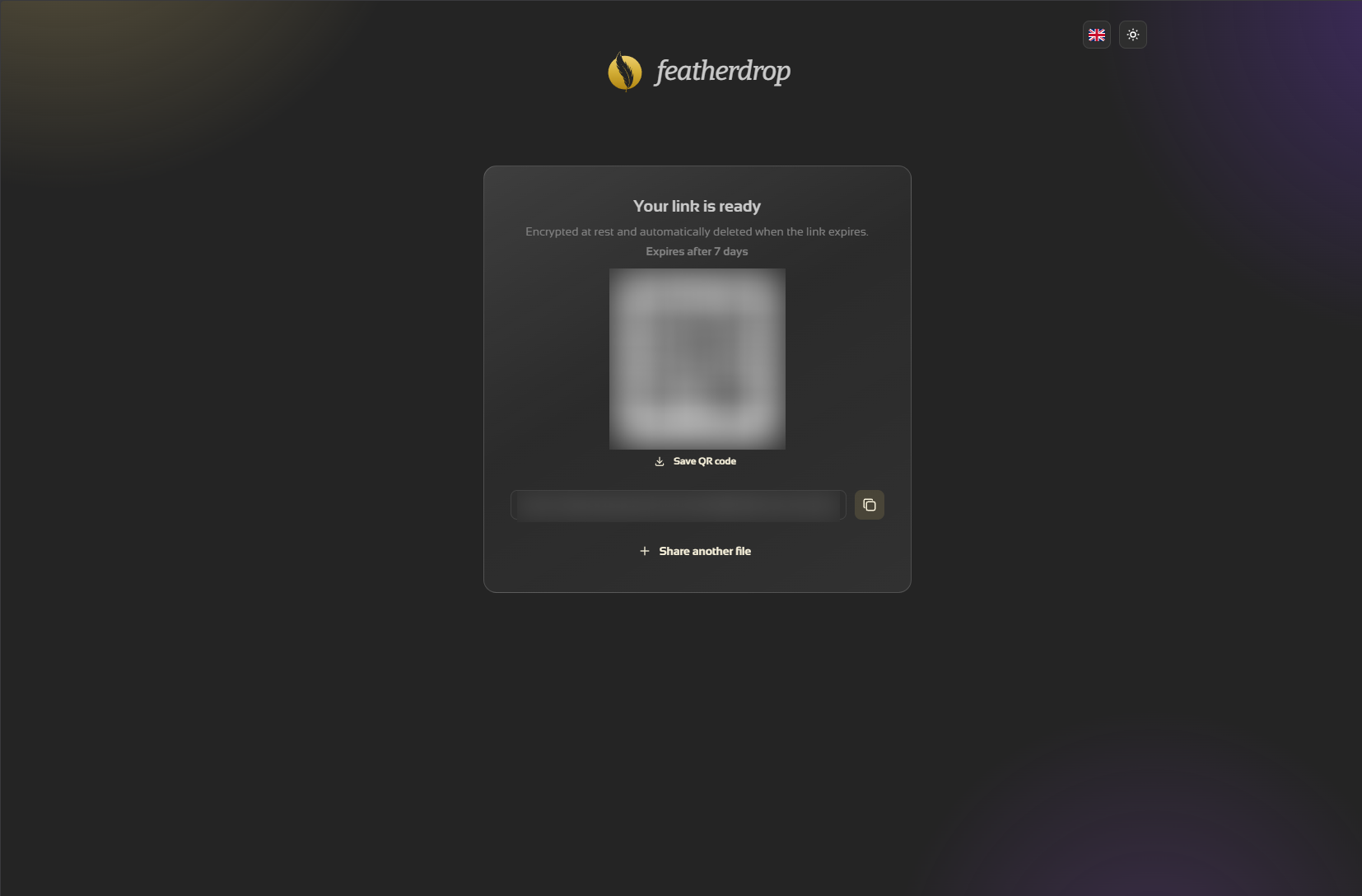
Your link is ready — copy it or save the QR code.
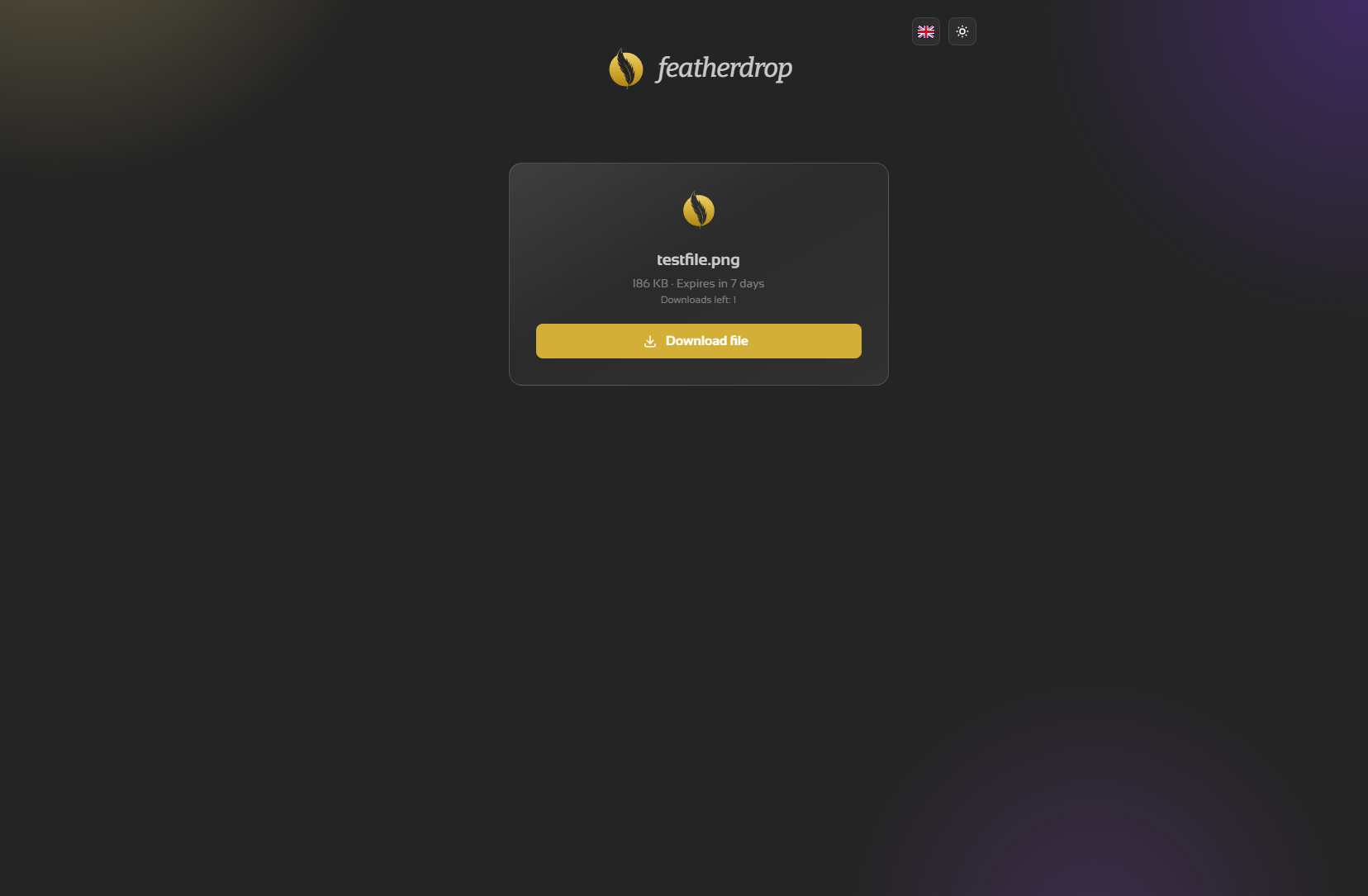
What the recipient sees: file info and a download button.
Browser (drop zone, Mantine UI)
   │  resumable upload (tus)
   ▼
featherdrop container (single static Go binary, embedded React/Vite SPA)
   ├─ /files            tus upload endpoint
   ├─ /api/finalize     move file into store, write metadata, mint share slug
   ├─ /d/<slug>         share page (info, password gate, download)
   └─ cleanup job       deletes expired files
   ▼
/data volume (uploads, bulk)        /config volume (metadata, small)
   ├─ uploads/<id>   the files          └─ db.sqlite   (pure-Go SQLite — a file, not a server)
   └─ tmp/<id>       in-progress uploads
/data (bulk files) and /config (the small SQLite database) are separate
volumes, so you can keep uploads on array storage and the database on a fast
SSD. CONFIG_DIR defaults to DATA_DIR, so a single-volume setup still works.
Uploads are resumable: a dropped connection on a multi-GB transfer resumes
instead of starting over. Share passwords never reach the server at all —
the key is derived from them in your browser (Argon2id) — and large downloads
stream natively (no in-browser buffering). The container ships a built-in
healthcheck (the binary probes its own /api/healthcheck — distroless has
no shell), so Docker and Unraid show a real health state.
featherdrop is built to be self-hosted: your files and their metadata live only on your server, and the app talks to nobody else.
- No accounts, no tracking. No sign-up, no analytics, no telemetry, and no third-party scripts or fonts pulled at runtime — nothing phones home.
- Your data stays yours. Uploads sit on your
/datavolume, metadata in a local SQLite file. Nothing is ever sent to a cloud or external service. - Zero-knowledge by design — every file is end-to-end encrypted in your browser before upload; the filename and type are encrypted inside the blob, so the server (and any stolen disk or backup) sees only opaque ciphertext, never your files or their names (details below).
- The operator can't read your files either. The key never reaches the
server — it lives in the link's
#fragment, or is derived from your password. - Self-destructing. Every share has an expiry (down to 1 hour), and an optional download limit burns the file the moment it's reached — shares are removed automatically, no manual cleanup needed.
- Minimal attack surface. No login to brute-force, no user database to leak;
share slugs are unguessable, and share pages and link previews never expose the
file's name. Uploads and download/password attempts are rate-limited per IP
out of the box, and share pages tell search engines to stay away (
robots.txtplusX-Robots-Tag: noindexon every share response). - Photos travel light. JPEGs can be scrubbed of EXIF/GPS/IPTC metadata — in the browser, before encryption, the only place it can happen (on by default, one switch to keep it).
- Hardened supply chain. The image is a single static Go binary on a distroless base — no shell, no package manager, digest-pinned — and every build ships SBOM + provenance attestations and gets a Trivy CVE scan in CI.
Provided under the MIT licence without warranty — you run it, you own the data and the responsibility. HTTPS is recommended (see Reverse Proxy) — the clipboard, streaming downloads, and large (>500 MB) uploads need a secure context; smaller uploads work over plain HTTP too.
Every file is encrypted in your browser before it is uploaded, with
libsodium's XChaCha20-Poly1305 streaming AEAD
(64 KiB chunks). The original filename and content type are encrypted inside
the blob, so the server only ever stores — and serves back — opaque ciphertext
and its length. It performs no cryptography and never receives the key.
The content key never reaches the server. Where it lives depends on the share type:
| Share type | Where the key lives | Link | What the server can decrypt |
|---|---|---|---|
| Link (default) | In the share link's #fragment |
…/d/<slug>#k=… |
Nothing — the key never leaves the browser |
| Password | Derived from your password (Argon2id); only a wrapped copy is stored | …/d/<slug> |
Nothing without the password — not even the operator |
Because the link key lives in the URL fragment (#k=…), it is never sent in
an HTTP request and never appears in server logs or your reverse proxy. Treat
the whole link as the secret: anyone who has it can download the file until it
expires, and a link copied without its #k=… part can't be decrypted — by
design, since the server never had the key.
Downloads also require proof of key knowledge: the browser sends a one-way
SHA-256 verifier of the content key (x-fd-key-verifier header), so someone
who only saw the slug in a proxy or access log can't burn through a share's
download limit — without the verifier (which reveals nothing about the key),
nothing is counted and nothing is deleted. Shares uploaded before this check
existed keep working unchanged.
Encryption and decryption stream through the Origin Private File System and a service worker, so multi-GB files are never buffered in memory. Over plain HTTP (not a secure context) OPFS isn't available, so encryption falls back to memory with a 500 MB cap — use HTTPS for larger files. Inline image/PDF previews are produced entirely in the browser from the decrypted bytes.
Still have pre-v4 shares? Shares created before v4 used server-side at-rest encryption (age). Since the v6 Go rewrite the server is zero-knowledge only and no longer serves that legacy format — those links return 404, and the old
MASTER_KEY/ENCRYPT_UPLOADSsettings are ignored.
featherdrop's interface ships in 26 languages. On a visitor's first load the language is taken from their browser; a flag picker beside the light/dark toggle (in the header and on the download page) switches it, and the choice is remembered. Detection happens right in the browser before the first paint, so there is no English flash. Arabic and Hebrew render right-to-left.
🇬🇧 English · 🇩🇪 Deutsch · 🇫🇷 Français · 🇪🇸 Español · 🇮🇹 Italiano · 🇵🇹 Português · 🇳🇱 Nederlands · 🇵🇱 Polski · 🇷🇺 Русский · 🇺🇦 Українська · 🇨🇿 Čeština · 🇸🇪 Svenska · 🇩🇰 Dansk · 🇫🇮 Suomi · 🇳🇴 Norsk · 🇹🇷 Türkçe · 🇬🇷 Ελληνικά · 🇭🇺 Magyar · 🇷🇴 Română · 🇯🇵 日本語 · 🇰🇷 한국어 · 🇨🇳 中文 · 🇸🇦 العربية · 🇮🇱 עברית · 🇹🇭 ไทย · 🇻🇳 Tiếng Việt
Each language is a typed file under lib/i18n/locales/, with English as the
source of truth. A native-speaker correction is a one-file edit — pull requests
welcome.
Pull the template into Unraid via the console / SSH:
mkdir -p /boot/config/plugins/dockerMan/templates-user && \
curl -fsSL -o /boot/config/plugins/dockerMan/templates-user/my-featherdrop.xml \
  https://raw.githubusercontent.com/junkerderprovinz/unraid-apps/main/featherdrop/featherdrop.xml
Then Docker → Add Container → featherdrop under User templates. Map the Data Directory (uploads) and Config Directory (the database) to your appdata, pick a port, hit Apply, open the WebUI.
The template filename must keep the my- prefix (my-featherdrop.xml) so
Unraid treats it as a user template.
docker run -d \
  --name featherdrop \
  --restart unless-stopped \
  -p 3000:3000 \
  -e BASE_URL=https://share.yourdomain.tld \
  -e CONFIG_DIR=/config \
  -v /mnt/user/appdata/featherdrop/data:/data \
  -v /mnt/user/appdata/featherdrop/config:/config \
  junkerderprovinz/featherdrop:latest
To keep everything on a single volume instead, drop the CONFIG_DIR line and
the /config mount and map just -v …:/data — the database then lives in
/data alongside the uploads.
| Variable | Default | Description |
|---|---|---|
BASE_URL |
(empty) | Public URL featherdrop is reached at, so share links use your domain. Empty = use the address the browser is on. |
DEFAULT_EXPIRY |
7d |
Expiry pre-selected in the UI. One of 1h, 6h, 1d, 7d, 30d, never. |
MAX_FILE_SIZE |
0 |
Max upload size in bytes. 0 = unlimited (disk-limited). E.g. 5368709120 = 5 GB. |
MAX_EXPIRY |
(empty) | Longest expiry a visitor may pick: one of 1h, 6h, 1d, 7d, 30d, never. Empty = no cap. With a finite cap the UI hides longer options (incl. "never") and the server rejects them; DEFAULT_EXPIRY is clamped to the cap. |
STORAGE_QUOTA |
0 |
Max total bytes of stored shares. 0 = unlimited. New uploads that would exceed it are rejected (HTTP 507) before any byte lands. |
RATE_LIMIT |
true |
Built-in per-IP rate limiting on uploads, finalize and download/password attempts (429 + Retry-After). Set false to disable, e.g. behind your own limiter. |
TRUST_PROXY |
false |
Set true ONLY behind a reverse proxy: rate limits then key on the first X-Forwarded-For address instead of the proxy's. Never enable it on a directly-reachable instance. |
UPLOAD_PASSWORD |
(empty) | Optional upload lock. Empty = anyone can upload (the default). Set it and creating a share requires this password (entered once per browser session); downloading an existing share link stays open to everyone. The server checks it constant-time on both write paths and never stores or logs it — only a "this instance is protected" flag reaches the browser, never the password. Send over HTTPS. |
PORT |
3000 |
Port the server listens on. |
DATA_DIR |
/data |
Where the uploaded files live (bulk). Map this to a volume. |
CONFIG_DIR |
(= DATA_DIR) |
Where the SQLite database lives. Defaults to DATA_DIR (single volume). Set it (the Unraid template uses /config) to keep the small database on a separate, faster volume. |
APP_NAME |
featherdrop |
Custom app name — replaces the wordmark in the header and the browser-tab title. |
APP_LOGO |
(empty) | Custom logo (SVG/PNG) replacing the feather: a public image URL, or a data: URI (e.g. data:image/svg+xml;base64,… — generate with base64 -w0 logo.svg) so you need no hosting or file on disk. Empty = the feather. |
ACCENT_COLOR |
#d4af37 |
A 6-digit hex colour for buttons, the upload ring and accents. Invalid values fall back to the gold. |
featherdrop speaks plain HTTP on PORT; put TLS in front of it (Nginx Proxy
Manager, Caddy, Traefik). Two things matter:
- Set
BASE_URLto your public URL so generated links are correct. Use HTTPS — for link shares the decryption key lives in the URL fragment, and TLS keeps the whole link private in transit. HTTPS is also a secure context, which the clipboard, streaming downloads, and OPFS (large uploads) require; over plain HTTP, uploads fall back to an in-memory path capped at 500 MB. - Allow large request bodies and generous timeouts for big uploads. For Nginx / NPM advanced config:
client_max_body_size 0;        # no cap here (but a CDN may add one — see below)
proxy_read_timeout 3600s;
proxy_send_timeout 3600s;
proxy_request_buffering off;   # stream uploads straight through
Uploads are sent in resumable 64 MiB chunks (tus), so each request stays small no matter the file size, and a dropped upload resumes from the last chunk.
Behind Cloudflare or another CDN: a proxying CDN enforces its own
request-body limit before your reverse proxy, so client_max_body_size 0
cannot override it. Cloudflare's Free and Pro plans cap a request body at
100 MB (Business 200 MB, Enterprise 500 MB) and return 413 above it.
Because featherdrop chunks at 64 MiB, files of any size still upload through
Cloudflare — but if you raise chunkSize (in app/page.tsx) above the cap, or
front featherdrop with another capped proxy, large uploads will 413.
Remote-access options (all keep split-horizon DNS — resolve the host to your LAN reverse proxy internally and to the public edge externally):
| Setup | Inbound port | Upload size | Trade-off |
|---|---|---|---|
| Direct / port-forward (own Nginx/Caddy/Traefik) | 80/443 open | unlimited | fastest, no third party; exposes your IP, needs a stable inbound path |
Cloudflare Tunnel (cloudflared) |
none (outbound) | 100 MB/request | zero-config edge + DDoS/WAF, hides IP; the cap is dodged by the 64 MiB chunking |
| Self-hosted tunnel (e.g. Pangolin + a small VPS) | none (outbound) | unlimited | you own the edge + TLS, any size, built-in auth; costs a VPS to run |
npm install
npm run dev          # Vite dev server for the React SPA (http://localhost:5173)
Build the static SPA and run it the way the container does — the Go backend serves the embedded SPA plus the JSON/file API on port 3000:
npm run build:spa            # build the Vite SPA into server-go/webroot
cd server-go && go run .     # serve on http://localhost:3000, data under ./data
Run the test suite (pure-logic assertions, no framework needed):
npm testStack: a Go backend (server-go/) that serves a Vite + React + Mantine SPA
as embedded static assets alongside the JSON/file API, with react-i18next for
the UI languages. The browser keeps all zero-knowledge crypto in TypeScript
(libsodium). Files live under DATA_DIR (default ./data). The published image
is built from Dockerfile — a three-stage build: Vite SPA → static Go binary
with the webroot embedded → distroless runtime. The old Next.js server was
retired in v6.0.0; the Go backend is the only server.
Issues and pull requests welcome: https://github.com/junkerderprovinz/featherdrop/issues
Licensed under the MIT License.
If featherdrop saves you a trip to a third-party file host, consider buying me a coffee:
Part of a family of self-hosted Unraid apps + plugins by junkerderprovinz — see them all at github.com/junkerderprovinz, or install from Community Applications.
