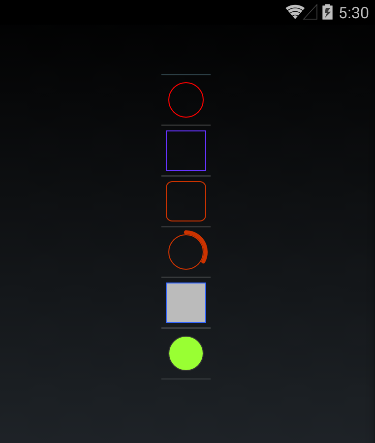
This sample shows how to draw more complex shapes in Xamarin.Forms that is not limited to a simple BoxView (and only a single colour). The new examples are Circle, Rectangle and a "Circle Indicator" (which is a fancy way of saying a two stroke width circle where the thicker bit shows the progress out of 100%). An improved "Box" type is also supported.
Properties supported by the various shapes:
- Stroke Color
- (Fill) Color
- Stroke Width
- Corner Radius (box only)
- Padding
![Image for Android] (https://raw.githubusercontent.com/chrispellett/Xamarin-Forms-Shape/master/Screenshots/Android.png)
![Image for iOS] (https://raw.githubusercontent.com/chrispellett/Xamarin-Forms-Shape/master/Screenshots/iOS.png)
