A minimalist IDE for the AI era — driving many CLIs side by side, from a single window.
🇰🇷 한국어 문서: README-KR.md
If you are reading this source, you are a developer. AgentZero Lite is a CLI helper that takes security as a first-class concern:
- It has a model download feature, but never transmits your data to external networks.
- To prevent deployment tampering, builds are produced transparently only through GitHub Actions — there is no other release path.
- It does not ship a risky auto-update mechanism either.
Is this actually true? Don't take my word for it — verify it yourself, and if you find any risk, please open a GitHub issue at any time. Sub-modules that surface security warnings are wired into an AI improvement loop for fast follow-up, but the loop is not perfect. Security-hardening contributions are always welcome.

🎬 Demo — driving Claude and Codex in parallel:
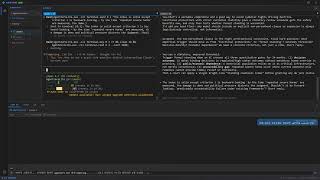
Pipe a single instruction to an AI CLI (Claude, Codex, any model you can run in a shell) living in the same workspace — or in a different one — and have it act. Run two different AI models side by side and let them talk to each other through the same mechanism: cross-model dialogue, no custom broker required.
AgentZero Lite is a Windows desktop shell built around a simple idea: in the AI era most
of your day is spent talking to command-line tools. claude, codex, gh, docker,
pwsh, a REPL, a build log tail — each wants its own terminal, and you want all of them
visible at once without juggling windows. AgentZero Lite gives you a true multi-tab,
multi-workspace ConPTY terminal and a small chat surface that forwards text and skill
macros to whichever terminal is in focus — nothing more, nothing less.
- Multi-tab ConPTY terminals — real
conhostrendering per tab, not a pseudo-PTY pretending. Powered byEasyWindowsTerminalControl/CI.Microsoft.Terminal.Wpf. - Workspaces — group tabs by folder so each project keeps its own set of CLIs
(one click =
cdcontext and a fresh Claude). - AgentChatBot — a dockable chat pane that forwards whatever you type into the
active terminal.
CHTmode types text,KEYmode forwards raw keystrokes (Ctrl+C, arrows, Tab). It is not an AI; it is an input broker. - AI ↔ AI conversation (the headline trick) — teach
AgentZeroLite.ps1to a Claude tab or a Codex tab once ("learnAgentZeroLite.ps1 helpand use it for cross-terminal talk"), and from that point on either AI can greet the other terminal by name and strike up a real dialogue. Claude in tab 0 writes to Codex in tab 1, Codex replies back, each reads the peer's last output withterminal-read. No extra broker, no cloud relay — just the two CLIs poking each other through AgentZero's IPC. This is the tiki-taka between models that the Lite edition exists for. - AIMODE — on-device LocalLLM as your in-shell coordinator — flip the AgentBot
to AI mode (Shift+Tab) and a small on-device LLM (Gemma 4 today; Nemotron
staged) becomes a secretary that drives the other AI CLIs for you. You ask
in Korean or English, it picks the right terminal AI, sends the message,
waits, reads the reply, brings back a summary. Two-way channel: peer
terminals call back through the existing
bot-chatCLI so the LocalLLM doesn't have to keep polling. Nothing leaves the machine. See AIMODE section below. - 🎙 Voice — drive AgentBot hands-free while you keyboard the next tab — speak into your mic and AgentBot transcribes the audio locally (Whisper.net, GGML small/medium models cached on disk) and types the text straight into the active terminal AI. The point is dual multitasking: while one tab takes your fingers (writing code, reading Claude's diff), the other tab takes your voice. Two parallel AI conversations, one supervisor — same AgentBot pipeline, just a different input channel. Backend ships CPU + Vulkan so AMD / Intel / NVIDIA all accelerate the same binary; multi-GPU systems get an auto-best heuristic plus a manual override in Voice settings. Voice output (TTS reply) is still in development — the SAPI / OpenAI TTS plumbing is wired up but the response-streaming pipeline isn't shipping yet, so today voice is input-only.
- AgentBot
[+]menu — 3 ways to arm a terminal AI —AgentZeroCLI Helper— drops a ready-made briefing into the chat input that teaches any terminal AI (Claude, Codex, shell-hosted model) how to callAgentZeroLite.exe -clionce, no skill install. Review, hit Send, done. If the CLI is not on PATH the menu nudges you to Settings → Register PATH and restart first.Import Starter Skills— copies the shippedagent-zero-liteskill into the active workspace's.claude/skills/so Claude Code picks it up persistently on next session.Skill Sync— with Claude already running in a tab, reads the skill list out of its own/skillsview and turns it into a slash-command menu in the chat box. Type/, pick a skill, Enter — the macro text is fired at the terminal. No LLM round-trip.
- 🌐 WebDev — in-app browser sandbox + plugin system (v0.4) — top-level menu
next to AgentBot. Embeds a WebView2 with a
window.zero.*JavaScript bridge to AgentZero's native services (LLM chat / streaming, TTS, STT-with-VAD, summarize). Two install channels: a local.zip, or a public GitHub folder URL (nogitCLI required — the installer talks raw HTTP + Trees API). First reference plugin is voice-note underProject/Plugins/voice-note/— a STT-driven voice journal with VAD-gated capture, sensitivity slider, pause/resume, LLM summary (length-chunked recursive), and IndexedDB note storage. See the WebDev section below. - Notes with live rendering — a second bottom panel with a Markdown viewer that also renders Mermaid diagrams and Pencil files, scoped to the active workspace folder.
- CLI remote-control — run
AgentZeroLite.exe -cli terminal-send 0 0 "npm test"from any script and drive the GUI overWM_COPYDATA+ memory-mapped files. - Actor model (Akka.NET) — terminal lifecycle, workspace routing and chat input all run through supervised actors, so a crashing session does not take the window down with it.
- One executable, one process — single-instance guard, SQLite for config, zero external dependencies beyond the .NET 10 runtime. The build is under ~60 MB.
+--------------------------------------------------------------------------+
| AgentZero                                                    -  □  ×    |
+---+------------+-----------------------------------------------+--------+
|   | WORKSPACES | [Claude1] [pwsh1] [build-log] [+]            |        |
| ⚙ | ▸ monorepo +-----------------------------------------------+        |
| 🤖 |   ▸ web    |                                              |        |
|   |   ▸ api    |           ConPTY terminal (active tab)        |        |
|   | ▸ blog     |                                              |        |
|   |            |                                              |        |
|   | SESSIONS   +-----------------------------------------------+        |
|   |  · Claude1 | AGENT BOT ▾ | OUTPUT | LOG | NOTE                    |
|   |  · pwsh1   +-----------------------------------------------+        |
|   |            |  > /skills                                    |        |
|   |            |  [skill list]                                 |        |
|   |            |  > run tests and summarize                     [Send]  |
+---+------------+-----------------------------------------------+--------+
Top bar: ConPTY terminals, one per tab. Left rail: activity icons + sidebar with workspaces and sessions. Bottom panel: tabbed — AGENT BOT (text/key sender to the active terminal), OUTPUT, LOG, NOTE (per-workspace markdown viewer).
┌─ AgentZeroWpf (WinExe, WPF, net10.0-windows) ───────────────────────────┐
│                                                                         │
│  MainWindow  ──── hosts N ConPTY tabs  ──── AgentBotWindow (dock/float) │
│      │                                              │                   │
│      │  WM_COPYDATA + MMF  <─  CliHandler.cs  ──>   │                   │
│      │  (external scripts drive the GUI)            │                   │
│      ▼                                              ▼                   │
│  ActorSystemManager (Akka.NET)                                          │
└──────────────────────┬──────────────────────────────────────────────────┘
                       │  ProjectReference
┌─ ZeroCommon (ClassLib, net10.0) ────────────────────────────────────────┐
│  Actors/    Stage → Workspace(N) → Terminal(N)  + AgentBot (1)          │
│  Services/  ITerminalSession, AgentEventStream, AppLogger               │
│  Data/      AppDbContext + EF Core (SQLite)                             │
│             CliDefinition / CliGroup / CliTab / ClipboardEntry          │
│  Module/    CliTerminalIpcHelper, CliWorkspacePersistence, ...          │
└─────────────────────────────────────────────────────────────────────────┘
ZeroCommon is UI-free and covered by its own headless test project
(ZeroCommon.Tests, xUnit + Akka.TestKit). AgentTest covers the WPF-dependent
surface.
/user/stage                  — supervisor, lifecycle broker, one per app
    /bot                     — AgentBotActor: mode (Chat/Key), UI callback
    /ws-<workspace>          — WorkspaceActor: owns terminals in a folder
        /term-<id>           — TerminalActor: wraps one ITerminalSession
Messages are defined in one place (ZeroCommon/Actors/Messages.cs).
| Project | Path | Kind | Namespace |
|---|---|---|---|
| AgentZeroWpf | Project/AgentZeroWpf/ |
WinExe (net10.0-windows, WPF) | AgentZeroWpf.* |
| ZeroCommon | Project/ZeroCommon/ |
ClassLib (net10.0, UI-free) | Agent.Common.* |
| AgentTest | Project/AgentTest/ |
xUnit (net10.0-windows) | AgentTest.* |
| ZeroCommon.Tests | Project/ZeroCommon.Tests/ |
xUnit (net10.0, headless) | ZeroCommon.Tests.* |
Reference graph: AgentTest → AgentZeroWpf → ZeroCommon ← ZeroCommon.Tests. Anything
without WPF / Win32 dependencies belongs in ZeroCommon.
Requirements: Windows 10/11, .NET 10 SDK, a terminal
that can run dotnet. Rider or Visual Studio 2022 17.11+ works; see the IDE note
below about disabling "Terminal Mode" when debugging.
# Restore + build the WPF app (auto-builds ZeroCommon as a project reference)
dotnet build Project/AgentZeroWpf/AgentZeroWpf.csproj -c Debug

# Release build (required before using the CLI wrapper script)
dotnet build Project/AgentZeroWpf/AgentZeroWpf.csproj -c Release

# Launch the GUI
Project/AgentZeroWpf/bin/Debug/net10.0-windows/AgentZeroLite.exe

# Run headless tests (shared logic)
dotnet test Project/ZeroCommon.Tests/ZeroCommon.Tests.csproj

# Run WPF-dependent tests (actors, terminal sessions, approval parser)
dotnet test Project/AgentTest/AgentTest.csprojAgentZero hosts its own ConPTY terminals inside WPF. If your IDE attaches its own terminal to the process stdin/stdout/stderr (Rider's default, VS "Redirect standard output", VS Code's integrated terminal when launched directly), it will intercept the console events that ConPTY needs to own, and tabs will either refuse to start or show garbled output.
Always disable the IDE's terminal attachment before you press Run / Debug:
| IDE | Setting |
|---|---|
| Rider | Run / Debug configuration → Use external console = ON (USE_EXTERNAL_CONSOLE=1 in .run.xml) |
| Visual Studio | Project Properties → Debug → Uncheck "Use the standard console" / Redirect standard output |
| VS Code | In launch.json, set "console": "externalTerminal" (do not use "internalConsole") |
TL;DR — give the child process its own real console window. dotnet run from a
normal shell also works because it does not steal stdio.
Every scriptable action goes through AgentZeroLite.exe -cli <command>. The GUI must
be running; the CLI speaks to it over WM_COPYDATA (marker 0x414C "AL") and reads
responses back from named memory-mapped files. A 5-second poll timeout protects
scripts from a hung GUI; add --no-wait for fire-and-forget.
| Command | What it does |
|---|---|
status |
JSON dump of GUI state (workspace count, status bar) |
copy |
Copy the last clipboard buffer into the system clipboard |
open-win / close-win |
Show or hide the main window |
console |
Open a fresh PowerShell in the app directory |
log [--last N] [--clear] |
CLI action history (file-backed) |
terminal-list |
JSON list of all workspace/tab sessions |
terminal-send <g> <t> "text" |
Send text to tab <t> in workspace <g> |
terminal-key <g> <t> <key> |
Send a control key (Ctrl+C, Enter, Tab, arrows, …) |
terminal-read <g> <t> [-n N] |
Read the last N bytes from a tab's scrollback |
bot-chat [--from X] "text" |
Display an external chat bubble in the bot window |
help |
Command reference |
A PowerShell wrapper is shipped at Project/AgentZeroWpf/AgentZeroLite.ps1 for convenience
once the app directory is on PATH (do this from the Settings pane: AgentZero CLI →
Register PATH).
This is the Lite edition's signature use case and it takes about one minute to set up.
- Register the CLI path once. Open Settings → AgentZero CLI → click
Register PATH. NowAgentZeroLite.ps1resolves from any shell. - Open two AI tabs in the same workspace. For example, group 0 tab 0 =
claude, group 0 tab 1 =codex(any AI CLI that accepts natural-language instructions works). - Teach each AI the tool. In each tab, paste one line:
Learn
AgentZeroLite.ps1 helpand use it for cross-terminal talk. Useterminal-listto see the tabs,terminal-send <grp> <tab> "text"to speak to another AI tab by name, andterminal-read <grp> <tab> --last 2000to read the peer's reply. - Start the dialogue. In the Claude tab say:
"Greet the tab named Codex and propose we co-design a REST endpoint."
Claude will run
AgentZeroLite.ps1 terminal-send 0 1 "hi Codex, ...". Codex sees it at its prompt, composes a reply, and sends it back withterminal-send 0 0 "...". You watch the conversation stream in both tabs.
What makes this work:
- Each AI runs in its own ConPTY — no shared memory, no context leakage.
- Messages traverse AgentZero's IPC (
WM_COPYDATA+ memory-mapped files), not a cloud relay; nothing leaves your machine. - The tab layout means you can interrupt, nudge, or splice in at any step — the human stays the supervisor.
- Because the broker is just a shell command the AI already understands,
you can swap
claudefor any CLI-native agent (Aider, Copilot, a localollamachat, …) and keep the same protocol.
This is the "tiki-taka between models" the Lite edition was built for. Terminal multiplexers let you watch many prompts; AgentZero Lite lets them talk.
The next step up from "teach two CLIs to talk to each other" is "have a small on-device LLM coordinate the conversation for you." That is AIMODE — flip the AgentBot pane with Shift+Tab and a Gemma 4 (Nemotron staged) running on your GPU/CPU becomes a tiny in-app secretary that drives the real AI CLIs on your behalf.
Philosophy. The LocalLLM here is not trying to out-think Claude or Codex. The goal is the small secretary role: take the fuzzy ask, route it to the right terminal AI, organise the result. Less than a PM, more than a bash alias. The heavy reasoning lives in those bigger CLIs; the LocalLLM is the receptionist who knows everyone's extension number and the protocol for transferring calls.
                  +----------------------+
                  |      You (user)      |
                  +----------+-----------+
                             | chat: "claude한테 토론해줘", "hi", ...
                             v
+----------------------------+----------------------------+
|                AgentBot AIMODE  (chat pane)             |
|                                                         |
|   +----------------------+      Tool catalog            |
|   | LocalLLM             |      list_terminals          |
|   | Gemma 4 / Nemotron   | ---  read_terminal           |
|   | on-device            |      send_to_terminal        |
|   | GBNF-constrained     |      send_key  wait  done    |
|   | one JSON call/turn   |                              |
|   +----------+-----------+                              |
|              | Tell                                     |
|              v                                          |
|   +-------------------------------------------------+   |
|   |  AgentReactorActor   (Akka FSM)                 |   |
|   |  Idle -> Thinking -> Generating -> Acting -> Done   |
|   |  owns KV cache; ONE cycle per StartReactor      |   |
|   +-------------------------------------------------+   |
+----------------------------+----------------------------+
                             | ConPTY (write text + Enter)
                             v
            +-----------------+   +-----------------+
            | Claude (tab)    |<->| Codex  (tab)    |   ...
            | the smart one   |   | the other one   |
            +--------+--------+   +--------+--------+
                     | replies via the existing CLI
                     v
   AgentZeroLite.exe -cli bot-chat "DONE(text)" --from <peerName>
                     |
                     | WM_COPYDATA  (existing CLI/IPC channel)
                     v
   MainWindow.HandleBotChat
       -> /user/stage/bot.Tell(TerminalSentToBot)
       -> Reactor wakes for a continuation cycle
A bare LLM is a text-completion engine. It is not an agent. To make it act on the world you have to do four things:
- Constrain its output to a tool surface. Here, a GBNF grammar forces
every emission to be
{"tool": "<name>", "args": { ... }}and nothing else. The sampler literally cannot produce free-form prose. - Run the tool and capture the result.
- Feed the result back into the LLM's context as the next user turn.
- Repeat until the LLM emits
done.
That generate → tool → result → generate-again loop is what turns
text completion into agency. AgentZero's recipe lives in
Project/ZeroCommon/Llm/Tools/:
| Layer | Role |
|---|---|
AgentToolGrammar.Gbnf |
GBNF grammar — sampler can only emit valid tool-call JSON |
| Tool surface (6 tools) | list_terminals, read_terminal, send_to_terminal, send_key, wait, done |
AgentToolLoop |
The generate → run → feed-back loop |
AgentReactorActor |
Akka wrapper — live progress, cancellation, KV cache, peer-signal continuation |
| System prompt (Mode 1 / Mode 2) | Teaches the model when to chat directly vs relay to a terminal AI |
| Handshake protocol | Verifies the reverse channel works before substantive relay |
One cycle per run is the central rule: each StartReactor does ONE
short round-trip with a peer (send → wait → read → react → done) and then
stops. Subsequent cycles are triggered by the user OR an arriving peer
signal — never by the LLM trying to script a 5-turn discussion in one
giant tool chain. KV cache preserves history across cycles.
The novel piece: the terminal AI (Claude in a tab, Codex in a tab) can
push messages back to AgentBot via the existing bot-chat CLI. When
AgentBot first contacts a terminal it sends a handshake header explaining:
You are Claude and I am AgentBot. Step 1 — verify the channel:
AgentZeroLite.exe -cli helpStep 2 — acknowledge:AgentZeroLite.exe -cli bot-chat "DONE(handshake-ok)" --from Claude
When that command runs, the message routes through WM_COPYDATA →
MainWindow.HandleBotChat → Tell(TerminalSentToBot) to the bot actor.
If the peer is in an active conversation, the Reactor wakes for a fresh
continuation cycle. Polling the visible terminal output (read_terminal)
is the fallback for peers that don't or can't emit the signal.
This makes the terminal AI an active participant — it can delay its
reply (long compile, big refactor) and call back when ready, instead of
forcing AgentBot to repeatedly poll a Crafting… indicator.
- T5G — greetings stay direct:
"안녕"→ bot replies in chat, never routes to a terminal. - T6G — five sequential continuation cycles, each ≤ 6 tool iterations (one cycle per run, not one giant run for the whole conversation).
- T7G — vague Mode 2 asks (
"Claude한테 토론 시작해") still triggersend_to_terminalwith a reasonable opener instead of bouncing the request back at the user.
42/42 headless tests + the live suite above gate every change to the loop / actor / prompt.
Voice input is wired straight into AgentBot. You speak, the audio is transcribed locally (no cloud, Whisper.net offline GGML models cached on disk), and the resulting text takes the same path as if you had typed it into the chat box — straight to whichever AI CLI tab is active.
Why it matters — this is the dual-multitask play: while one terminal is taking your keyboard (writing code, navigating files, code-reviewing Claude's diff), you can drive a second terminal with your voice without lifting your hands. Two parallel AI conversations supervised by one human, two distinct input channels. AIMODE's tiki-taka between models extends here into tiki-taka between your own two input modalities.
┌─ Tab 0 ─ Claude (keyboard) ──┐   ┌─ Tab 1 ─ Codex (voice) ──────┐
│ you type:                    │   │ you say into the mic:        │
│ "refactor this function …"   │   │ "오늘 작업한 PR 요약해줘"    │
│         │                    │   │         │                    │
│         ▼                    │   │         ▼ Whisper.net (Vulkan)│
│   Claude works               │   │   AgentBot transcribes        │
│         │                    │   │         │                     │
│         ▼                    │   │         ▼                     │
│   reply in tab 0             │   │   typed into tab 1            │
└──────────────────────────────┘   └──────────────────────────────┘
                  one supervisor (you), two streams running in parallel
- Whisper.net — offline STT, GGML
small(~466 MB) andmedium(~1.5 GB) models cached at%USERPROFILE%\.ollama\models\agentzero\ whisper\. Downloaded on first use. - CPU + Vulkan runtimes bundled (~63 MB Vulkan added to the installer). The Vulkan backend is cross-vendor — AMD / Intel / NVIDIA all accelerate the same binary. CUDA isn't bundled (its cuBLAS payload is ~750 MB; revisit later as on-demand download).
- Multi-GPU support — Voice settings exposes a GPU device picker. Auto uses a vendor + VRAM heuristic to pick the best adapter (NVIDIA discrete > AMD discrete > Intel Arc > Intel iGPU); on laptops with dGPU + iGPU it correctly picks the dGPU. Manual override is one click away.
- Mic capture — NAudio with VAD silence-segmentation; sensitivity slider; persistent mute + system-volume control on the AskBot toolbar.
- Test harness —
WhisperCpuVsGpuBenchmarkTestsruns the same TTS sample through CPU and GPU and prints prep / transcribe / RT factor / similarity, so you can verify the Vulkan runtime actually loaded on your machine.
- ✅ STT (you → terminal AI) — shipping. Mic → AgentBot → active terminal.
- 🚧 TTS (terminal AI → spoken reply) — settings (Off / Windows SAPI / OpenAI tts-1) are wired up, but the response-streaming pipeline that pipes terminal AI output into the speaker is still under development. Today voice is input-only.
Top-level menu (globe icon next to AgentBot). Promoted from a cramped Settings tab in v0.4 to a full-window workspace with a sample list on the left and a WebView2 canvas on the right. The Settings → WebDev tab now hosts a tutorial / plugin-author guide.
The point of WebDev is to let you build small AI tools without
touching C#. AgentZero exposes its native capabilities (LLM,
TTS / STT, voice-note pipeline, summary) as a JavaScript bridge
mounted into the embedded WebView2; web tools call those through
a window.zero.* surface and ship as plain HTML / JS folders.
┌──────────────────────────┐  ┌──────────────────────────────┐
│  .NET Native             │  │  WebView2 (Browser)          │
│                          │  │                              │
│  NAudio → VAD → Whisper ─────→ note.transcript event       │
│  LlmGateway streaming   ──────→ chat.token / chat.done     │
│  VoicePlaybackService   ──────  (TTS results)              │
│                          │  │  ↑                           │
│  WebDevHost  ←───────────────  invoke('chat.send', …)      │
│  WebDevBridge (JSON RPC) │  │  invoke('summarize', …)      │
│                          │  │  invoke('note.start', …)     │
└──────────────────────────┘  └──────────────────────────────┘
   single Whisper model    one window.zero in every plugin
   single LLM session      same bridge for built-ins + plugins
The bridge lives at:
- JS wrapper —
Project/AgentZeroWpf/Wasm/common/zero-bridge.js - .NET dispatcher —
Project/AgentZeroWpf/Services/Browser/WebDevBridge.cs - Implementations —
Project/AgentZeroWpf/Services/Browser/WebDevHost.cs
// Core
await window.zero.version()                       // { version }
await window.zero.voice.providers()               // { stt, tts, llmBackend }
await window.zero.voice.speak("hello")            // SAPI / OpenAI TTS
await window.zero.chat.status()                   // { available, backend, model }
await window.zero.chat.send("…")                  // { ok, reply, turn }
await window.zero.chat.stream("…", t => …)        // streaming tokens
await window.zero.chat.reset()

// Voice-note plugin surface (M0007)
await window.zero.note.start(75)                  // 0..100 sensitivity
window.zero.note.onTranscript(d => …)             // VAD-gated utterance
window.zero.note.onAmplitude(d => …)              // RMS + threshold for VU
window.zero.note.onSpeaking(d => …)               // frame-level VAD
window.zero.note.setSensitivity(70)               // live tuning
await window.zero.note.pause() / .resume() / .stop()

await window.zero.summarize(longText, 6000) // length-chunked recursiveA plugin is a folder with manifest.json at the root:
{ "id": "voice-note", "name": "Voice Note",
  "entry": "index.html", "version": "0.1.0", "icon": "🎙" }
1. Local .zip — WebDev → + Install Plugin → From .zip… → pick
the file. Auto-unwraps a single top-level folder. Strict manifest
validation; nothing partial-writes.
2. Public Git URL — WebDev → + Install Plugin → From Git URL… →
paste a folder URL like
https://github.com/owner/repo/tree/main/Project/Plugins/my-plugin.
The installer fetches manifest.json raw, walks the GitHub Trees API
to enumerate the folder, downloads every file. No local git
required.
Both extract to %LOCALAPPDATA%\AgentZeroLite\Wasm\plugins\<id>\.
The sample list refreshes automatically. Each plugin row gets a ×
uninstall button (built-ins are exempt).
Lives under Project/Plugins/voice-note/
— outside the build (AgentZeroWpf.csproj only sees its own
folder), so plugin code never breaks a release. After the repo's
main carries it, you can self-install:
WebDev → + Install Plugin → From Git URL →
  https://github.com/psmon/AgentZeroLite/tree/main/Project/Plugins/voice-note
Features:
- Notes list (left) — new / select / delete; IndexedDB persistence with debounced writes (400 ms), so rapid title typing doesn't thrash disk.
- Capture row — REC toggle, Pause/Resume, Sensitivity slider, live VU meter with threshold marker (drag the slider until the marker sits below your normal voice).
- Three tabs — Raw timeline (one timestamped line per utterance, auto-follow latest when pinned to bottom), Summary (length-chunked recursive LLM summary on demand), Meta (model / token / start-end metadata).
- Inherits the user's
Settings → VoiceSTT provider, language, device, mute switch — no separate setup.
The plugin is the existence proof that the surface is enough to build something useful. M0008 builds the next ones (transcription export, multi-note search) on top of the same bridge.
Wiring an LLM into a useful tool chain is hard, and it is honestly
not (yet) my strongest area. The harness — under
harness/ — is how this repo iterates without me having
to re-reason from scratch every time:
harness/
├── agents/        — specialist evaluators (security-guard, build-doctor,
│                    test-sentinel, code-coach, tamer)
├── engine/        — workflows (release-build-pipeline, pre-commit-review)
├── knowledge/     — domain notes (LLM prompt conventions, tool-calling survey)
└── logs/          — every Mode 3 review, RCA, evaluation pinned here
The feedback loop that improved the AIMODE function-call chain across this iteration:
- Unit-test feedback —
T1G..T7Glive tests + headless TestKit suites (42/42 currently) verify the protocol & state machine against regressions. - Real-execution feedback — actual app logs at
%LOCALAPPDATA%\AgentZeroWpf\logs\app-log.txtcapture every Reactor turn, peer signal, JSON parse failure. - Mode 3 RCA logs — under
harness/logs/code-coach/. Each regression gets a dated post-mortem with: symptom, root cause, patch, evaluation, deferred follow-ups. - The user as reviewer — I'm not driving the prompt design alone. The harness produces the suggestions; I review them, accept or course-correct, and the next loop incorporates that feedback. Closer to pair programming with an iterating improver than to "AI does it all" — and the artefact of that pairing (logs / evaluations / final prompt) is the actual material I'm learning from.
Concrete example from this iteration: the AIMODE prompt went through 6 revisions in one sitting — one-cycle rule, vague-relay anti-passivity, anti-denial, handshake split, peer-signal trigger, ID-scheme switch to strings — each one captured in the same Mode 3 doc with what failed and why the next attempt addressed it. The harness is the memory of those attempts so the same mistake doesn't recur.
If you want to study how this kind of harness is structured, the sister repo harness-kakashi is a standalone training ground built around the same patterns.
A short tabbed pane (full-window overlay since v0.4 — same airspace treatment as WebDev so ConPTY native windows can't bleed through):
- CLI Definitions — register shells AgentZero can spawn (
cmd,pwsh,claude …, custom entries). Built-ins cannot be deleted. New definitions appear in the+menu of every workspace. - LLM — local model picker (Gemma 4 / Nemotron) + external backend (OpenAI-compatible) toggle.
- Voice — STT provider (WhisperLocal CPU/Vulkan, OpenAI Whisper, etc.) + language + GPU device picker + VAD sensitivity. The same values voice-note inherits.
- WebDev — tutorial / plugin-author guide. The actual sandbox lives at the top-level globe icon (see WebDev section).
- AgentZero CLI — one-click button to register the app directory in the user
PATHsoAgentZeroLite.ps1andAgentZeroLite.exe -cli …resolve from any shell.
Persistence lives in %LOCALAPPDATA%\AgentZeroLite\agentZeroLite.db (SQLite, migrated by
EF Core on first run). User-installed WebDev plugins live next door under
%LOCALAPPDATA%\AgentZeroLite\Wasm\plugins\<id>\.
Alpha — current release v0.4.x. Headless suite green; the WPF integration
suite is opt-in and requires a desktop session. API surface inside
ZeroCommon is considered unstable until v1.0; the WebDev window.zero.*
bridge is additive-only since v0.4 — new ops added, none removed.
Because AI coding tools, not humans, are driving the terminal now. The useful unit of work is no longer "one shell" but "three shells I tab through while one of them thinks." Windows Terminal, Conemu, Hyper — they all optimise for the single-prompt case. AgentZero Lite optimises for the opposite: many concurrent prompts, grouped by project, with a notepad and a text-broker chat pane living next to them. That is the whole product.
Why Akka.NET, starting from a standalone Lite build? Today it runs on a single device, but the same actor model extends naturally to Remote / Cluster — remote assistants, on-device AI clusters, and beyond. This is a long-term experiment in progress; whether the bet pays off is something we invite you to watch.
LiteModeships as open source, so the multi-view CLI control surface doubles as a hands-on reference for the Akka.NET basic actor model.
| Stage | Name | Description |
|---|---|---|
| 1 | AgentZeroRemote | Drive a single AgentZero device remotely |
| 2 | AgentZeroCluster | Cluster N AgentZero devices for multi-host use |
| Name | Description |
|---|---|
| AgentZeroAIMODE | On-device model, built-in AI chat mode — e.g. Gemma 4 ↔ Claude Code dialogues, delegating task execution to an on-device LLM controller |
| AgentZeroVoice | Voice input / output — STT input is shipping (Whisper.net + Vulkan, see Voice section); TTS output (Windows 11 Natural Voices) is staged |
| AgentZeroOS | Native OS automation — AI control via an OS metadata (UI Automation) screen parser instead of screenshot capture, delivering macro-level responsiveness |
| Repo | One-liner |
|---|---|
| harness-kakashi | A solo training harness — a Naruto-themed sandbox for getting a feel for harness design. Sample pulls in experts from Aaronontheweb/dotnet-skills as harness evaluators |
| pencil-creator | Harness-driven experiment for seeding design systems with new templates. Three input axes: ① MS Blend XAML research, ② import from ordinary web pages, ③ designmd.ai MD-search-based templates |
| memorizer-v1 | Fork of Aaronontheweb/memorizer-v1 — a vector-search-powered agent memory MCP server. Planned next step: graduate this into the harness's document/memory subsystem, so harness agents share long-lived, searchable memory instead of one-shot context |
| DeskWeb | A Windows XP–style WebOS built on qooxdoo, shipped with four embedded Claude Code Skills (deskweb-convention / -app / -game / -llm). Fork the repo and vibe-code your own variant — "add a notepad app", "Three.js chess with LLM opponent", "AI chatbot that drives the desktop" — and the skills route the request through the project's existing patterns. Live demo: https://webos.webnori.com/ |
🚧 In preparation · https://blumn.ai/
design coaching: bk-mon · dev: psmon