


A comprehensive settings management system for Xperience by Kentico applications, supporting both global settings and/or channel-specific settings with automatic fallback.
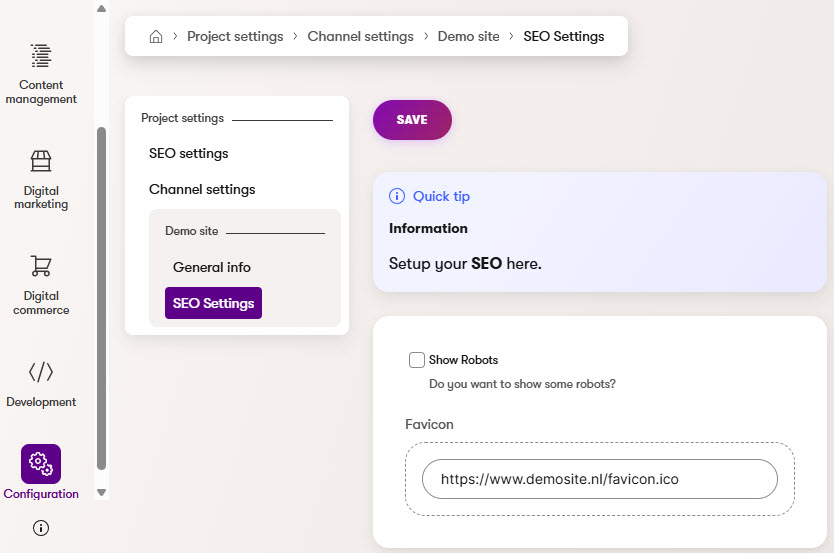
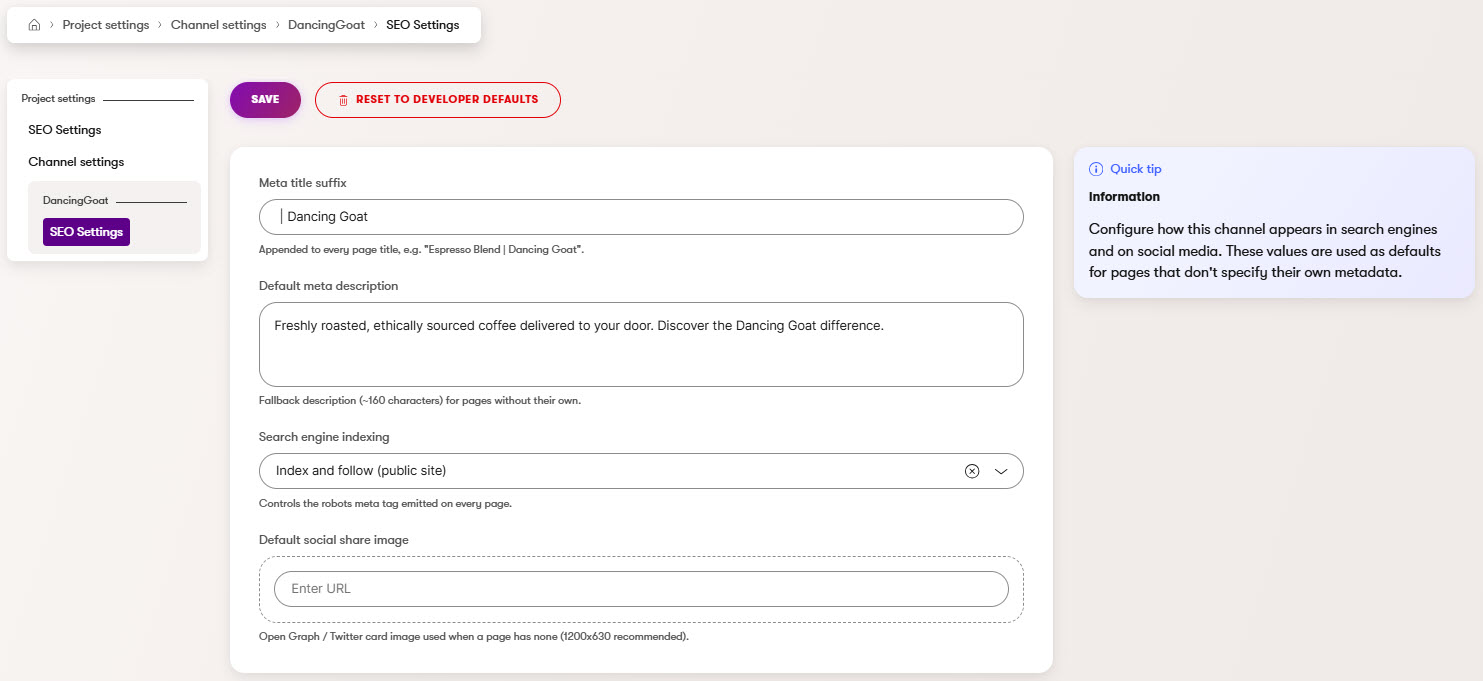
⚠️ Internal API Warning: This library depends onKentico.Xperience.Admin.Base.Forms.Internal. This namespace is not part of Kentico's public API surface and may change between Xperience by Kentico versions without notice. Upgrading to a newer version of Xperience by Kentico may temporarily break this library until a compatible update is released.
This module provides strongly-typed project settings that can be:
- Global - Application-wide settings (stored with
channelId = 0) - Channel-specific - Per website channel settings with automatic fallback to global
Settings are managed through the Kentico admin interface and retrieved programmatically using ASP.NET Core's IOptions<T> pattern.
Key Concept: Whether settings are global or channel-specific is determined by which admin UI page you create. The same settings class can be used for both contexts.
- Until you explicitly create an override, the form stays disabled and previews the values currently in effect — the developer defaults on the global page, or the global settings (falling back to developer defaults) on a channel page.
- A Reset page action removes an override with a destructive confirmation. On the global page it resets to the developer defaults; on a channel page it resets to the global settings, or the developer defaults when none exist.
- Creating or resetting an override refreshes the page immediately, and the global page lists any channels that have their own settings.
See the Usage Guide for the full behavior.
| Xperience Version | Library Version |
|---|---|
| >= 31.3.0 | 1.0.0 |
Add the package to your application using the .NET CLI
dotnet add package XperienceCommunity.ProjectSettingsCreate a class that implements IProjectSettingsType:
using XperienceCommunity.ProjectSettings.Classes;
using Kentico.Xperience.Admin.Base.FormAnnotations;

namespace MyProject.Settings;

public class SeoSettings : IProjectSettingsType
{
    public string SettingsSlug => "seo-settings";
    public string SettingsName => "Seo.Settings";
    public string SettingsDisplayName => "SEO Settings";
    public string SettingsExplanation => "Configure SEO settings for your website.";

    [TextInputComponent(Label = "Meta Title Suffix", Order = 1)]
    public virtual string MetaTitleSuffix { get; set; } = "";

    [CheckBoxComponent(Label = "Enable Open Graph", Order = 2)]
    public virtual bool EnableOpenGraph { get; set; } = true;
}using XperienceCommunity.ProjectSettings;
builder.Services.AddProjectSettings<SeoSettings>();See the Usage Guide for detailed instructions on creating global and channel settings admin pages.
using Microsoft.Extensions.Options;

public class SeoService(IOptions<SeoSettings> settings)
{
    public string GetPageTitle(string baseTitle)
        => $"{baseTitle} {settings.Value.MetaTitleSuffix}";
}View the Usage Guide for complete documentation including:
- Creating global and channel settings admin pages
- Settings resolution and fallback behavior
- Using both global and channel settings together
- Direct service access for multi-channel scenarios
- Available form components
- Key types reference
- Troubleshooting
Feel free to submit issues or pull requests to the repository, this is a community package and everyone is welcome to support.
Distributed under the MIT License. See LICENSE.md for more information.